
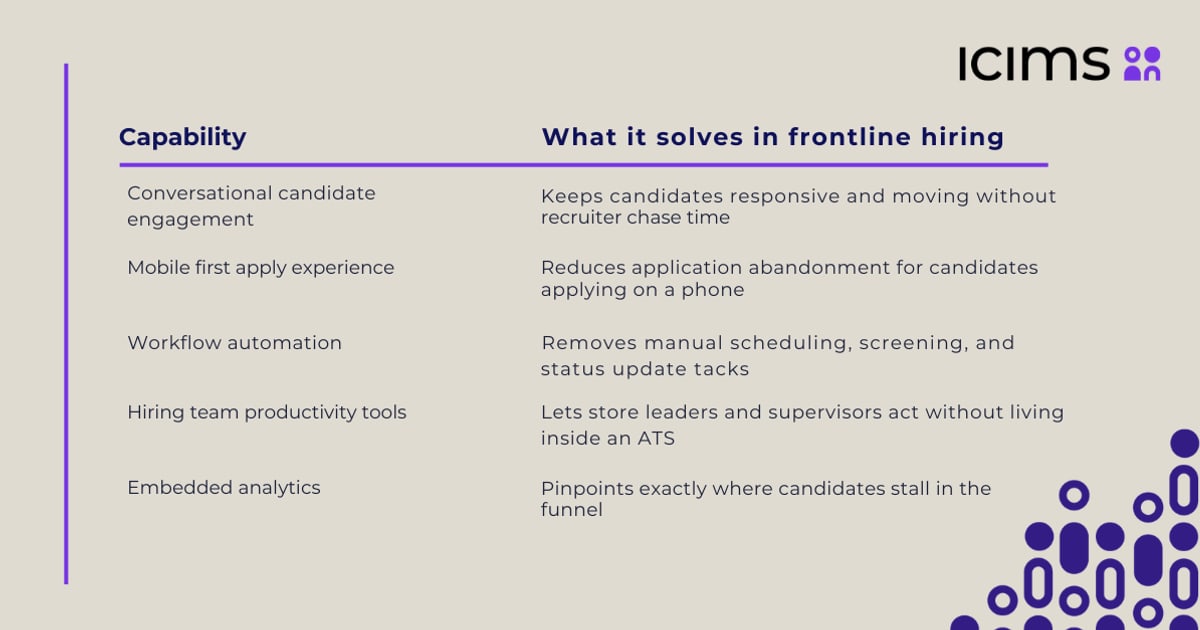
Recruitment Messaging Automation: A Practical Guide for 2026
Learn how recruitment messaging automation unifies email, SMS, and chat apps to boost candidate engagement, reduce no-shows, and sync data with your ATS.
Recruitment Messaging Automation: The Strategy Behind Faster, Smarter Hiring
Speed and consistency define modern hiring. When a qualified candidate applies, the clock starts ticking. A delayed response often means losing that person to a faster competitor. Recruitment messaging automation solves this by orchestrating email, SMS, and chat-app conversations through intelligent workflows—ensuring every candidate receives the right message, on the right channel, at the right moment. This article breaks down how the technology works, which channels matter most, and how to build an automation stack that feels personal at scale.
Why Single-Channel Recruiting Falls Short

Recruitment Messaging Automation: A Practical Guide for 2026 - Why Single-Channel Recruiting Falls Short.
Relying on email alone creates blind spots. Many candidates—especially in frontline, skilled-trade, and gig-economy roles—live on their phones and prefer text or messaging apps over inboxes. A 2026 hiring landscape demands that recruiters meet applicants where they already communicate. When you only use one channel, you risk:
- Silent drop-offs – Unopened emails that never convert into conversations.
- No-show interviews – Candidates who miss appointments because reminders landed in a spam folder.
- Slow time-to-first-touch – Manual follow-ups that stretch hours into days.
Omnichannel recruitment messaging automation changes this by layering channels into a single, coherent workflow. An initial email can be followed by an SMS nudge, which can then escalate to a WhatsApp message or an automated voice call—all without a recruiter touching a keyboard. The system logs every interaction back to the applicant tracking system (ATS), so the entire team sees a unified timeline.
What a Modern Recruitment Messaging Automation System Actually Does
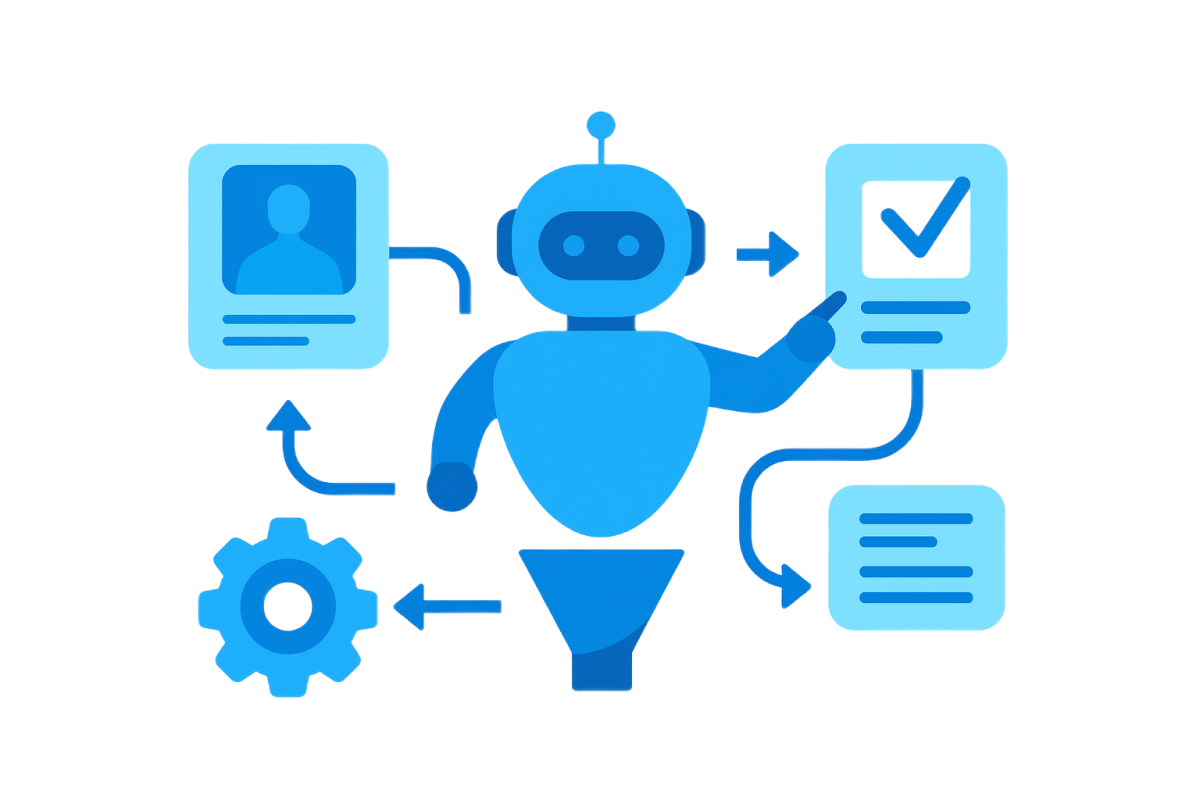
Recruitment Messaging Automation: A Practical Guide for 2026 - What a Modern Recruitment Messaging Automation System Actually Does.
At its core, recruitment messaging automation is not a bulk-email tool with a few templates. It is a workflow engine that decides which channel to use, when to switch, and how to personalize content based on candidate behavior. Here is what a well-designed system handles:
1. Intelligent Channel Selection and Fallbacks
Automation starts by mapping the candidate journey. A workflow might begin with a detailed email containing the job description and a scheduling link. If the email is not opened within 45 minutes, the system automatically sends a concise SMS. If there is still no engagement, it can trigger a voice note or a chat-app message through platforms like WhatsApp. This escalation path mimics the persistence of a great recruiter without the manual effort.
2. Automated Email Workflows That Do the Heavy Lifting
Email remains the backbone for formal communication—offer letters, onboarding documents, and detailed instructions. Automation segments candidates by role, location, or pipeline stage and sends personalized sequences. Tracked links reveal exactly when a candidate engages, allowing the system to create recruiter tasks or adjust the follow-up cadence automatically.
3. Text Recruiting Where Speed Matters
For time-sensitive actions—interview confirmations, same-day shift fills, or application reminders—SMS outperforms email. Modern text recruiting platforms use personalization tokens (first name, role title, pay rate) to keep messages conversational. When a candidate replies "Yes" or "Interested," the automation can instantly send the next step, such as a calendar link or a pre-screening question. This dramatically reduces drop-off between application and first conversation.
4. Chat-App Messaging for Global and Mobile-First Talent
Beyond SMS, candidates increasingly expect communication through messaging apps like WhatsApp, Telegram, and LINE. This is especially true for international recruitment, remote roles, and younger demographics. Integrating these channels into your automation stack requires a unified messaging approach. Instead of managing separate APIs for each platform, a unified messaging API platform normalizes delivery and responses across channels, so your recruitment software treats a WhatsApp reply the same as an SMS reply.
5. Voice Automation for Commitment and Coverage
When text and email fail to get a response, a brief, natural-sounding automated voice call or voicemail can re-engage a candidate. Voice workflows confirm interview attendance, deliver last-minute updates, or follow up on missed messages. This layer adds a sense of urgency and human presence without pulling recruiters away from high-value conversations.
6. Everything Written Back to the ATS
The final, non-negotiable piece is data synchronization. Every automated message, reply, and call outcome must log into your ATS. This gives recruiters a complete conversation history before they pick up the phone or conduct an interview. It also prevents duplicate outreach and enables analytics—showing which channels drive the fastest responses or which message templates convert best.
How an Omnichannel Recruitment Workflow Unfolds
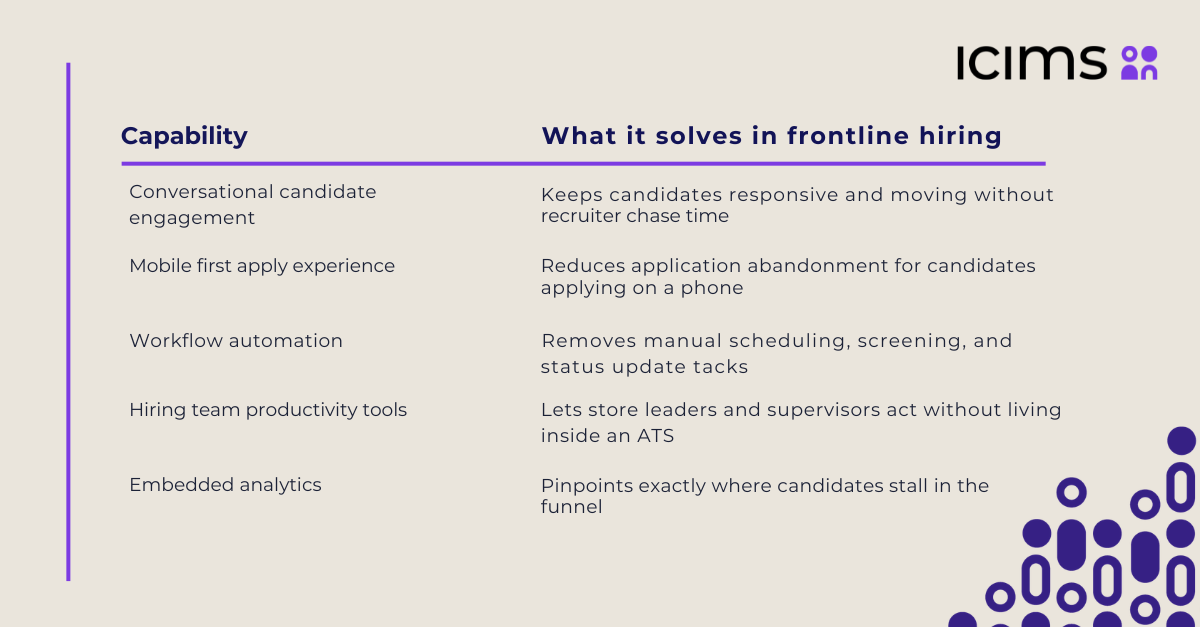
Recruitment Messaging Automation: A Practical Guide for 2026 - How an Omnichannel Recruitment Workflow Unfolds.
Imagine a high-volume staffing firm filling warehouse roles. A candidate applies through a job board at 9:00 AM. Here is how a recruitment messaging automation workflow keeps momentum:
- T+0 minutes (Email) – A personalized confirmation email lands with role details and a link to book an interview slot.
- T+45 minutes (SMS) – If the email is unopened, an SMS fires: "Hi Alex, thanks for applying! Want to choose your interview time? Here's the link."
- T+3 hours (WhatsApp) – If no response, the system sends a WhatsApp message with the same offer, leveraging the app's higher open rates in certain demographics.
- Upon booking – An immediate email and SMS confirmation includes the time, date, and video-call link. The ATS updates the candidate stage automatically.
- No-show recovery – If the candidate misses the interview, a voice automation calls to reschedule, and the ATS flags the record for recruiter review.
This orchestration happens without a recruiter manually switching between tools. The messaging layer acts as a force multiplier, keeping candidates warm while the team focuses on interviewing and closing.
What to Automate (and Where the ROI Lives)
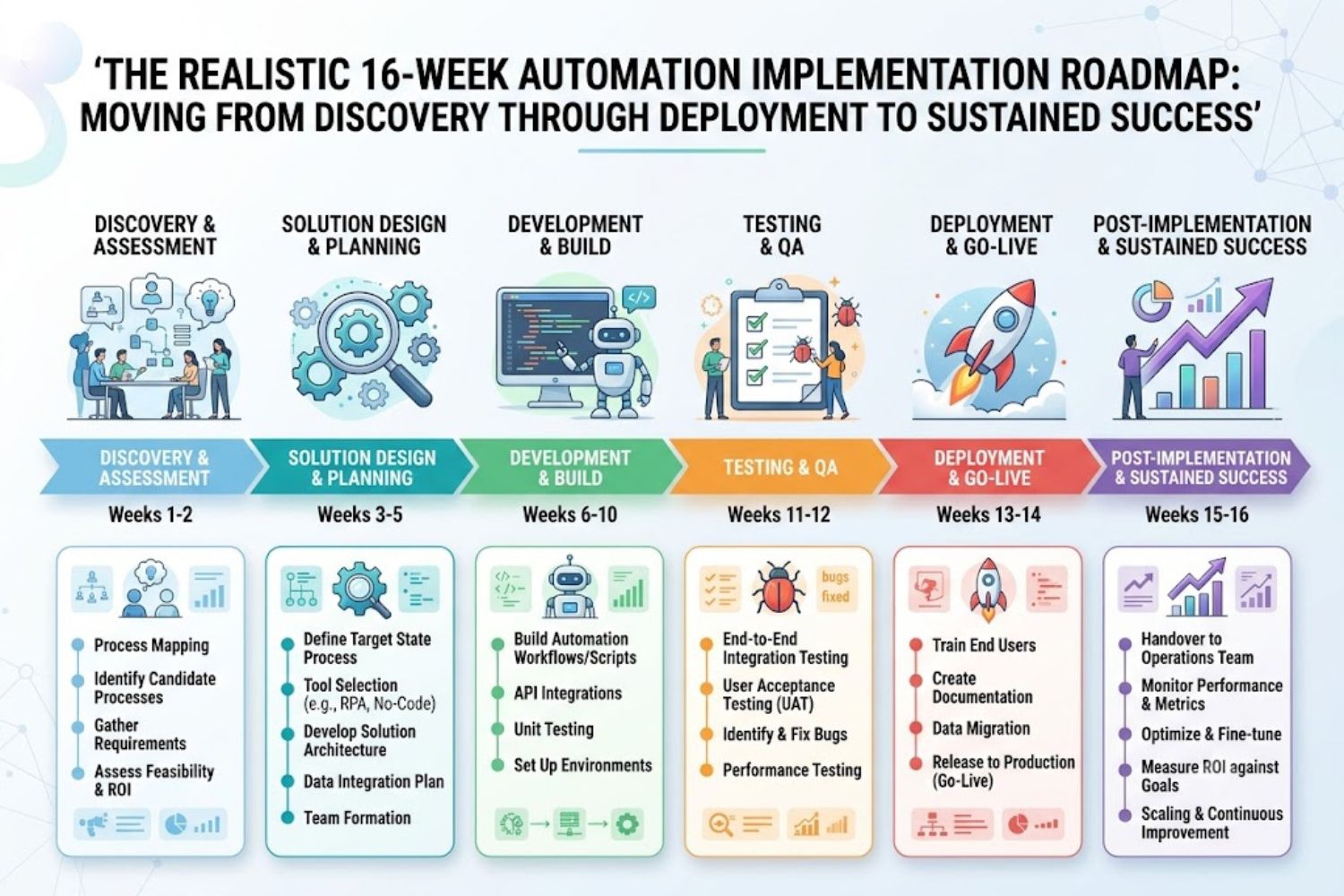
Recruitment Messaging Automation: A Practical Guide for 2026 - What to Automate (and Where the ROI Lives).
Not every touchpoint should be automated. The goal is to remove repetitive, high-volume tasks while preserving human interaction for moments that build trust. The highest-ROI automation targets include:
- Application acknowledgments – Instant confirmation that an application was received.
- Interview scheduling and reminders – Automated booking links and multi-channel reminders reduce no-shows by up to 40% in some implementations.
- Pre-screening questions – SMS or chat-based knock-out questions that filter for salary expectations, certifications, or availability before a recruiter invests time.
- Re-engagement campaigns – Dormant candidate pools can be reactivated with periodic, personalized messages about new roles.
- Onboarding document collection – Automated requests for IDs, certifications, and signed forms with tracked completion.
How to Build a Recruitment Messaging Automation Stack
Implementing automation does not require ripping out your existing ATS. The most effective approach layers messaging capabilities on top of your current infrastructure. Follow these steps:
1. Map Your Critical Communication Moments
List every touchpoint from application to day-one onboarding. Identify where delays occur, where candidates drop off, and which messages are purely transactional. These are your automation candidates.
2. Choose the Right Channel Mix
Match channels to the moment. Email for formal documents. SMS for urgent confirmations. WhatsApp or Telegram for ongoing engagement in mobile-first markets. Avoid forcing every message through every channel; let the workflow logic decide based on candidate behavior and preference.
3. Instrument Your ATS with a Messaging API Layer
Your ATS likely has basic email triggers, but true omnichannel automation requires a messaging infrastructure that can send and receive across SMS, WhatsApp, Telegram, and other apps through a single integration. This is where a unified messaging API becomes critical. Platforms like UnifyPort provide a normalized REST API and standardized webhook events for every channel, so your recruitment software or custom workflow engine can treat all candidate replies as a single event stream. Built-in rate limiting, retries with idempotency, and failure isolation ensure that high-volume campaigns deliver reliably—without a recruiter monitoring delivery logs.
4. Start with One Role or Location
Pilot your automation on a single high-volume role. Measure time-to-first-touch, response rates, and interview show rates. Refine the messaging cadence and channel mix before scaling across the organization.
The Role of Unified Messaging APIs in Recruitment Automation
Building separate integrations for SMS providers, WhatsApp Business API, Telegram bots, and other channels creates maintenance overhead and inconsistent event handling. A unified messaging API abstracts these differences. For recruitment platforms and custom hiring tools, this means:
- One integration, every channel – Send and receive messages across Telegram, WhatsApp, LINE, SMS, and more through a single REST API.
- Standardized event layer – All incoming candidate replies arrive as a consistent JSON shape, regardless of the source channel. This simplifies ATS logging and trigger logic.
- Webhook control plane – Manage signatures, subscriptions, and retries centrally, so your application never misses a candidate response due to a provider outage.
- Secure, production-grade delivery – API keys and HMAC-SHA256 signatures keep candidate data safe, while built-in rate limiting prevents provider throttling during high-volume campaigns.
When evaluating a messaging API for recruitment automation, look for official SDKs in your stack's language, transparent per-account pricing, and workspace isolation so different clients or regions remain separate. For a detailed comparison of leading platforms, see this UnifyPort vs MessengerPeople vs CM.com analysis.
Common Pitfalls to Avoid
- Over-automating the human moments – Offer letters, rejection conversations, and complex negotiations still benefit from a recruiter's empathy. Use automation to tee up these conversations, not replace them.
- Ignoring channel preferences – Let candidates opt in or out of specific channels. Sending WhatsApp messages to someone who only wants email damages trust and can violate compliance rules.
- Neglecting ATS hygiene – If automated messages do not write back to the ATS, your team works blind. Insist on real-time, bidirectional sync.
- Sending without rate limits – High-volume SMS or WhatsApp campaigns can trigger carrier throttling. A messaging layer with built-in rate limiting prevents this.
Related reading
- How to Delete Your Telegram Account Permanently in 2026 - Step-by-step guide to permanently delete your Telegram account via browser, mobile, or auto-deletion. Learn what happens to chats, groups, and contacts before you deactivate.
- Payment Solutions: Types, How They Work & Choosing the Right One - Explore modern payment solutions—from merchant services and gateways to unified APIs. Learn how they work, compare options, and choose the right infrastructure for your business.
- The Best AI Chatbots in 2026: A Deep Dive into Models, Use Cases & Integration - Compare the top AI chatbots of 2026—ChatGPT, Claude, Gemini, and more. Learn how they work, which excels at coding, writing, or research, and how unified APIs connect them to messaging channels.
Sources and further reading
- Recruitment Automation: Email, SMS & Voice - Recruitment Automation unites email, SMS, and voice in one workflow to boost hiring speed, candidate engagement, and recruiter productivity.
- Top Recruitment Automation Software for Hiring | Team Engine - Speed up hiring with Team Engine’s recruiting automation software. Find, engage, and hire top candidates quickly using smart, automated recruitment tools.
- What automation tools are actually helping - My applicant tracking system has the feature that allows me to delay sending emails and text messages from the applicant tracking system.
Frequently Asked Questions
What is recruitment messaging automation?
Recruitment messaging automation is the use of software workflows to send, receive, and orchestrate candidate communications across multiple channels—email, SMS, voice, and messaging apps—without manual intervention. It syncs all interactions with an applicant tracking system to maintain a complete candidate history.
How is this different from an ATS?
An ATS primarily manages applications, pipelines, and candidate data. Recruitment messaging automation adds an intelligent communication layer on top, deciding which channel to use, when to escalate, and how to personalize content based on candidate behavior. Many ATS platforms offer basic email triggers, but true omnichannel automation usually requires a specialized messaging API or platform integrated with the ATS.
Which channels should I automate first?
Start with email and SMS. These cover the broadest candidate base and deliver the fastest ROI through reduced time-to-first-touch and lower no-show rates. Add messaging apps like WhatsApp or Telegram if you recruit internationally or in industries where candidates prefer chat over text.
Can I use recruitment messaging automation with my existing ATS?
Yes. Most automation platforms and unified messaging APIs offer REST APIs and webhooks that integrate with popular ATS solutions. The key is ensuring that all messages and replies write back to the candidate record in real time.
Is automated messaging compliant with data privacy regulations?
Compliance depends on how you configure the system. Reputable messaging platforms support encryption, secure authentication (API keys, HMAC signatures), and opt-out management. Always ensure your automation workflows respect candidate channel preferences and local regulations like GDPR or TCPA.
Conclusion
Recruitment messaging automation transforms the candidate experience from a series of delayed, manual touchpoints into a responsive, multi-channel conversation. By orchestrating email, SMS, chat apps, and voice through intelligent workflows—and syncing everything back to the ATS—hiring teams can move faster, reduce drop-offs, and let recruiters focus on what they do best: building relationships and closing great candidates. The technology is mature, the APIs are accessible, and the competitive advantage is clear. The question is not whether to automate, but how quickly you can map your critical moments and start.