
LINE App: Features, Download & Multi-Channel API Integration
Discover LINE's free messaging, stickers, calls, and how businesses can unify LINE with WhatsApp, Telegram and more via UnifyPort's unified API.
LINE Messaging App: Features, Download, and Multi-Channel API Integration
LINE is more than a free messenger—it’s a communications super-app used by over 194 million monthly active users, primarily across Japan, Taiwan, Thailand, and Indonesia. From stickers and voice calls to official business accounts and a sophisticated messaging API, LINE has evolved into a platform where personal chats, social timelines, and brand interactions live side by side. In this guide, we’ll walk through what LINE offers, how to download it, and how developers can connect LINE with other channels through a unified multi-channel API like UnifyPort.
For a quick reference on LINE’s core functionality and how it fits into a multi-channel messaging strategy, see our dedicated LINE app guide.
What Is the LINE App?
LINE App: Features, Download & Multi-Channel API Integration product interface and feature overview.
LINE started in 2011 as a response to disrupted phone networks after the Tōhoku earthquake. Developed by NHN Japan (now LY Corporation, a SoftBank‑Naver joint venture), the app quickly differentiated itself with free voice and video calls—a feature that set it apart from competitors in a market where carriers charged for both SMS and voice. Today LINE is a multi‑faceted platform encompassing instant messaging, social media, digital payments, news, and entertainment. It’s the dominant social network in Japan, with over 70% of the population using it. The app is available on iOS, Android, desktop (Windows/macOS), iPad, and Apple Watch, making it accessible virtually everywhere.
Official download links and system requirements can be found on the LINE website. The App Store listing details the latest iOS features, while the Wikipedia entry traces LINE’s development and global footprint.
Key Features of LINE
LINE’s appeal goes far beyond text messaging. Here are the features that make it a personal and business communication powerhouse.
Instant Messaging, Voice & Video Calls
At its core, LINE offers free, real‑time messaging over Wi‑Fi or mobile data, with read receipts and typing indicators. Voice and video calls are also free and crystal‑clear, supporting group calls of up to 500 participants. The app works seamlessly across mobile, tablet, and desktop devices.
Stickers, Emoji, and Custom Themes
LINE’s sticker economy is legendary. Thousands of original and licensed characters—from Brown & Cony to popular anime and movie tie‑ins—let users express emotions visually. The built‑in emoji keyboard extends that expression, while purchasable themes allow full customization of the chat interface.
Social Features: Home, Timeline, and LINE VOOM
Similar to Facebook’s News Feed, LINE’s Home and Timeline give users a space to share photos, videos, and posts with their contacts. In selected regions (Japan, Taiwan, Thailand), LINE VOOM offers a dedicated discovery feed for creators and public content.
Keep Memo and Chat Organization
Keep Memo is a private chat room where users can save notes, photos, videos, and links temporarily. Combined with the ability to pin conversations, search through chat history, and create group boards, LINE helps users stay organized.
Privacy and Security
Letter Sealing provides end‑to‑end encryption for messages, call history, and location information when enabled. Hidden chat can automatically delete messages from both devices and LINE servers after a set time, giving users control over sensitive conversations.
LINE as a Super‑App
Over the years, LINE has expanded into a wide‑ranging ecosystem of integrated services:
- LINE Pay – digital wallet and mobile payments.
- LINE Today – curated news feed.
- LINE Manga / LINE Webtoon – comic and webtoon distribution.
- LINE TV – video‑on‑demand service (regional).
- LINE Taxi – ride‑hailing (Japan).
This super‑app strategy turns LINE into a daily‑life infrastructure, not just a chat tool.
LINE for Businesses: Official Accounts and Messaging API
Businesses can engage customers through LINE Official Accounts, which provide broadcast messaging, rich menus, and automated replies. For deeper integration, the LINE Messaging API allows developers to build chatbots, send push notifications, and handle customer inquiries programmatically.
Common use cases include:
- Automated order confirmations and delivery updates.
- AI‑powered customer service bots.
- Appointment reminders for healthcare and banking.
- Social commerce conversations inside LINE chats.
However, the Messaging API comes with its own SDKs, authentication flows (channel access tokens), rate limits, and webhook signature verification. Managing these provider‑specific requirements becomes complex when LINE is just one of several messaging channels a business uses.
Integrating LINE Into a Multi‑Channel Strategy
LINE App: Features, Download & Multi-Channel API Integration product interface and feature overview.
Many organizations run customer communications across WhatsApp, Telegram, Facebook Messenger, LINE, and other platforms. Each channel has its own APIs, event formats, connection lifecycles, and error‑handling patterns. Building and maintaining separate integrations multiplies engineering effort and makes consistent monitoring nearly impossible.
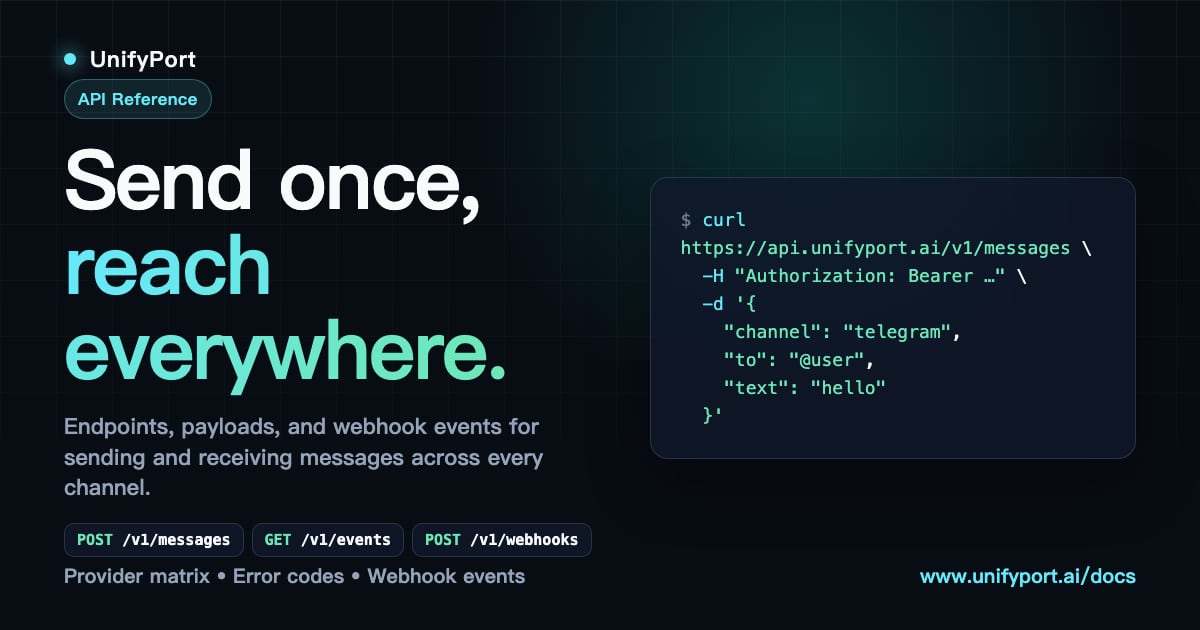
This is where a unified multi‑channel messaging API like UnifyPort changes the game. Instead of coding against the LINE Messaging API, the WhatsApp Business API, and Telegram Bot API individually, developers interact with a single REST API that abstracts all those channels. LINE messages, media, and template replies follow the same normalized structure as WhatsApp or Telegram messages, so a chatbot or CRM can treat every user conversation identically.
How UnifyPort Works with LINE
UnifyPort handles the full lifecycle of your LINE virtual messaging account—creation, authentication (via QR code, authorization code, or session import), runtime monitoring, and teardown—all through a REST interface and webhook event stream. Key capabilities:
- Standardized event layer: Incoming LINE webhooks (text, image, video, sticker, location, etc.) are normalized into a single JSON shape, regardless of channel.
- Webhook control plane: Manage webhook subscriptions, retry policies, and HMAC‑SHA256 signature verification in one place. No more juggling LINE’s signature validation alongside WhatsApp’s callback payloads.
- Message‑type consistency: Send text, images, video, audio, documents, and provider‑specific features like reply_to or parse_mode using the same API calls. LINE stickers map to a unified media type without extra parsing.
- Production‑grade delivery: Built‑in rate limiting, retries with idempotency keys, and failure isolation ensure that a temporary LINE outage doesn’t block messages on other channels.
- Account status monitoring: REST endpoints and webhooks give you real‑time status on each LINE account—connected, disconnected, expired—so you can proactively re‑authenticate before a customer conversation fails.
Because UnifyPort’s pricing is transparent and graduated per paid messaging account (with a free tier for evaluation), you only pay for the channels you actively use, without hidden costs.
Getting Started with LINE and UnifyPort
LINE App: Features, Download & Multi-Channel API Integration product interface and feature overview.
- Create a LINE account and set up a LINE Official Account or Messaging API channel through the LINE Developers Console.
- Onboard to UnifyPort (currently available to selected customers). Point UnifyPort to your LINE credentials or let it generate a new virtual account via QR scan.
- Configure webhooks in the UnifyPort dashboard to forward LINE events to your application endpoint. The event payload is already normalized, so you can write a single handler for all messaging channels.
- Send and receive messages using UnifyPort’s REST API. You can include LINE‑specific reply markup or sticker IDs when needed, and fall back to generic media types for cross‑channel consistency.
Platforms like UnifyPort leverage UnifyPort to give businesses a unified inbox where LINE conversations flow alongside WhatsApp, Telegram, and social‑channel messages—making customer engagement observable and scalable without per‑channel development.
For a broader look at how cloud messaging APIs power modern communication, see our cloud messaging guide.
Related reading
- Telegram App Download: Get the Messaging App on All Devices - Download Telegram for iOS, Android, and desktop. Official links and a step-by-step installation guide for the fast, secure messaging app used by over 1 billion people.
- What Is Telegram? Features, Download & API Integration Guide - Discover everything about Telegram: the cloud-based secure messaging app. Learn its features, how to download, and how businesses use the Telegram API with multi-channel tools like UnifyPort.
- Telegram Download Guide: Get Telegram on Desktop, iOS & Android - Download Telegram safely on all devices. Official links for Windows, Mac, Android, iOS, and Linux. Plus, secure installation tips and multi-channel API integration for businesses.
FAQ
What is the LINE app used for?
LINE is a free messaging and social‑networking app that offers text chat, voice and video calls, timeline posts, virtual stickers, and a growing suite of integrated services like mobile payments and news.
How do I download LINE?
Visit the official LINE website or your device’s app store (App Store for iOS, Google Play for Android). Desktop versions are available for Windows and macOS.
Is LINE free?
Yes, LINE’s core messaging and calling features are free. In‑app purchases exist for stickers, themes, and premium services like LINE Pay balance top‑ups.
Can businesses use LINE for customer support?
Absolutely. LINE Official Accounts and the LINE Messaging API enable automated responses, chatbots, and one‑on‑one customer care. With UnifyPort, you can manage LINE conversations alongside other channels in a single workflow.
How does LINE Messaging API work?
The Messaging API lets your server send and receive messages via LINE through HTTPS requests and webhooks. It requires channel access tokens, signature verification, and adherence to LINE’s rate limits and data usage policies.
Can I integrate LINE with other messaging channels?
Yes, using a unified API like UnifyPort, you can connect LINE with WhatsApp, Telegram, Zalo, X (Twitter), and TikTok. All incoming events are normalized, and outbound messages follow a consistent format.
What is UnifyPort and how does it help with LINE integration?
UnifyPort is a multi‑channel messaging API that abstracts provider‑specific SDKs. It gives you a single REST API and webhook system for LINE, WhatsApp, Telegram, and more, with built‑in retries, rate limiting, and account lifecycle management.
Conclusion
LINE is far more than a messenger—it’s a cultural and commercial platform that businesses can’t ignore, especially in Asian markets. While its consumer features like stickers and VOOM keep users engaged, the LINE Messaging API opens the door to powerful customer communication. Yet, managing LINE alongside other messaging channels can quickly become a development overhead. UnifyPort removes that complexity by unifying LINE with WhatsApp, Telegram, and other platforms under one API layer, so you can build once and scale everywhere. Whether you’re launching a chatbot, orchestrating notifications, or building a full‑fledged contact center, combining LINE’s reach with UnifyPort’s unified infrastructure gives you the reliability and observability you need.