

What Is Telegram? Features, Download & API Integration Guide
Discover everything about Telegram: the cloud-based secure messaging app. Learn its features, how to download, and how businesses use the Telegram API with multi-channel tools like UnifyPort.
What Is Telegram? The Ultimate Guide to the Secure Messaging App
Telegram has redefined instant messaging by combining speed, cloud synchronization, uncompromising privacy options, and a powerful API that developers love. Whether you are a casual user looking for a fast, feature‑rich messenger or a business building automated customer interactions, Telegram offers a unique proposition. In this guide, we will unpack Telegram from every angle – its origins, standout features, download methods, business capabilities, and how modern platforms like UnifyPort make Telegram part of a unified multi‑channel messaging strategy.
The Story Behind Telegram
What Is Telegram? Features, Download & API Integration Guide product interface and feature overview.
Telegram was launched in 2013 by brothers Nikolai and Pavel Durov, the founders of Russia’s largest social network, VK. The goal was to build a messaging service that truly respects user privacy and remains free from corporate or governmental pressure. Unlike many tech companies, Telegram operates as a non‑profit organization and has no plans to sell ads or harvest user data. Its server infrastructure is distributed across multiple jurisdictions, and the core client code is open source, allowing independent security audits.
Historically, the word “telegram” referred to a written message transmitted through telegraphy – a term that gave the app its name, evoking speed and distance. Today, Telegram carries forward that metaphor, moving messages at near‑instant speed across the globe.
Key Features That Set Telegram Apart

What Is Telegram? Features, Download & API Integration Guide - supporting product research image 4.
Telegram packs an extensive set of capabilities that distinguish it from many other messaging apps:
- True Cloud‑Based Messaging – All conversations, media, and files are stored in the cloud and instantly synced across every device you use. You can start a message on your phone and finish it on your desktop without missing a beat.
- Secret Chats – For users who need maximum privacy, Telegram offers end‑to‑end encrypted, self‑destructing conversations that leave no trace on Telegram’s servers. Regular chats use server‑client encryption, but Secret Chats use a tried‑and‑tested MTProto encryption protocol with perfect forward secrecy.
- Massive Groups & Channels – Regular groups support up to 200,000 members, making Telegram a powerhouse for communities, organizations, and fan bases. Channels let you broadcast messages to unlimited subscribers, perfect for news outlets, creators, and businesses.
- File Sharing Without Limits – Send any file type up to 2 GB in size. Telegram functions almost like a personal cloud storage service; you can access your shared media from any device.
- Powerful Bots – The Telegram Bot API enables developers to build interactive bots for payments, customer support, games, and workflows. Bots can replace entire apps, and there are thousands available directly inside Telegram.
- Customization – From chat themes and custom stickers to extensive notification settings, Telegram gives users fine‑grained control over their experience.
How to Get Telegram on Any Device
Telegram is available on all major platforms – and you can even use it without installing anything. For a complete walkthrough with official links and safety tips, see our Telegram Download Guide.
Quick highlights:
- Desktop – Native apps for Windows, macOS, and Linux, plus a fully featured Telegram Web client.
- Mobile – Apps for Android (Google Play or direct APK) and iOS (App Store).
- Seamless Setup – Sign up with a phone number; once verified, your account syncs across all devices simultaneously.
The installation itself is straightforward, but organizations rolling out Telegram internally often benefit from standardization and API‑driven account provisioning, which we’ll touch on later.
Telegram for Businesses: Bots, Channels, and API
Telegram isn’t just a consumer chat app – it’s a robust platform for business communication. Three pillars support this:
- Channels – Broadcast updates, product news, or alerts to an audience of any size. Channels can be public or private, and admins get detailed statistics.
- Bots – Using the Bot API, businesses can automate customer support, send transactional notifications, handle bookings, and integrate with backend systems. Bots understand commands, inline queries, and callback buttons.
- Telegram API – For custom integrations, the Telegram client and Bot APIs allow programmatic message sending, media uploads, and group management. This is where businesses can embed Telegram directly into their own software, CRMs, or notification workflows.
Many companies use Telegram alongside other messaging channels like WhatsApp, LINE, and Facebook Messenger to reach customers wherever they are. Managing these separate APIs, however, becomes complex very quickly.
Unifying Telegram With Other Channels Using UnifyPort

What Is Telegram? Features, Download & API Integration Guide product interface and feature overview.
For developers and operations teams that need to send and receive messages across multiple platforms, maintaining separate SDKs, webhook formats, and authentication flows is a maintenance headache. This is where a unified messaging API like UnifyPort shines.
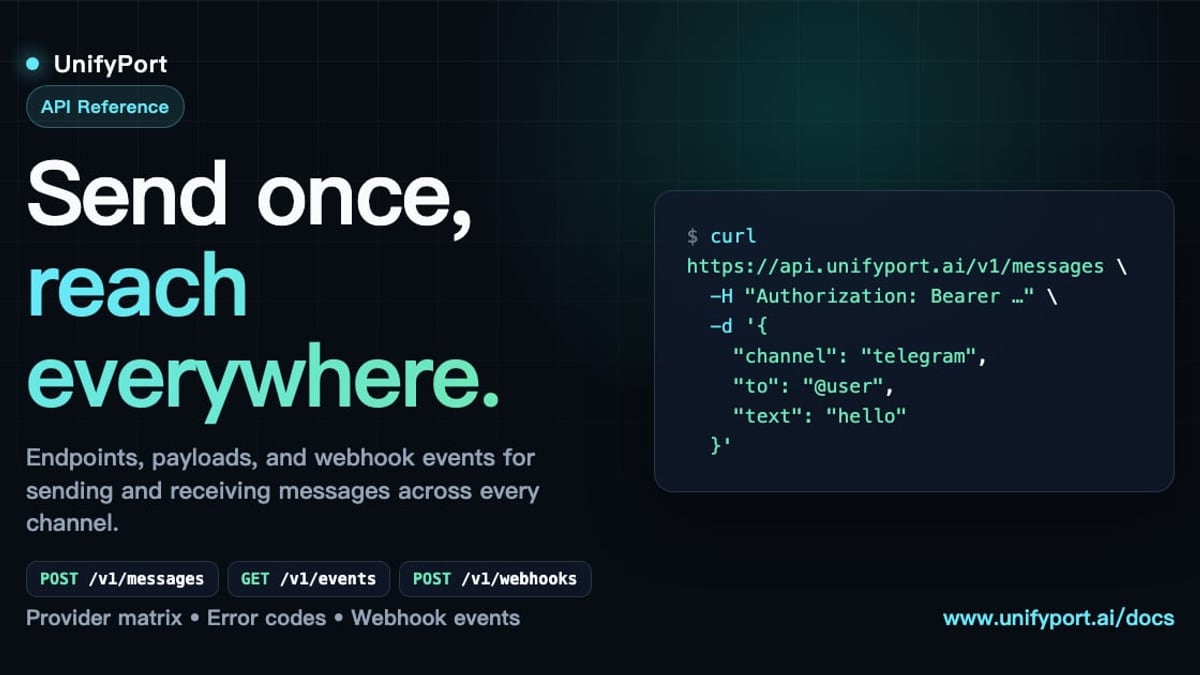
UnifyPort is a multi‑channel messaging API platform that gives you a single REST API and a standardized webhook event stream to interact with Telegram, WhatsApp, LINE, X (Twitter), Zalo, TikTok, and more. Instead of wrestling with Telegram’s Bot API and then repeating the process for every other channel, UnifyPort abstracts away the complexity:
- One Standard Event Layer – All incoming messages, status updates, and errors are normalized into a single JSON schema, regardless of the underlying provider.
- Webhook Control Plane – Manage signature verification, subscriptions, and retry logic from one place.
- Full Account Lifecycle – Create, authenticate (via QR, code, or session import), monitor, and tear down Telegram accounts through REST calls, with status tracking in real time.
- Production‑Grade Guarantees – Built‑in rate limiting, retries, idempotency, and failure isolation ensure reliable delivery even when a provider experiences an outage.
For businesses building AI agents, notification engines, or customer support systems, UnifyPort eliminates the need to learn and maintain multiple provider‑specific integrations. To understand how cloud messaging underpins such architectures, read our Cloud Messaging Guide. And for a deep dive into the other side of the messaging ecosystem, our WhatsApp Business API Guide walks through setup and multi‑channel strategy.
Telegram vs. Other Messaging Platforms for Business

What Is Telegram? Features, Download & API Integration Guide product interface and feature overview.
Not every channel fits every use case. Here’s a quick comparison to help you decide when to use Telegram and how it stacks up against alternatives.
| Feature | Telegram | WhatsApp Business | LINE |
|---|---|---|---|
| Group size | Up to 200,000 | Up to 1,024 participants | Up to 499 members |
| Bot capabilities | Very extensive (custom keyboards, inline queries, payments) | Limited (template‑based flows) | Rich (Messaging API with flex messages) |
| End‑to‑end encryption (default) | Secret Chats only; standard chats server‑side encrypted | Yes, all chats | Yes (LETTER SEAL) |
| Multi‑device sync | Seamless, cloud‑based | Limited (linked devices) | Full multi‑device |
| Broadcasting | Channels with unlimited subscribers | Broadcast lists (limited) | LINE Official Account broadcasts |
| Cost | Free, no authentication fee | Business API has per‑conversation pricing | LINE Official Account has monthly/large‑scale fees |
For community building, automated workflows, and situations where privacy control matters more than default end‑to‑end encryption, Telegram often wins. For direct, person‑to‑person business chats in markets where WhatsApp dominates, the Meta ecosystem might be a better fit. The real power comes when you connect both – a move that is trivial with a unified API layer like UnifyPort.
Related reading
- CM Complaint Cell: How to Register & Track Grievances Online - Learn what a CM complaint cell is, how to register grievances online, and how unified APIs like UnifyPort enable seamless multi-channel citizen support across apps, SMS, and chat.
Sources and further reading
- Telegram - From Wikipedia, the free encyclopedia
Frequently Asked Questions
Is Telegram free?
Yes. Telegram has no subscription fees and plans to remain free, supported by its non‑profit structure and donations.
Is Telegram secure?
Telegram uses a combination of encryption mechanisms. Standard chats are encrypted between client and server and stored encrypted. Secret Chats provide full end‑to‑end encryption with self‑destruct timers. However, only Secret Chats are end‑to‑end encrypted by default; if you require default end‑to‑end encryption for all messages, you may want to enable Secret Chats exclusively.
What is the Telegram API?
The Telegram API comes in two flavors: the Client API (based on MTProto) for building full Telegram clients, and the Bot API (HTTP‑based) for creating bots that interact with users, groups, and channels. Businesses typically use the Bot API.
How can I integrate Telegram with my CRM or helpdesk?
You can use the Telegram Bot API directly, or leverage a unified platform like UnifyPort to connect Telegram, WhatsApp, and other channels through one REST API, normalizing all events into a single webhook format.
Can I use Telegram for customer support at scale?
Absolutely. Many companies use Telegram bots to handle tier‑1 inquiries, channel broadcasts to announce updates, and teams to collaborate internally. Multi‑channel integration ensures you don’t miss messages from other platforms.
What is the eSafety Commissioner’s view on Telegram?
The Australian eSafety Commissioner provides guidance on using Telegram safely, noting its secure messaging features and the importance of adjusting privacy settings. For more, visit the eSafety Telegram guide.
Conclusion: Is Telegram Right for You?
Telegram has grown from a simple messenger into a versatile communication ecosystem that serves everyone from privacy‑conscious individuals to large organizations. Its combination of cloud sync, bot extensibility, massive channels, and a developer‑friendly API makes it a strong candidate for any modern messaging stack.
For businesses and developers who need to manage Telegram alongside other key channels, the complexity of multiple APIs vanishes with a unified platform like UnifyPort. It provides the infrastructure layer that turns a collection of separate messaging apps into a single, reliable communication pipeline – exactly the sort of tooling that teams building on UnifyPort can leverage to streamline user engagement.
Whether you are looking to download Telegram for the first time, build a customer‑facing bot, or integrate it into a multi‑channel notification system, this guide gives you the foundation to move forward with confidence.
Ready to download? Start with our Telegram Download Guide for safe, official links on every device.