
LINE Mini App Ecommerce: Messaging APIs for Devs
How LINE Mini App ecommerce works and how developers wire it to a unified messaging API for orders, service messages, and multi-channel events.
LINE Mini App Ecommerce: Messaging APIs for Developers
A LINE Mini App is a web application that runs inside LINE, using the user's existing LINE identity instead of a new signup. For ecommerce teams, that removes the install-and-register friction that kills conversion on mobile. But the real engineering question is not how to build the storefront. It is how to move order events, service messages, and account activity between that storefront and the messaging channels your customers already use.
This article explains how LINE Mini App ecommerce works, where the messaging layer fits, and how a unified messaging API such as UnifyPort reduces the integration work when LINE is only one of several channels you support.
What a LINE Mini App actually is
LINE Mini App Ecommerce: Messaging APIs for Devs - What a LINE Mini App actually is.
A LINE Mini App is built with standard web technology (HTML, CSS, JavaScript) and rendered inside the LINE client. Users open it from a chat, a link, a QR code, or the LINE Home Tab. There is no App Store or Play Store step, and no new password, because identity is verified through the user's LINE account.
That has three practical consequences for ecommerce:
- Lower first-step friction. The distance between seeing an offer and completing a purchase shrinks.
- Identity comes from the platform. You receive a provider-specific user ID and basic profile data, which you link to your own customer records.
- Messaging is native. Service messages such as order confirmations and appointment reminders can reach users even when they have not added your Official Account as a friend.
For a deeper look at how the platform's developer surface is structured, see the official LINE MINI App documentation.
Where the messaging layer fits in an ecommerce flow
LINE Mini App Ecommerce: Messaging APIs for Devs - Where the messaging layer fits in an ecommerce flow.
A typical LINE Mini App ecommerce flow looks like this:
- User opens the Mini App from a LINE chat or a QR code.
- LINE Login verifies identity and returns a user ID.
- The user browses, adds to cart, and pays.
- Your backend writes the order.
- A confirmation message goes out through the messaging channel.
- Shipping updates, refunds, and support replies follow the same path.
Steps 5 and 6 are where most teams underestimate the work. Each messaging provider has its own authentication model, its own payload shape, and its own rules about what you can send and when. If LINE is your only channel, you can build directly against its API. If you also run WhatsApp, Telegram, TikTok, Zalo, or X, you now maintain several integrations that drift apart over time.
The integration problem when LINE is one channel among many
LINE Mini App Ecommerce: Messaging APIs for Devs - The integration problem when LINE is one channel among many.
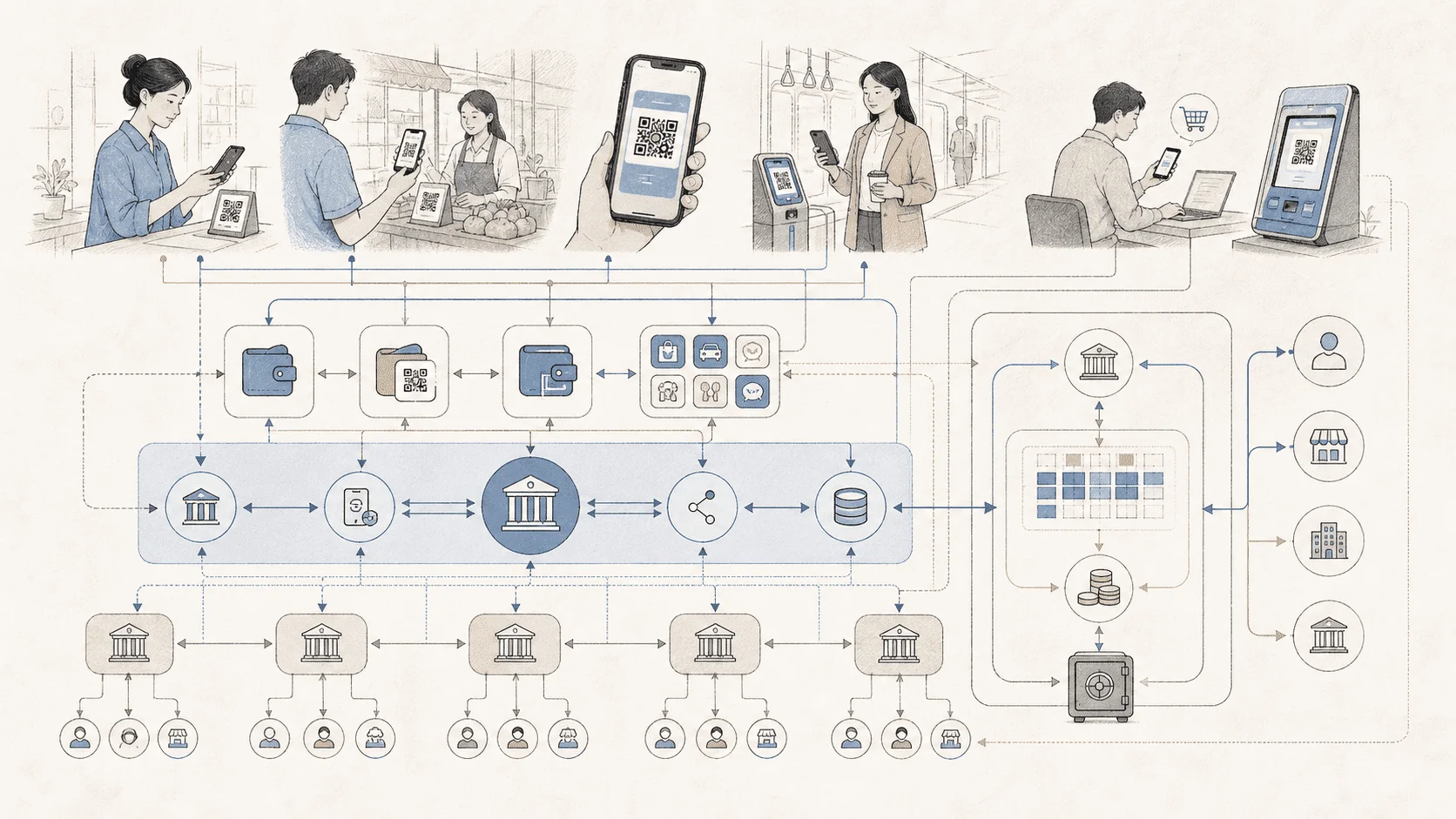
Consider a store that sells in Japan through LINE and in Southeast Asia through Zalo and WhatsApp. The order system is the same. The customer data model is the same. But the outbound notification layer is three separate implementations:
- Three sets of credentials and token refresh logic.
- Three payload formats for what is conceptually the same "order shipped" event.
- Three webhook handlers for inbound replies, each with its own signature scheme.
- Three retry behaviors, three rate-limit models, three places to debug failures.
This is the problem a unified messaging API is designed to solve. UnifyPort exposes one REST API and one standard webhook event stream across WhatsApp, Telegram, LINE, TikTok, Zalo, and X. Provider messages, status updates, and account events are normalized into a stable JSON shape, so your order service emits one event and the platform handles channel-specific delivery.
If you are evaluating that category more broadly, Top 10 CPaaS APIs and SDKs for Developers in 2026 compares channels, SDKs, webhooks, and pricing signals across the main options.
Designing the event flow: from order to message
A clean design separates your commerce events from your messaging transport.
1. Define channel-neutral events
Instead of sendLineOrderConfirmation, define order.confirmed, order.shipped, order.delivered, and order.refunded. Each event carries the customer identifier, the order reference, and the template variables. The channel is a routing decision, not a code path.
2. Map customer identity carefully
LINE gives you a provider-specific user ID. Your CRM likely has its own customer ID, and the same person may also be reachable on WhatsApp or Telegram. Store the provider identity alongside your internal ID so routing stays deterministic. This is the same mapping problem covered in How to Use UnifyPort with Kommo: Unified Messaging + CRM, where messaging identities and CRM records have to stay in sync.
3. Handle inbound events as first-class citizens
Order status is not the only thing that moves. Customers reply, ask about delivery, request refunds, and send support questions. Inbound webhooks need signature verification, subscription management, retry behavior, and failure tracking. UnifyPort provides a webhook control plane for exactly these concerns, with HMAC-SHA256 signature authentication and failure isolation so one bad handler does not stall the rest.
4. Use the SDK that matches your stack
Official SDKs for Node.js, PHP, Go, and Python mean the integration does not depend on hand-rolled HTTP clients. If your storefront is JavaScript and your order service is Python, both can speak to the same API surface.
Service messages, templates, and what you can actually send
LINE Mini Apps have a notable advantage: verified Mini Apps can send service messages to users who have not added the Official Account as a friend. That makes transactional messaging more reliable than email, which frequently lands in a promotions tab or spam folder.
But service messages are not a marketing channel. They are for service-related information such as reservation confirmations, order confirmations, and delivery updates. Marketing messages follow different rules and often different pricing. Keep the two categories separate in your event model, or you will eventually send the wrong template through the wrong path.
The LINE MINI App feature overview from Relevant Audience is a useful non-technical reference for which use cases fit this format, including queue booking, digital membership cards, order-ahead pickup, and post-service surveys.
Reliability: retries, idempotency, and rate limits
Ecommerce messaging has a failure mode that marketing messaging does not: a duplicate order confirmation is confusing, and a missing one generates support tickets.
Three controls matter:
- Idempotency. The same order event should not produce two messages if your worker retries.
- Retries with backoff. Provider rate limits and transient errors are normal, not exceptional.
- Failure isolation. A failing channel should not block delivery on the others.
UnifyPort's delivery queue handles rate limits, retries, idempotency, and failure isolation as platform behavior rather than application code. If you want to go deeper on webhook reliability patterns, How to Use UnifyPort with Hookdeck: Reliable Messaging Webhooks covers filtering, retries, and observability in practice.
Build directly or use a unified layer?
The decision depends on how many channels you actually run and how much you expect that number to change.
| Situation | Direct integration | Unified messaging API |
|---|---|---|
| One channel, stable long-term | Simpler, fewer dependencies | Adds a layer you may not need |
| Two or three channels | Manageable but duplicated | Reduces per-channel code |
| Four or more channels | High maintenance cost | Normalized events pay off quickly |
| Frequent provider changes | Constant rework | Provider changes absorbed upstream |
| Small team, broad reach | Hard to staff | One API surface, official SDKs |
A reasonable rule: if you are maintaining more than two messaging integrations, or if you expect to add channels as you expand into new markets, the normalized event layer is worth the abstraction. If you are launching a single-market LINE Mini App storefront with no near-term plans beyond LINE, a direct integration is defensible.
For a structured comparison of the unified-API approach against other platform models, see UnifyPort vs Infobip vs Messaging API Gateway: 2026 Guide.
A minimal implementation sketch
The shape stays the same regardless of SDK:
# Pseudocode: one event, channel decided by routing rules
unifyport.messages.send(
    channel="line",
    recipient=customer.line_user_id,
    template="order_confirmed",
    variables={"order_id": order.id, "total": order.total},
    idempotency_key=f"order-confirmed-{order.id}",
)
The important part is not the syntax. It is that the call site does not know or care which provider ultimately delivers the message. When you add WhatsApp for a new market, the order service does not change.
Related reading
- UnifyPort vs UIB: Unified Messaging API or Omnichannel AI? - UnifyPort vs UIB compared: unified messaging API and webhook control plane versus an AI-powered omnichannel platform. Channels, SDKs, pricing, and fit.
Sources and further reading
- LINE Mini Apps(2): Publish Your Mini App and Connect with Users. - LINE Mini Apps(2): Publish Your Mini App and Connect with Users. This is the second article in our LINE Mini App series. If you haven’t read the first one, check out LINE Mini Apps: Your Gateway to …
FAQ
Is a LINE Mini App the same as a native app?
No. It is a web application running inside LINE, built with HTML, CSS, and JavaScript. Users do not install it from an app store, and identity is verified through their existing LINE account.
Do I need a LINE Official Account to run a Mini App?
In practice, yes. The Official Account is how you maintain communication with users after they use the Mini App, and it is the channel through which follow-up messages are sent.
Can I send order confirmations for free?
Verified Mini Apps can send service messages to users who have not added the Official Account as a friend, which covers transactional notifications. Marketing messages follow separate rules and pricing. Check current platform terms before designing your message strategy.
How does a unified messaging API change my LINE integration?
It does not replace LINE. It sits in front of LINE and your other channels, normalizing outbound sends and inbound webhook events into one stable shape. You still need a LINE channel and credentials; you just stop writing channel-specific code for every provider.
What happens if a message fails to deliver?
With a reliable delivery queue, transient failures are retried with backoff, rate limits are respected, and failures are isolated per channel. Idempotency keys prevent duplicate sends when your own workers retry.
Which SDKs are available?
UnifyPort provides official SDKs for Node.js, PHP, Go, and Python, so the integration fits common ecommerce and backend stacks without custom HTTP plumbing.
Conclusion
LINE Mini App ecommerce works because it removes the install and signup steps that lose customers on mobile. The engineering challenge is the layer behind it: getting order events, service messages, and inbound replies to the right person on the right channel without maintaining a separate integration for every provider.
If LINE is your only channel, build directly and keep it simple. If LINE is one of several channels across markets, a unified messaging API with a standard event stream, webhook control plane, and reliable delivery queue turns a growing integration burden into a routing decision. Start by defining channel-neutral events, map identities carefully, and let the transport layer handle the provider differences.