
How to Use UnifyPort with Hookdeck: Reliable Messaging Webhooks
Connect UnifyPort's unified messaging API to Hookdeck for reliable webhook delivery, filtering, retries, and observability across WhatsApp, Telegram, and more.
How to Use UnifyPort with Hookdeck: Reliable Messaging Webhooks
UnifyPort gives you one REST API and one normalized webhook event stream for WhatsApp, Telegram, LINE, TikTok, Zalo, and X. Hookdeck gives you an Event Gateway that receives, queues, filters, transforms, and monitors those events before they reach your application. Together they solve a specific problem: messaging providers are noisy, bursty, and unforgiving of downtime, and most teams do not want to build webhook infrastructure from scratch.
This guide explains how the two products fit together, walks through setup, and shows practical patterns you can copy.
Why combine UnifyPort and Hookdeck
First viewport screenshot of Hookdeck - Reliable webhook infrastructure.
UnifyPort already normalizes provider payloads and offers a webhook control plane with signatures, subscriptions, retries, and failure tracking. So why add Hookdeck?
- Burst absorption. A WhatsApp reconnect or a viral Telegram campaign can deliver thousands of events in seconds. Hookdeck queues them and delivers at a rate your server can handle, so you avoid the classic webhook DDoS pattern where your endpoint crashes mid-spike.
- Local development without tunnels. The Hookdeck CLI lets you receive and debug real UnifyPort events on localhost, which is far easier than exposing a public HTTPS endpoint every time you change code.
- Payload shaping before your app. Hookdeck transformations can convert or enrich an event, and filters can drop events you do not care about, so your application only sees the events it actually needs.
- Observability and replay. When something goes wrong, you can inspect the payload, see the delivery attempt history, and replay the event instead of asking the provider to resend it.
- Multi-tenant routing. If you run messaging for many customers, Hookdeck delivery groups and per-tenant rate control let you isolate one noisy tenant from everyone else.
In short: UnifyPort handles channel complexity, and Hookdeck handles delivery complexity. Neither replaces the other.
How the two products fit together
The architecture is a straight line:
- A user messages one of your connected accounts on WhatsApp, Telegram, LINE, TikTok, Zalo, or X.
- UnifyPort receives the provider event, normalizes it into a stable JSON shape, and delivers it to a webhook endpoint you registered.
- That endpoint is a Hookdeck Source, not your application server.
- Hookdeck applies filters and transformations, queues the event, and delivers it to your application Destination with retries and rate control.
- Your application processes the event, verifies authenticity, and replies through UnifyPort's
POST /v1/messagesendpoint.
Because UnifyPort has no guaranteed replay and no REST message-history read API, the Hookdeck layer is also your safety net. If your app is down, events wait in the queue instead of disappearing.
Register your webhook endpoint before you go live. UnifyPort treats the webhook as your durable record of inbound traffic, so anything you do not store on arrival may be gone.
Prerequisites
Before you start, make sure you have:
- A UnifyPort workspace with an API key (
X-Api-Key). - At least one messaging account created and authorized, with
runtime_statusset torunning. - A Hookdeck account and a project for this integration.
- A public HTTPS endpoint for Hookdeck to deliver to, or the Hookdeck CLI for local testing.
Step 1: Create a Hookdeck Source for UnifyPort events
First viewport screenshot of Changelog - Hookdeck.
In Hookdeck, create a new Connection and add a Source. Choose the generic webhook source type, since UnifyPort delivers a standard JSON event stream rather than a provider-specific format.
Copy the Source URL. This is the endpoint you will give to UnifyPort. Keep it secret-ish: anyone with the URL can push events into your pipeline, which is why signature verification matters later.
Step 2: Register the Hookdeck Source URL in UnifyPort
Register the Hookdeck Source URL as your UnifyPort webhook endpoint. UnifyPort signs deliveries with HMAC-SHA256, so store the signing secret on your server side, not in client code.
A minimal registration looks like this:
curl -X POST "https://api.unifyport.ai/v1/webhooks" \
  -H "X-Api-Key: $UNIFYPORT_API_KEY" \
  -H "Content-Type: application/json" \
  -d '{
    "url": "https://events.hookdeck.com/e/src_xxxxxxxx",
    "events": ["message.received", "message.status", "account.updated"]
  }'
Subscribe only to the event types you actually handle. Fewer subscriptions mean less noise in Hookdeck and lower processing cost.
If you want a deeper look at handling inbound traffic correctly, the guide on incoming conversation replies covers retries, signatures, and idempotency in more detail.
Step 3: Add filters so only useful events reach your app
Hookdeck filters run before delivery. Use them to drop events that would otherwise wake up your application for no reason.
Common filters for a UnifyPort pipeline:
- Drop
message.statusevents for statuses you do not track. - Drop events from accounts that are not in your active tenant list.
- Drop messages from your own outbound echo if the channel emits them.
Filtering at the gateway is cheaper than filtering in application code, because you skip the network round trip, the function invocation, and the log line entirely.
Step 4: Transform events into your internal shape
First viewport screenshot of Changelog: Binary & multipart - Hookdeck.
UnifyPort already normalizes provider payloads, so transformations here are usually about your own domain, not about channel differences. Typical uses:
- Rename fields to match your internal event schema.
- Add a tenant identifier derived from the receiving account.
- Strip fields you do not want to persist for privacy reasons.
- Convert the payload into a compact form for a queue or a data warehouse sink.
Hookdeck supports Node.js transformations, so you can write small functions without standing up a separate service. If you need to reorder logic, Hookdeck lets you control whether transformations run before or after filters.
Step 5: Configure delivery, retries, and rate control
This is where the combination earns its keep. On the Destination side:
- Set a rate limit so your application receives events at a pace it can process. This is the direct answer to webhook spikes.
- Use delivery groups if you serve multiple tenants, so one tenant's traffic cannot starve another's.
- Extend delivery timeouts if your handler does slow work. Hookdeck supports custom timeouts up to 15 minutes.
- Route failures to a dead-letter destination or alert channel rather than losing them.
For messaging specifically, a good default is a modest per-destination rate limit plus a separate higher-priority route for account events, which usually need faster handling than bulk message traffic.
Step 6: Verify signatures and make handlers idempotent
Two rules keep this pipeline honest:
- Verify the UnifyPort HMAC-SHA256 signature on every event. Do this in your application, after Hookdeck delivers, because the signature is what proves the event came from UnifyPort and not from someone who guessed your Hookdeck Source URL.
- Make handlers idempotent. Retries and replays are features, not bugs, so your handler must tolerate seeing the same event twice. Use the event identifier as a deduplication key.
If you want to inspect payloads before writing handler code, the Hookdeck Console lets you preview and inspect webhook payloads without deploying anything.
Step 7: Test locally with the Hookdeck CLI
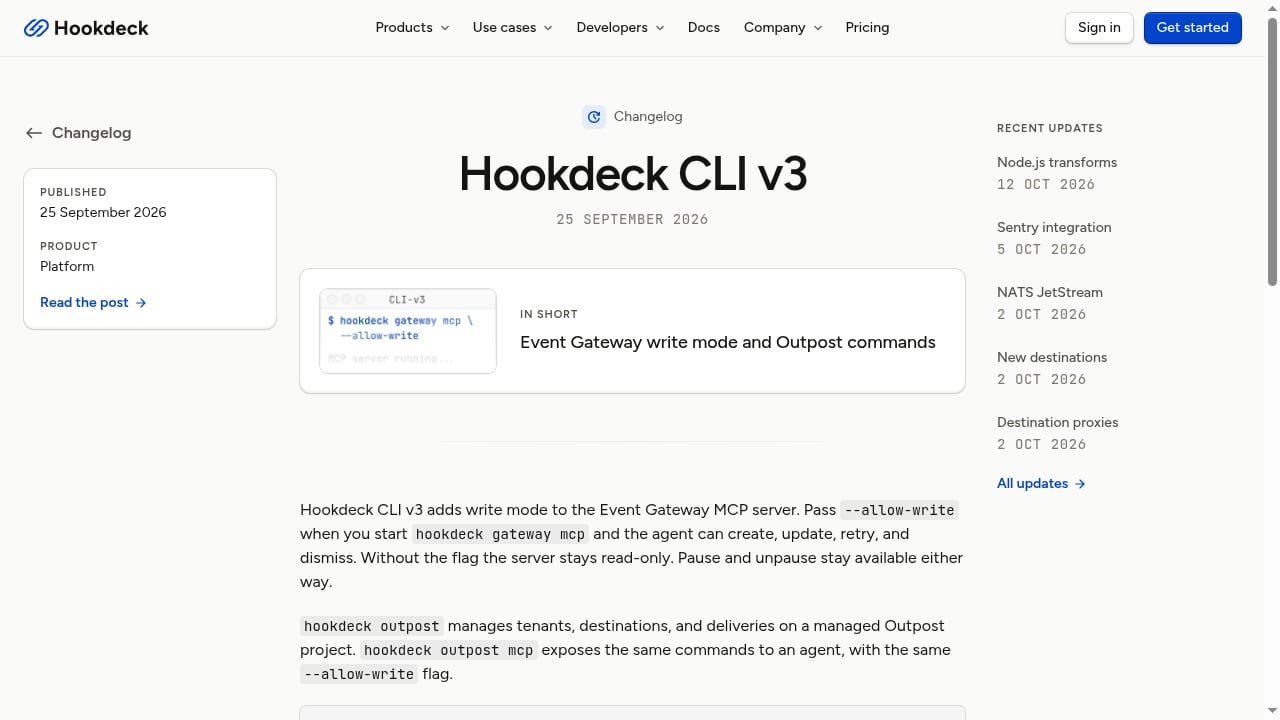
First viewport screenshot of Changelog: Hookdeck CLI v3 - Hookdeck.
During development, point the Hookdeck Connection at the CLI instead of a production URL. The CLI receives events on localhost, so you can iterate on your handler with real UnifyPort payloads and no tunnel setup.
A practical loop:
- Send a test message to one of your connected accounts.
- Watch the event arrive in the CLI.
- Adjust your handler.
- Replay the event from Hookdeck instead of asking the channel to resend it.
This is much faster than the usual cycle of deploy, wait, and read logs.
Practical example: a multi-channel support inbox
Suppose you run support for a product and your customers reach you on WhatsApp and Telegram. You want every inbound message to land in one internal queue, with a reply path back to the original channel.
- Connect both accounts in UnifyPort and confirm
runtime_statusisrunning. - Register one Hookdeck Source URL as the UnifyPort webhook endpoint.
- Filter out status events you do not use.
- Transform the payload to add
tenant_idand a normalizedconversation_key. - Deliver to your queue consumer with a rate limit sized to your worker pool.
- When an agent replies, call
POST /v1/messagesthrough UnifyPort with the original account and recipient.
The result: one code path for inbound, one code path for outbound, and no per-channel webhook code. If you are comparing this approach to other stacks, the UnifyPort vs Unipile vs 8x8 Developer Portal comparison breaks down API model, channels, and webhooks side by side.
Practical example: protecting a fragile backend
Some backends cannot handle concurrency. Maybe you have a legacy CRM with a single-threaded import job, or a database that locks under parallel writes.
In that case:
- Set a low rate limit on the Hookdeck Destination.
- Enable queueing so events accumulate rather than fail.
- Pause the Connection during maintenance windows, then resume without losing data.
- Alert on Hookdeck Issues so a stuck queue does not go unnoticed.
This turns a hard availability problem into a configuration problem.
Where each product stops
It helps to be precise about boundaries:
| Concern | UnifyPort | Hookdeck |
|---|---|---|
| Channel integrations and auth flows | Yes | No |
| Payload normalization across channels | Yes | No |
| Outbound message sending | Yes | No |
| Inbound event queueing and retries | Basic | Yes |
| Filtering and transformation | Limited | Yes |
| Replay and delivery observability | Limited | Yes |
| Per-tenant rate control | No | Yes |
If you only need to send messages, UnifyPort alone is enough. If you need to receive events at scale with guarantees, add Hookdeck.
Common mistakes to avoid
- Skipping signature verification. A Hookdeck Source URL is not an authentication mechanism.
- Subscribing to every event type. Noise costs money and attention.
- Doing heavy work in the webhook handler. Acknowledge fast, process asynchronously.
- Assuming replay exists upstream. UnifyPort does not guarantee replay, so persist events when they arrive.
- Ignoring tenant isolation. One misbehaving tenant can delay everyone if you do not use delivery groups.
Related reading
- UnifyPort vs Unipile vs 8x8 Developer Portal: 2026 Guide - Compare UnifyPort, Unipile, and the 8x8 Developer Portal on API model, channels, webhooks, SDKs, and pricing to pick the right messaging stack.
- UnifyPort vs Unified Social Media API: Messaging vs Social - Compare UnifyPort's unified messaging API with Unified Social Media API's unlimited social accounts. Channels, webhooks, SDKs, and use cases explained.
- 8x8 Developer Portal Review 2026: APIs, SDKs & Limits - Evidence-based 8x8 Developer Portal review: APIs, SDKs, JaaS, Resolve, setup, pricing signals, ideal users, and limitations for 2026.
Sources and further reading
- Guides - Browse all Hookdeck Event Gateway guides.
- API Reference — UnifyPort - Endpoints, payloads, and webhook events for sending and receiving messages across WhatsApp, Telegram, LINE, TikTok, Zalo, and X through one unified API.
FAQ
Does Hookdeck replace UnifyPort's webhook control plane?
No. UnifyPort still manages subscriptions, signatures, and its own retry behavior. Hookdeck adds a second, more controllable delivery layer in front of your application.
Can I use Hookdeck without changing my UnifyPort integration?
Yes. You change one thing: the webhook URL you register in UnifyPort. It points at Hookdeck instead of your server.
Do I still need to verify signatures if Hookdeck already received the event?
Yes. Signature verification proves the event originated from UnifyPort. Hookdeck's receipt does not establish that.
How do I handle duplicate events?
Treat every handler as idempotent and deduplicate on the event identifier. Retries and replays are expected behavior in this architecture.
Is this useful for a single-channel integration?
Sometimes. If you only use Telegram and traffic is low, UnifyPort's built-in webhook handling may be sufficient. Hookdeck becomes valuable as soon as you add channels, tenants, or traffic spikes.
What about sending webhooks to my own customers?
That is a different problem. Hookdeck's Outpost product is designed for adding webhook delivery to your own API or SaaS, which is separate from receiving UnifyPort events.
Conclusion
UnifyPort removes the per-channel integration work: one API, one normalized event stream, official SDKs for Node.js, PHP, Go, and Python, and account lifecycle handling across six messaging platforms. Hookdeck removes the delivery work: queueing, filtering, transformation, rate control, replay, and observability.
Put them together and you get a messaging pipeline where channel differences are handled upstream and delivery failures are handled in the middle, leaving your application to do the only thing it should: process messages and reply. Start by registering a Hookdeck Source URL in UnifyPort, verify signatures in your handler, and add filters and rate limits as your traffic grows.
For related architecture decisions, see the UnifyPort vs Syniverse CPaaS vs Infobip comparison and the Hookdeck Event Gateway documentation for delivery configuration details.