

What Is CPaaS? A Practical Guide to Communications APIs
Learn what CPaaS is, how communications APIs work, key features to compare, real use cases, and how unified messaging platforms fit into the stack.
What Is CPaaS? A Practical Guide to Communications APIs
Communications Platform as a Service (CPaaS) is a cloud delivery model that lets you add voice, SMS, chat, and other real-time communication features to your existing applications through APIs. Instead of building telecom infrastructure or negotiating with carriers, you call a provider's API and get messaging or calling capabilities in hours rather than months.
This guide breaks down how CPaaS works, what to look for when evaluating providers, common use cases, and where a unified messaging API fits into the picture.
What Does CPaaS Mean?

What Is CPaaS? A Practical Guide to Communications APIs - What Does CPaaS Mean?.
CPaaS stands for Communications Platform as a Service. The key idea is simple: communication features become programmable building blocks.
A traditional phone system is like buying a DVD player and discs. You own the hardware, manage the setup, and handle every detail yourself. CPaaS is closer to a streaming service. The provider runs the infrastructure, maintains carrier relationships, and exposes everything through APIs. You log in, choose the capability you need, and integrate it into your app.
The practical result is that developers can add:
- SMS and MMS messaging
- Voice calling and call routing
- Video and WebRTC sessions
- WhatsApp, Viber, Messenger, and other chat apps
- Verification and two-factor authentication
- Number masking and call recording
All without buying telecom hardware or signing direct carrier agreements.
How CPaaS Works
What Is CPaaS? A Practical Guide to Communications APIs - How CPaaS Works.
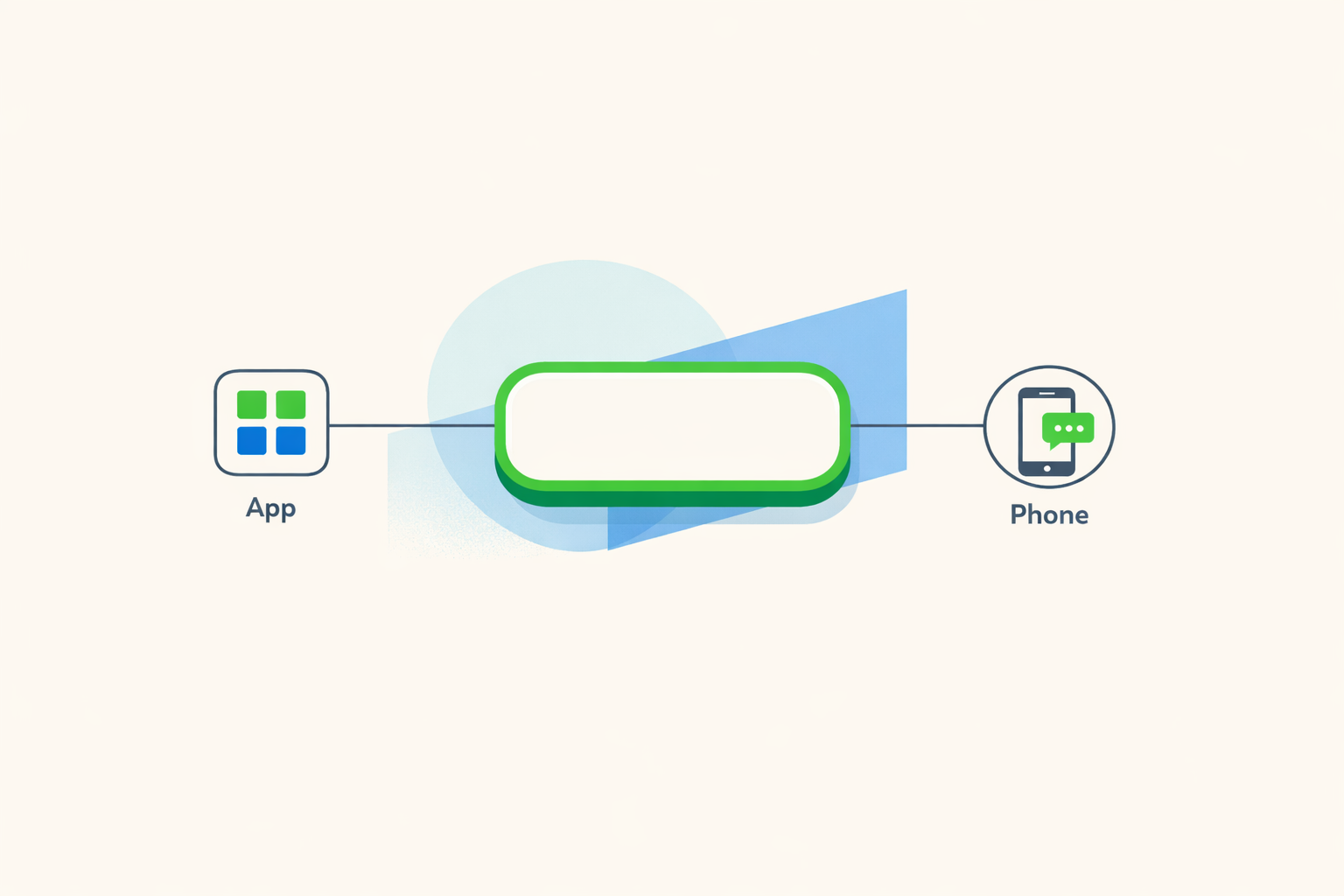
At the center of any CPaaS offering is an API layer. You make HTTP requests from your application, and the provider handles delivery, routing, and carrier relationships behind the scenes.
A typical flow looks like this:
- Your app sends a request to the CPaaS API, such as "send this SMS to +1-555-0100."
- The provider authenticates the request, applies routing rules, and forwards the message to the appropriate carrier or messaging platform.
- The provider returns a status response, and later sends webhooks for delivery confirmations, failures, or inbound replies.
- Your app listens for those webhooks and updates its own state accordingly.
This request-response-webhook pattern is consistent across most CPaaS providers, which makes integration straightforward for engineering teams that have worked with any modern REST API.
CPaaS vs UCaaS: What's the Difference?
What Is CPaaS? A Practical Guide to Communications APIs - CPaaS vs UCaaS: What's the Difference?.
People often confuse CPaaS with UCaaS (Unified Communications as a Service), but they solve different problems.
| CPaaS | UCaaS | |
|---|---|---|
| Primary purpose | Embed communication features into your own apps | Provide a ready-made communication platform for employees |
| Key functions | APIs for SMS, voice, video, chat | Voice, video conferencing, team messaging |
| Customization | High, tailored to specific app needs | Moderate, standard communication tools |
| Pricing model | Pay-as-you-go or usage-based | Subscription per user |
| Best for | Developers and custom applications | Enterprises and team collaboration |
UCaaS products like RingCentral's RingEX give employees a complete phone and meeting system out of the box. CPaaS gives developers the raw APIs to build communication into their own products. Some vendors offer both, letting you use UCaaS for internal collaboration and CPaaS APIs for customer-facing features.
Key CPaaS Features to Compare
What Is CPaaS? A Practical Guide to Communications APIs - Key CPaaS Features to Compare.
Not all CPaaS providers are equal. When shortlisting options, evaluate these capabilities:
Channel Coverage
Does the provider support the channels you use today and the ones you might need next year? Most CPaaS platforms cover SMS and voice, but chat app coverage varies. If your customers are on WhatsApp, Viber, Messenger, Telegram, or LINE, verify that the provider supports those channels natively.
API Quality and Developer Experience
A clean, consistent API saves engineering time. Look for:
- REST endpoints with predictable request and response shapes
- SDKs in your team's preferred languages
- Clear documentation and quick-start guides
- Sandbox environments for testing without production data
Webhook Reliability
Inbound messages and delivery statuses arrive through webhooks. Strong providers offer retry policies, signature verification, and clear event formats so your app can process events reliably.
Security and Compliance
Enterprise-grade security includes API key authentication, encrypted transmission, fraud detection, and compliance with regional regulations such as GDPR or TCPA. If you handle sensitive customer data, ask about data residency and retention policies.
Scalability
CPaaS platforms should scale automatically to handle traffic spikes. Seasonal businesses, flash sale retailers, and event-driven apps need capacity that grows without manual intervention or hardware purchases.
Pricing Flexibility
Usage-based pricing is the CPaaS norm. Some providers charge per message or per minute, while others offer tiered monthly plans. Avoid long-term contracts unless you have predictable volume and need committed-use discounts.
Common CPaaS Use Cases
CPaaS powers a wide range of customer-facing and operational workflows:
- Order confirmations and shipping updates — E-commerce platforms send transactional SMS or WhatsApp messages at every fulfillment stage.
- Appointment reminders — Healthcare providers and service businesses reduce no-shows with automated reminders.
- Two-factor authentication — Banks and SaaS products send one-time passcodes via SMS or voice.
- Alerts and notifications — Financial institutions flag suspicious transactions or spending-limit breaches in real time.
- Customer support — Support teams handle inbound chat across multiple channels from a single interface.
- Marketing messages — Scheduled and triggered campaigns reach customers on their preferred channels.
- Voice features — Number masking, IVR, call recording, and WebRTC calling for marketplaces and contact centers.
Where Unified Messaging APIs Fit
Traditional CPaaS platforms were built around SMS and voice first, with chat apps added later. That history shows in their APIs: each channel often has its own endpoint, payload format, and event structure.
A unified messaging API takes a different approach. Instead of exposing channel-specific APIs, it normalizes all messaging channels behind a single interface. You send a message through one endpoint, and the platform routes it to Telegram, WhatsApp, LINE, X, Zalo, or TikTok as needed. Inbound messages arrive as standardized webhook events regardless of source.
This model is especially useful for:
- AI agents that need to respond consistently across multiple chat platforms
- CRMs and support tools that aggregate conversations from many channels
- Notification systems that must deliver alerts wherever users are active
- Operations tools that monitor and respond to events in real time
Platforms like UnifyPort follow this pattern. UnifyPort provides a single REST API and standardized webhook events across six messaging channels, with built-in rate limiting, retries with idempotency, and failure isolation. That means one failing channel doesn't take down your entire messaging pipeline.
For teams evaluating options, comparing unified messaging platforms against traditional CPaaS providers is worth the time. A UnifyPort alternatives comparison can help you see how different vendors handle channel coverage, developer experience, and pricing.
How to Choose a CPaaS Provider
Start with your use case, not the vendor's feature list.
- List your channels. Which messaging apps and voice capabilities do your customers actually use?
- Define your volume. Estimate monthly messages or call minutes to compare pricing accurately.
- Assess your team's skills. Do you need SDKs in specific languages? How much time can you spend on integration?
- Check support and compliance. Does the provider understand the regulatory landscape in your markets?
- Test before committing. Use sandbox environments and small production pilots to validate reliability and latency.
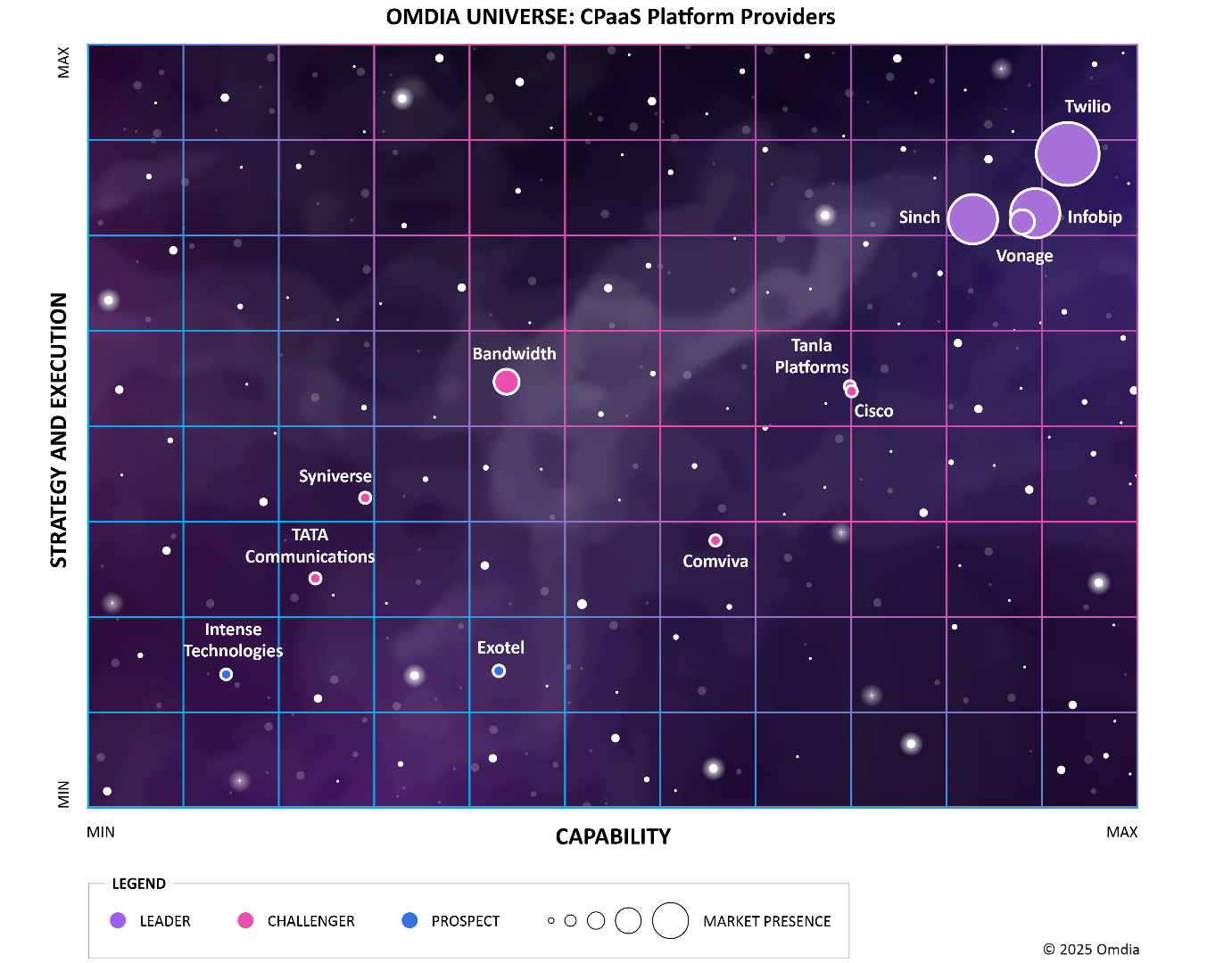
Research firms like Gartner and Omdia publish CPaaS vendor evaluations that can supplement your own testing. Independent reviews and developer community feedback are also valuable signals.
CPaaS Security Considerations
Because CPaaS handles customer communications, security should be a top evaluation criterion.
- Authentication — API keys should be scoped and rotatable. Look for HMAC or OAuth support.
- Webhook integrity — Providers should sign webhook payloads so you can verify authenticity.
- Encryption — Data should be encrypted in transit and at rest.
- Fraud detection — Leading providers monitor for toll fraud, SMS pumping, and account takeover attempts.
- Compliance — Depending on your industry, you may need GDPR, HIPAA, or PCI DSS alignment.
Ask providers for their security documentation and incident response procedures before sending production traffic.
Related reading
- CM.com Ticketing: Features, Pricing & How It Works - Explore CM.com ticketing for festivals, venues, and events. Learn about ticket shops, pricing, resale control, real-time insights, and messaging integrations.
- CM.com Logo: Official Brand Assets, Colors & Usage Rules - Find the official CM.com logo in SVG, PNG, and vector formats, plus brand colors, fonts, spacing rules, and practical usage guidance.
- Telegram Groups: How to Find, Join, and Manage Them - Learn how to find, join, and manage Telegram groups. Discover built-in search, directories, invite links, admin tools, and API options for large communities.
Sources and further reading
- What Is CPaaS (Communications Platform as a Service)? - Vonage - Mar 13, 2026 ... CPaaS (Communications Platform as a Service) is a cloud-based communications solution. This service includes essential communications features — ...
- What is CPaaS (Communications Platform-as-a-Service)? - CPaaS refers to a cloud-based platform that provides the ability to developers to add communication services to their applications.
- What Is CPaaS (Communications Platform as a Service)? - CPaaS is a cloud delivery model that allows you to add communication features to existing apps. Learn how RingCentral can help you reap the benefits
Frequently Asked Questions
What is CPaaS in simple terms?
CPaaS is a cloud platform that lets developers add communication features like SMS, voice, and chat to their own applications through APIs, without building telecom infrastructure.
Who should use CPaaS?
Development teams building custom applications that need messaging, calling, or verification features. It's especially useful for SaaS products, e-commerce platforms, fintech companies, and any business that wants to automate customer communication.
What is the difference between CPaaS and an API?
CPaaS is the platform that provides communication APIs. The API is the interface you use to access the platform's capabilities. CPaaS includes infrastructure, carrier relationships, and management tools in addition to the API itself.
Can CPaaS scale with my business?
Yes. Cloud-based CPaaS platforms scale automatically to handle traffic spikes. You pay for what you use, so costs grow with volume rather than requiring upfront hardware investment.
Is CPaaS secure?
Reputable CPaaS providers offer enterprise-grade security including encryption, API authentication, webhook signing, and fraud detection. However, security varies by vendor, so verify specific controls before choosing a provider.
How much does CPaaS cost?
Most CPaaS providers use usage-based pricing: per message, per minute, or per active user. Some offer tiered monthly plans with included volume. Costs depend on channels, destination countries, and feature requirements.
Conclusion
CPaaS turns communication into a programmable resource. Instead of managing telecom infrastructure, you integrate APIs for SMS, voice, and chat directly into your applications and pay only for what you use.
The market has evolved beyond basic SMS and voice. Modern platforms now cover chat apps, support AI-driven workflows, and offer unified interfaces that normalize multiple channels behind a single API. Whether you choose a traditional CPaaS provider or a unified messaging platform like UnifyPort, the goal is the same: deliver reliable, scalable communication without rebuilding the wheel.
Evaluate providers on channel coverage, API quality, webhook reliability, security, and pricing. Start with a clear use case, test in a sandbox, and scale gradually. The right CPaaS partner should feel like infrastructure: always available, predictable, and invisible when it works.
For more context on how unified messaging APIs complement broader engagement strategies, see our guide to customer engagement platforms.