

CM.com Ticketing: Features, Pricing & How It Works
Explore CM.com ticketing for festivals, venues, and events. Learn about ticket shops, pricing, resale control, real-time insights, and messaging integrations.
CM.com Ticketing: A Practical Guide to Selling Tickets and Growing Events
CM.com positions ticketing as more than a checkout page. Its platform combines ticket sales, branded shops, real-time data, resale management, and post-purchase engagement in one ecosystem. If you are evaluating whether it fits a festival, venue, museum, or touring event, this guide breaks down what the platform actually offers, how pricing works, and where it fits in a broader event stack.
What Is CM.com Ticketing?
CM.com Ticketing: Features, Pricing & How It Works - What Is CM.com Ticketing?.
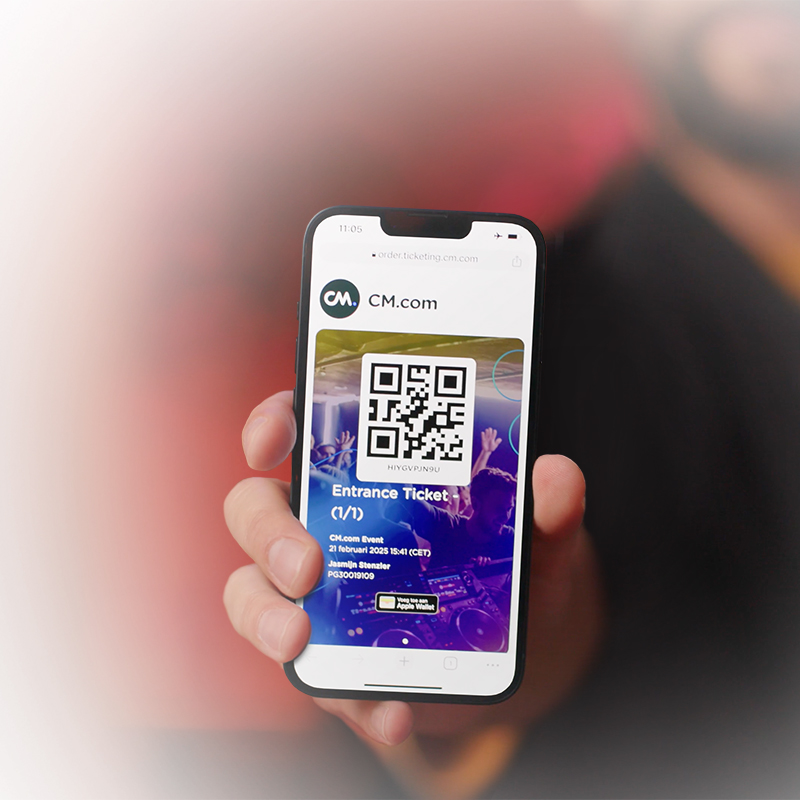
CM.com Ticketing is an event ticketing and registration platform built for organizers who want to control the full visitor journey. Instead of handing ticket sales to a third-party marketplace, organizers can run a branded shop, manage primary sales and resales, and track visitor behavior from first click to check-in.
The platform grew partly through acquisition: Yourticketprovider became part of CM.com in 2021 and now sits inside the company's broader ticketing offering. That history matters because it explains the platform's emphasis on self-service shops, seating tools, and data ownership rather than marketplace discovery.
CM.com's pitch is that selling tickets is only the start. The surrounding ecosystem covers marketing campaigns, payment processing, access control, and messaging, which lets organizers run pre-sale campaigns, send reminders, and follow up after the event without stitching together separate vendors.
Core Ticketing Features
CM.com Ticketing: Features, Pricing & How It Works - Core Ticketing Features.
Branded Ticket Shops
Organizers can launch a hosted or embedded ticket shop without building a checkout from scratch. The shop supports custom branding on tickets, emails, and the checkout flow itself. For a festival or venue, that means the purchase experience stays on-brand instead of redirecting fans to an unfamiliar marketplace.
Multilingual shops are available in English, Dutch, French, German, and Arabic, which helps events with international audiences. Payment options cover local and global methods in more than 60 currencies.
Ticket Types and Seating
CM.com supports two main sales models:
- General admission: fast setup, unlimited ticket types, promotional campaigns, and easy access control.
- Seated: advanced seating and capacity management, self-service seat maps, blockades, and more granular control for theaters, arenas, or seated venues.
Both models include real-time sales insights, demographic reporting, and access control tools. The seated option is aimed at organizers who need to manage complex layouts rather than simple capacity counts.
Intelligent Queues and Scalability
Peak on-sale moments can overwhelm a checkout. CM.com includes intelligent queueing designed to keep the shop responsive during high-traffic drops. This is a practical requirement for popular festivals or artist presales where thousands of buyers arrive within minutes.
Promotions and Upselling
Beyond the base ticket, the platform supports:
- Pre-registration with notifications when sales go live
- Exclusive access codes and discount offers
- Checkout add-ons such as merchandise, tokens, and parking passes
These tools turn the ticket flow into a revenue opportunity beyond the ticket price itself, which is useful for organizers trying to improve pre-event cash flow.
Resale Control
CM.com lets organizers manage primary sales and resales in one system. The goal is to keep pricing fair, block fraud, and recover revenue from no-shows without losing tickets to third-party marketplaces. Full buyer data stays with the organizer, which supports retention and marketing after the event.
Data and Real-Time Insights
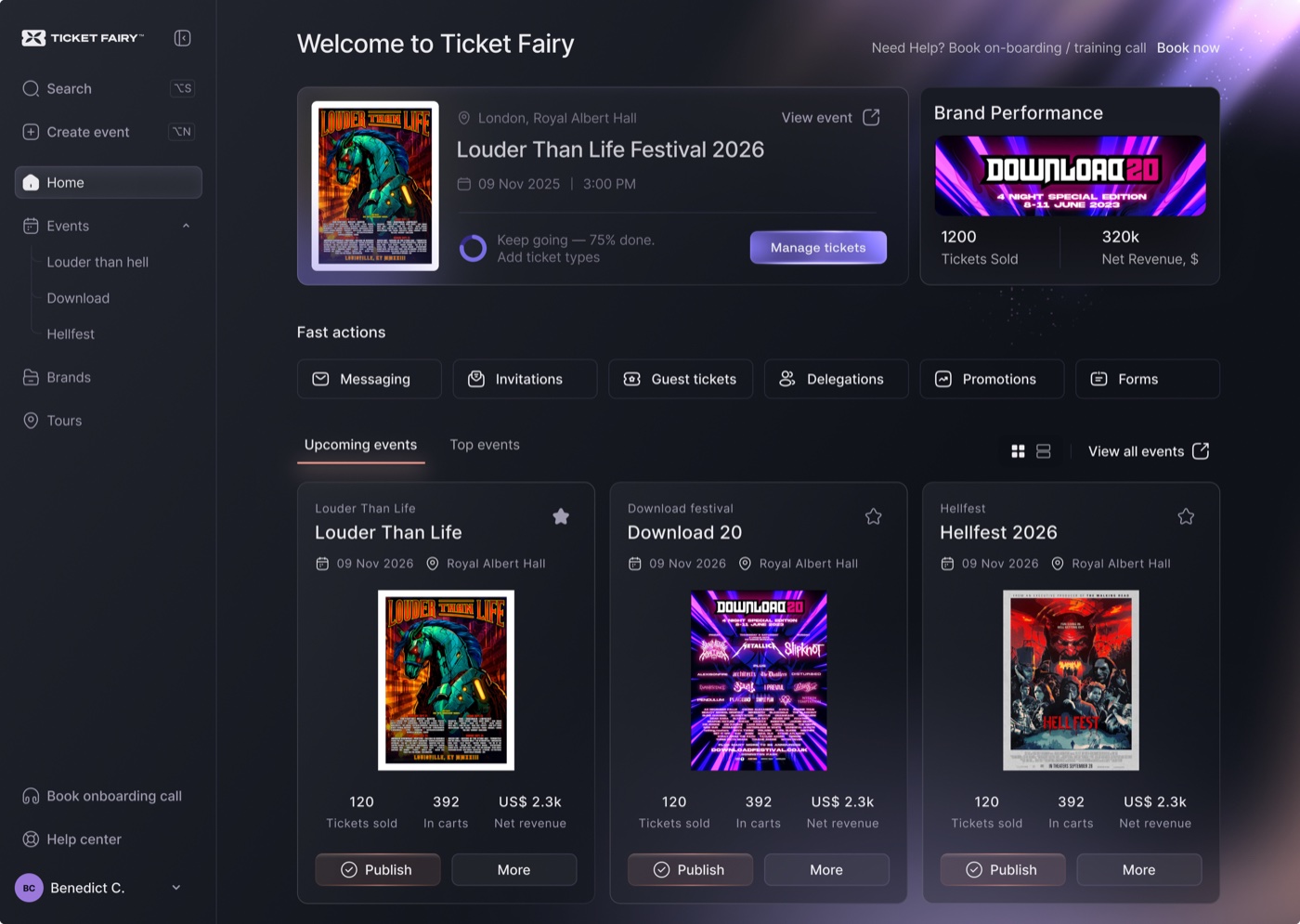
An intuitive dashboard tracks ticket sales, campaign performance, and visitor behavior. Organizers can compare sales with previous events, follow organic and paid campaigns through custom tracking URLs, and see real-time data from the shop, queue, and carts. Because the data remains under the organizer's control, it can feed directly into future marketing decisions.
CM.com Ticketing Pricing

CM.com Ticketing: Features, Pricing & How It Works - CM.com Ticketing Pricing.
CM.com publishes starting prices per ticket rather than a flat monthly fee:
| Plan | Starting Price per Ticket | Best For |
|---|---|---|
| General Admission | €0.79 | Simple events, fast setup, unlimited ticket types |
| Seated | €0.99 | Complex seating, capacity management, seat maps |
Payment method fees are priced on request. The per-ticket model means costs scale with sales volume, which can be attractive for smaller events but requires forecasting for large festivals. Organizers should confirm payment processing fees separately, since those can materially change the total cost per transaction.
How CM.com Ticketing Fits a Broader Event Stack
CM.com Ticketing: Features, Pricing & How It Works - How CM.com Ticketing Fits a Broader Event Stack.
Ticketing does not exist in isolation. A complete event workflow usually includes:
- Pre-sale marketing across email, SMS, and messaging apps
- Checkout and payment through the ticket shop
- Order confirmation and reminders
- On-site check-in with scanners and entry management
- Post-event follow-up and retention campaigns
CM.com covers much of this natively because its ticketing product sits alongside its payments and customer engagement tools. For example, an organizer can trigger a WhatsApp or SMS reminder after a ticket purchase, then send a post-event survey through the same customer profile.
Where a Unified Messaging API Helps
If your event stack already uses multiple messaging channels, a unified messaging API can simplify the communication layer. Platforms like UnifyPort normalize Telegram, WhatsApp, LINE, X, Zalo, and TikTok behind one REST API and standardized webhook events, so your CRM or notification system does not need separate integrations for each channel.
In a ticketing context, that means:
- Sending order confirmations to the channel the buyer already uses
- Delivering gate-change or lineup announcements across multiple platforms from one code path
- Receiving inbound questions from fans on different apps into a single event queue
UnifyPort's standard event layer converts provider messages into a consistent JSON shape, which is useful when your ticketing system needs to trigger notifications from webhooks without understanding each platform's SDK. For engineering teams evaluating alternatives, the UnifyPort alternatives comparison covers how different multi-channel APIs handle reliability, pricing, and developer experience.
CM.com Ticketing vs. Alternatives
CM.com is strongest when you want a single vendor for ticketing, payments, and customer engagement. The trade-off is that you are buying into an ecosystem rather than a standalone ticketing tool.
Consider CM.com Ticketing if:
- You want full data ownership and branded checkout
- You need resale control without third-party marketplaces
- You already use or plan to use CM.com for payments or messaging
- You run festivals, venues, or events with multilingual audiences
Consider alternatives if:
- You primarily need marketplace discovery to reach new buyers
- You want a simpler flat-fee pricing model
- Your event stack is already built around a different CRM or marketing platform
Related reading
- CM.com Logo: Official Brand Assets, Colors & Usage Rules - Find the official CM.com logo in SVG, PNG, and vector formats, plus brand colors, fonts, spacing rules, and practical usage guidance.
- Telegram Groups: How to Find, Join, and Manage Them - Learn how to find, join, and manage Telegram groups. Discover built-in search, directories, invite links, admin tools, and API options for large communities.
- UnifyPort Alternatives: 8 Messaging API Options Compared - Compare UnifyPort alternatives for multi-channel messaging APIs. Evaluate features, pricing, channels, and developer experience to find the right fit.
Sources and further reading
- Event Ticketing & Registrations Platform for Your Event - Sell tickets for your festival, tournement, venue, museum and more- we offer a Ticketing platform that drives experience, connection, and revenue.
- Selling Tickets Is Just The Start | Ticketing | CM.com - Engagement, powerful experiences and true personalization before, during and after your event. Design your own shop, add tickets and products and sell out your upcoming event
Frequently Asked Questions
What is CM.com Ticketing used for?
CM.com Ticketing is used to sell and manage tickets for festivals, events, venues, clubs, museums, and tours. It includes a branded ticket shop, seating tools, promotional campaigns, resale management, and real-time sales insights.
How much does CM.com Ticketing cost?
Published pricing starts at €0.79 per ticket for general admission and €0.99 per ticket for seated events. Payment method fees are priced separately on request.
Does CM.com support ticket resale?
Yes. Organizers can manage primary sales and resales in one platform, with controls designed to keep pricing fair, prevent fraud, and capture revenue from returned or no-show tickets.
Can I customize the CM.com ticket shop?
Yes. The shop, tickets, emails, and checkout can be customized with your own branding. Multilingual shops are available in English, Dutch, French, German, and Arabic.
Does CM.com Ticketing integrate with messaging channels?
CM.com's broader platform includes customer engagement and messaging tools. If you need to connect ticketing notifications to multiple messaging apps through a single API, a unified messaging platform like UnifyPort can complement the stack by normalizing Telegram, WhatsApp, LINE, and other channels behind one interface.
Conclusion
CM.com Ticketing is a serious option for organizers who want control over branding, data, and the full visitor journey. Its per-ticket pricing, resale management, and real-time analytics make it particularly relevant for festivals, venues, and events with recurring sales cycles. The platform's value increases when combined with CM.com's payments and engagement tools, but it can also work alongside independent messaging infrastructure for teams that prefer a modular approach. Before committing, clarify payment processing fees, test the seated tools if your venue requires them, and map how ticket data will flow into your existing CRM and communication systems. For more on CM.com's brand and platform assets, see the CM.com logo and brand usage guide.