
What Is a Telegram Bot? Setup, API & Use Cases
Learn what a Telegram bot is, how to create one with BotFather, how the Bot API works, and how to scale bots across messaging channels.
What Is a Telegram Bot? Setup, API, and Practical Use Cases
A Telegram bot is a software-controlled account that runs inside Telegram and can chat, answer commands, send notifications, process payments, moderate groups, and connect to external services. Unlike a human account, a bot is operated through the Telegram Bot API, an HTTP-based interface that lets developers send and receive messages programmatically.
Telegram first introduced its Bot Platform in 2015, describing bots as accounts operated by software rather than people. Since then, the platform has grown far beyond simple keyword replies. Modern Telegram bots can stream AI-generated responses, manage communities, handle guest queries, and integrate with CRMs, support desks, and notification systems.
This guide explains how Telegram bots work, how to create one, how the API behaves, and how to scale a bot beyond Telegram when your product needs to reach users on multiple messaging channels.
What Is a Telegram Bot?
What Is a Telegram Bot? Setup, API & Use Cases - What Is a Telegram Bot?.
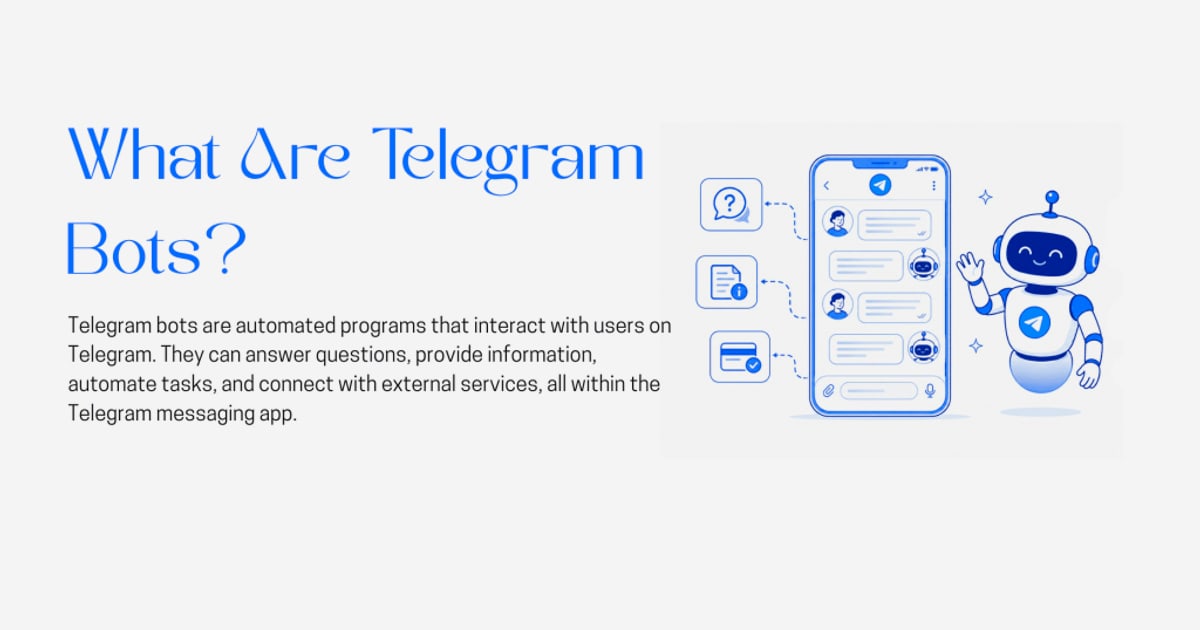
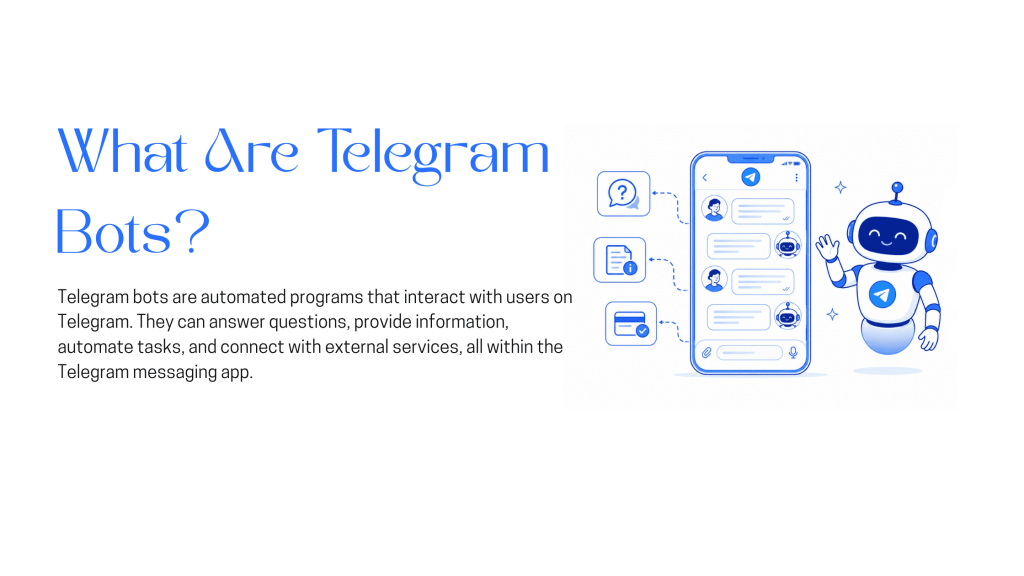
A Telegram bot is an automated account that interacts with users through chats, groups, channels, or inline queries. The account is created through @BotFather, Telegram's official bot management service, and is controlled by an application using the Telegram Bot API.
Key characteristics of Telegram bots include:
- Software-driven accounts: Bots are operated by code, not people, and can respond instantly at any scale.
- Custom interfaces: Bots can present custom keyboards, inline buttons, and rich message formats instead of relying on plain text.
- Viral distribution: Any forwarded bot message links back to the original bot, and bots include Share and Add to Group buttons.
- Distinct identity: Bot usernames must end in
bot, making them easy to identify.
Bots can teach, play games, search, broadcast, remind, connect to IoT devices, and integrate with other services. The original beta bots included image search, trivia, polls, sticker ratings, reminders, dating, GitHub tracking, and a bot directory.
How Telegram Bots Work
What Is a Telegram Bot? Setup, API & Use Cases - How Telegram Bots Work.
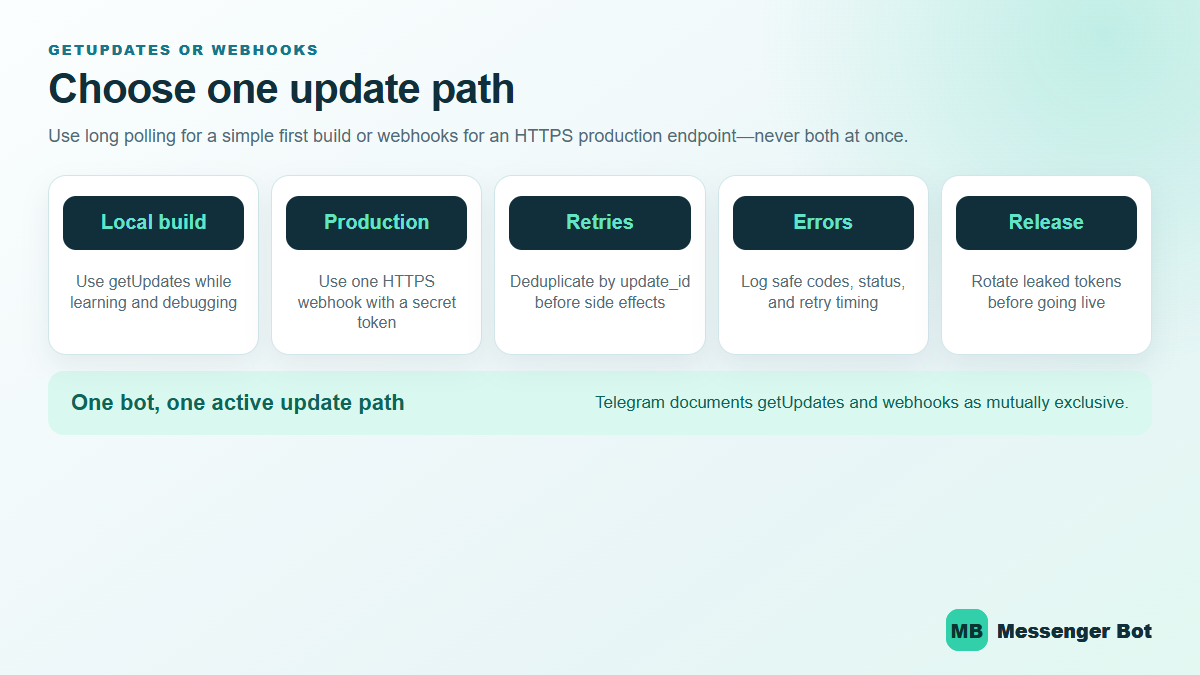
Telegram bots communicate through the Bot API using two main methods: long polling and webhooks.
Long Polling
With long polling, your application repeatedly calls the getUpdates method. The server holds the request open until new updates arrive or a timeout occurs. This approach is simple and works well for development, but it requires continuous polling and can introduce latency.
Webhooks
With webhooks, Telegram pushes updates to a public HTTPS endpoint you control. Whenever a user sends a message or interacts with a bot, Telegram delivers a JSON update to your server. Webhooks are more efficient for production bots because they eliminate polling overhead and deliver events in near real time.
A typical webhook update includes the message text, sender information, chat ID, and any callback data from inline buttons. Your server processes the update and responds using methods like sendMessage, editMessageText, or answerCallbackQuery.
BotFather and Token Management
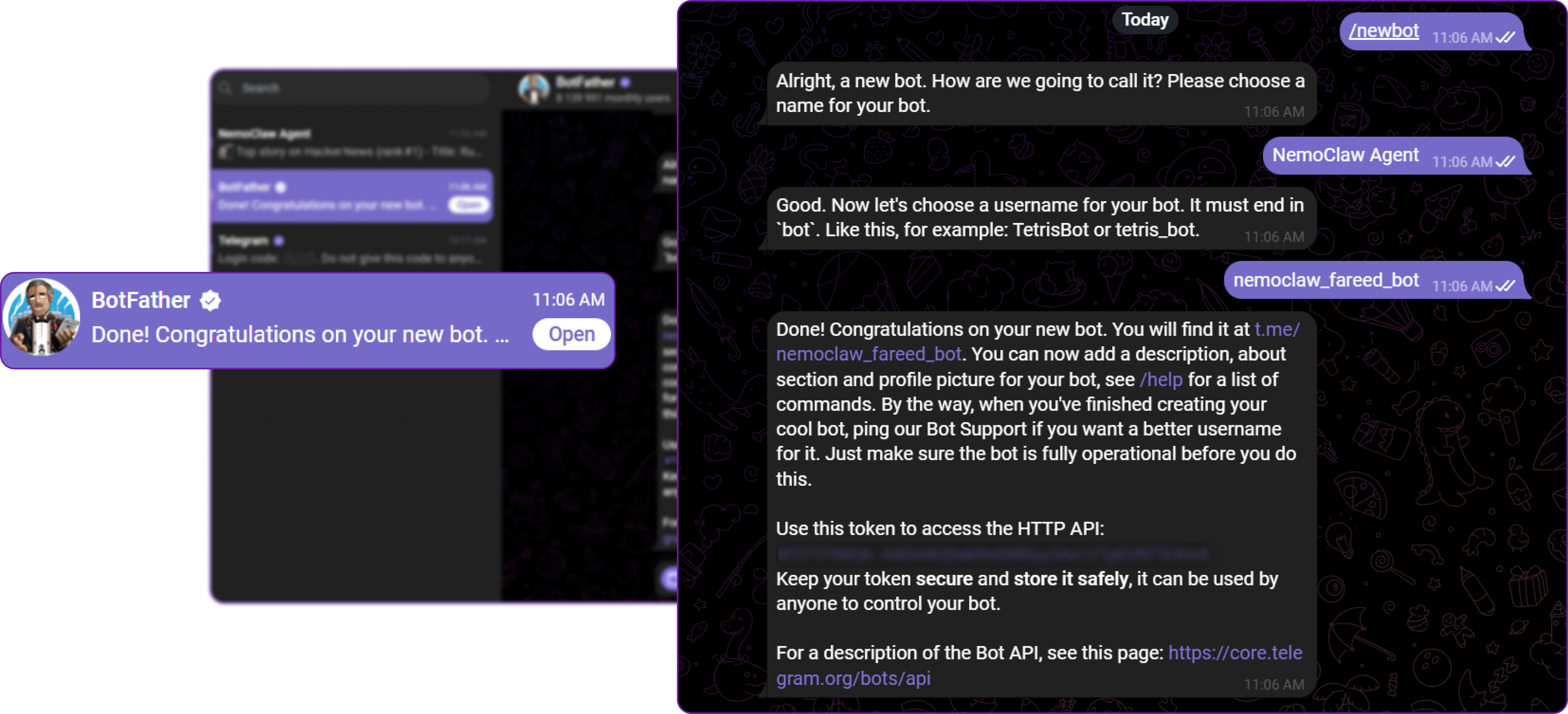
Every bot starts with @BotFather. You send the /newbot command, choose a display name and username, and receive an API token. That token authenticates all requests to the Bot API and should be treated like a password.
BotFather also lets you:
- Set a bot description and about text
- Configure commands and inline placeholders
- Manage webhook URLs
- Control privacy mode for group messages
- Enable or disable bot-to-bot communication
- Configure Mini App domains and security settings
How to Create a Telegram Bot
What Is a Telegram Bot? Setup, API & Use Cases - How to Create a Telegram Bot.
Creating a basic Telegram bot takes only a few minutes.
- Open BotFather: Search for
@BotFatherin Telegram and start a chat. - Create the bot: Send
/newbotand follow the prompts to choose a name and username ending inbot. - Save the token: BotFather returns an API token. Store it securely and never commit it to a public repository.
- Set commands: Use
/setcommandsto define the slash commands users can see in the bot menu. - Configure the webhook: Point Telegram to your HTTPS endpoint using
setWebhook, or use long polling during development. - Build the handler: Write code that receives updates, processes them, and calls Bot API methods to respond.
Here is a minimal Node.js webhook example using Express:
const express = require('express');
const app = express();
app.use(express.json());

app.post('/telegram-webhook', async (req, res) => {
  const update = req.body;
  if (update.message && update.message.text) {
    const chatId = update.message.chat.id;
    const text = update.message.text;

    await fetch(`https://api.telegram.org/bot${process.env.BOT_TOKEN}/sendMessage`, {
      method: 'POST',
      headers: { 'Content-Type': 'application/json' },
      body: JSON.stringify({
        chat_id: chatId,
        text: `You said: ${text}`
      })
    });
  }
  res.sendStatus(200);
});

app.listen(3000);
For a deeper walkthrough of Telegram accounts, chats, groups, and security settings, see the complete beginner's guide to Telegram.
Popular Telegram Bot Use Cases
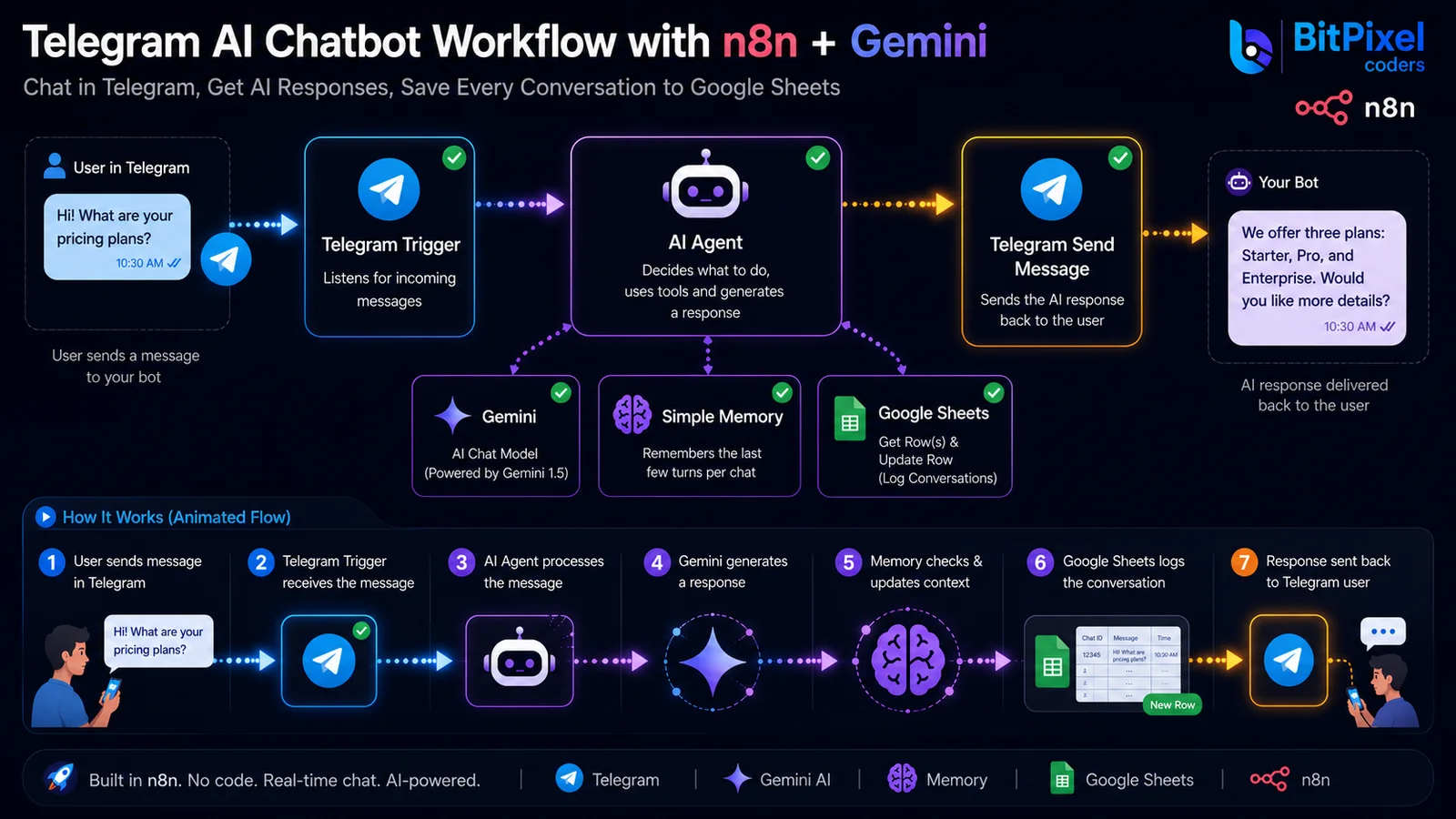
What Is a Telegram Bot? Setup, API & Use Cases - Popular Telegram Bot Use Cases.
Telegram bots serve a wide range of products and workflows.
Customer Support
Bots can answer common questions, route complex issues to human agents, and collect context before a conversation starts. Inline keyboards let users choose from predefined options, reducing typing and improving response quality.
Notifications and Alerts
Bots are a reliable channel for order updates, system alerts, appointment reminders, and content digests. Because Telegram syncs across devices, users receive notifications on mobile and desktop.
AI Assistants
Modern bots often wrap large language models. Telegram's rich message support lets AI assistants stream partial responses, format code blocks, and render structured content such as tables and lists.
Community Management
Group bots can welcome new members, enforce rules, run polls, moderate spam, and manage permissions. Telegram's chat management methods allow bots to restrict members, delete messages, and react to content.
Commerce and Payments
Bots can accept payments through Telegram's payment methods, sell digital goods, manage subscriptions, and send paid media. This makes them useful for content creators, course sellers, and service businesses.
Internal Operations
Engineering and operations teams use bots to receive deployment alerts, query internal systems, and trigger workflows from a chat interface. A bot can act as a lightweight command line for a team.
Telegram Bot API Capabilities
The Telegram Bot API is extensive and continues to evolve. Recent versions introduced several notable capabilities:
- Rich Messages: Structured text with formatting blocks, tables, lists, media, and streaming drafts for AI-generated replies.
- Ephemeral Messages: Group messages visible only to a specific user and the bot, useful for private interactions inside shared spaces.
- Communities: Linked supergroups, channels, and bots organized around a shared topic or audience.
- Guest Mode: Bots can receive certain messages and reply in chats where they are not members.
- Mini Apps: Web applications that run inside Telegram with their own domain-based security protections.
- Payment Subscriptions: Updates when a user's payment subscription changes.
These features make Telegram one of the most capable bot platforms available, but they also mean developers must keep up with a fast-changing API surface.
Building a Telegram Bot: Direct API vs. Unified Messaging API
If Telegram is your only channel, building directly on the Bot API is a sensible choice. You get full access to every Telegram-specific feature and no additional dependency.
However, many products need to reach users on more than one platform. A support team may need WhatsApp and LINE alongside Telegram. A notification system may need to deliver the same alert to Telegram, Zalo, and X. A CRM may need to ingest conversations from TikTok and WhatsApp while replying through Telegram.
In those cases, building separate integrations for each provider creates several problems:
- Different SDKs and APIs: Each channel has its own methods, authentication, and message formats.
- Different webhook shapes: Incoming events arrive in provider-specific JSON structures that require separate parsers.
- Different reliability models: Rate limits, retries, and idempotency behavior vary by provider.
- More maintenance: Every API change in any provider requires updates to your integration layer.
A unified messaging API such as UnifyPort addresses this by providing one REST API and standardized webhook events across Telegram, WhatsApp, LINE, X, Zalo, and TikTok. Instead of learning six provider SDKs, developers work with a single normalized interface for message delivery and event ingestion.
When to Choose Each Approach
| Scenario | Recommended approach |
|---|---|
| Telegram-only bot with deep platform features | Direct Telegram Bot API |
| Prototype or hobby project on one channel | Direct provider API |
| Multi-channel support or notifications | Unified messaging API |
| AI agent that must reach users on several platforms | Unified messaging API |
| CRM or operations tool ingesting multiple channels | Unified messaging API |
| Team with limited capacity to maintain integrations | Unified messaging API |
For teams building AI agents that need to connect to Telegram and other channels, the Unipile MCP guide covers a practical setup for multi-channel messaging from AI models.
Security Considerations for Telegram Bots
Telegram bots handle user data and perform actions on behalf of your service, so security should be part of the initial design.
Protect the Bot Token
Anyone with the token can control the bot. Store it in environment variables or a secrets manager. Rotate it through BotFather if it leaks.
Validate Incoming Webhooks
When Telegram sends updates to your webhook, you should verify that requests genuinely come from Telegram. You can restrict the webhook to known Telegram IP ranges and use a secret token in the webhook URL.
Use HTTPS
Telegram requires HTTPS for webhook endpoints. Use a valid TLS certificate and keep it renewed.
Apply Least Privilege
Only request the bot permissions your use case requires. Avoid granting group admin rights or payment access unless necessary.
Rate Limiting and Abuse Prevention
Telegram enforces rate limits on Bot API calls. Implement retries with exponential backoff and idempotency keys so a retried request does not send duplicate messages.
For a broader look at encryption, authentication, and integrity controls in messaging, see what secure messaging means.
Scaling Beyond Telegram
A Telegram bot often starts as a single-channel tool and grows into a multi-channel requirement. When that happens, the architecture matters.
UnifyPort is designed for this transition. It provides a standard event layer that converts provider messages into a consistent JSON shape, a webhook control plane for managing signatures, subscriptions, and retries, and built-in rate limiting with failure isolation. Workspaces isolate environments, accounts act as virtual devices per channel, and a runtime manages live connections.
This approach lets a notification system send the same alert to Telegram and WhatsApp through one API call, while a CRM ingests conversations from LINE, Zalo, and TikTok through one webhook format. Official SDKs are available for Node.js, PHP, and Go.
If you are already working with messaging APIs across providers, the CM.com documentation map offers a useful comparison of how provider-specific documentation differs from a unified integration path.
Related reading
- How to Use LINE: Complete Beginner’s Guide - Learn how to use LINE from setup to advanced features. This guide covers account creation, chats, calls, groups, privacy settings, and multi-channel API integration.
- Lineage Meaning, Uses & How It Shapes Modern Systems - Learn what lineage means across genealogy, biology, data systems, and brand contexts. Explore real-world examples and how lineage thinking improves traceability.
Sources and further reading
- Telegram Bot Platform - Telegram 3.0 introduces Bot Platform — free, open and super easy to use
Frequently Asked Questions
What is the difference between a Telegram bot and a Telegram user account?
A bot is operated by software through the Bot API, while a user account is operated by a person through the Telegram app. Bots have distinct profile indicators, usernames ending in bot, and cannot initiate conversations with users who have not started a chat with them.
How do I create a Telegram bot?
Open @BotFather in Telegram, send /newbot, choose a name and username, and save the API token. Then configure commands and set up either long polling or a webhook to receive updates.
Is the Telegram Bot API free?
Yes. The Bot API is free to use for developers. Telegram does not charge for bot creation or API access, though some advanced features may have platform-specific requirements.
Can a Telegram bot send messages to users who have not started a chat?
No. Bots can only message users who have initiated a conversation or interacted with the bot. This is a privacy protection built into the platform.
What programming languages can I use to build a Telegram bot?
Any language that can make HTTPS requests can use the Bot API. Popular choices include Node.js, Python, Go, PHP, and Java. Community libraries exist for most major languages.
How do webhooks differ from long polling?
Long polling repeatedly asks Telegram for new updates, while webhooks let Telegram push updates to your server in real time. Webhooks are generally preferred for production bots because they reduce latency and polling overhead.
Can one bot work across Telegram and other messaging apps?
A Telegram bot itself only works inside Telegram. To reach users on WhatsApp, LINE, Zalo, TikTok, or X, you need either separate integrations for each platform or a unified messaging API that normalizes all channels behind one interface.
What are Telegram Mini Apps?
Mini Apps are web applications that run inside Telegram. Bots can launch them through buttons or inline queries, and they can access Telegram user data with user permission. Telegram enforces domain-based security for Mini App methods.
Conclusion
Telegram bots are one of the most flexible automation tools in modern messaging. The Bot API is free, well-documented, and powerful enough to support everything from simple reminder bots to AI assistants, payment systems, and community platforms.
For Telegram-only projects, building directly on the Bot API is the right choice. For products that need to serve users across multiple messaging channels, a unified messaging API removes the burden of maintaining separate integrations and lets your team focus on product logic instead of provider differences.
Start with BotFather, build a small webhook handler, and expand your architecture only when the product requires it. That progression keeps early development simple while leaving room to scale across channels later.