
Marketing Automation: A Complete Guide to Strategies & Multi-Channel Integration
Learn what marketing automation is, how it works, and how to integrate multi-channel messaging via unified APIs like UnifyPort to boost lead nurturing and ROI.
Marketing Automation: A Complete Guide to Strategies, Tools & Multi-Channel Integration
Marketing automation transforms how businesses engage with prospects and customers. It replaces repetitive manual tasks with smart, trigger-based sequences that deliver the right message at the right moment. From simple email drips to complex multi-channel orchestration, automation helps teams scale without scaling headcount. This guide breaks down what marketing automation really means, how it works, the essential components every strategy needs, and how you can extend it across modern messaging channels—including WhatsApp, Telegram, and LINE—using a unified API approach.
What Is Marketing Automation?
Marketing Automation: A Complete Guide to Strategies & Multi-Channel Integration product interface and feature overview.
Marketing automation is the use of software to automate repetitive marketing activities. Marketers set up rule-based workflows that execute actions like sending emails, posting on social media, scoring leads, or transferring data between systems—all without manual intervention every time.
The goal isn’t just efficiency. According to research cited by HubSpot, businesses that implement marketing automation see a 451% increase in qualified leads. That’s because automation enables consistent, personalized follow-up that manual teams simply can’t sustain.
At its core, marketing automation addresses four recurring business problems:
- Lead management: Capturing, scoring, and routing leads automatically.
- Campaign execution: Sending multi-touch email sequences, SMS, or social messages triggered by user behavior.
- Personalization at scale: Using contact data to serve tailored content to thousands of contacts simultaneously.
- Measurement: Tracking which campaigns influence pipeline and revenue, not just opens and clicks.
Small businesses benefit just as much as enterprises. Even a team of two can appear as polished as a big competitor when automated workflows handle follow-ups, qualify leads, and deliver targeted content. The key is starting with a clear process and a toolset that matches your needs.
How Marketing Automation Actually Works
Marketing Automation: A Complete Guide to Strategies & Multi-Channel Integration - supporting product research image 4.
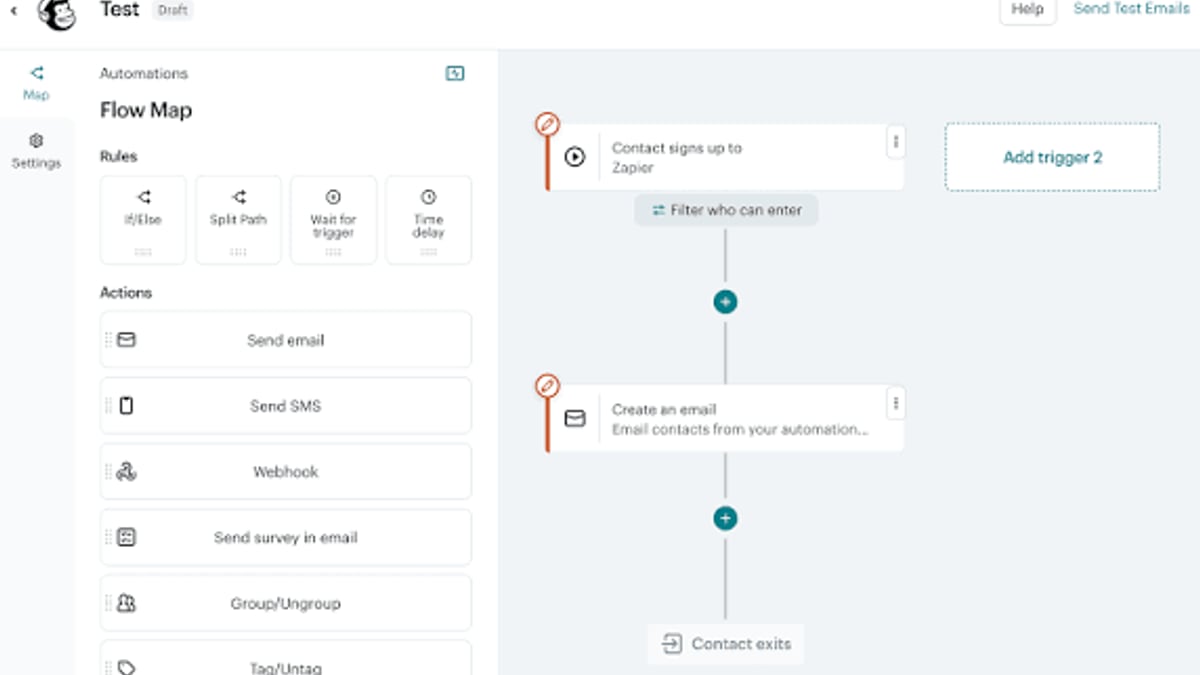
The engine behind every marketing automation system is a “trigger-action” workflow. When a contact does something (a trigger), the system responds with a pre-defined series of actions.
Here’s a typical lifecycle, drawn from the best practices outlined by Zoho Marketing Automation:
- Capture: A visitor fills out a form on your website or interacts with a chatbot.
- Trigger: The form submission activates a workflow.
- Segment: The system checks if the contact fits a specific segment (e.g., industry, job title).
- Personalize: It replaces email tokens with the person’s name, company, and relevant content.
- Deliver: An email, SMS, or social message is sent at the optimal time.
- Branch: Based on open/click behavior, the workflow forks—maybe scheduling a follow-up email or alerting a sales rep.
- Measure: Every step is logged, letting you see exactly how the campaign influences pipeline.
The sophistication lies not in building a single flow, but in layering dozens of them into a coherent customer journey. A good automation platform (like HubSpot, Marketo, or Zoho) lets you design visual journeys and integrate with your CRM so marketing and sales share a single view of each prospect.
Key Components of a Successful Marketing Automation Strategy
1. Lead Scoring Models
Lead scoring assigns points to contacts based on demographics and behavior. A VP at a target company who visited your pricing page is more valuable than a student who downloaded a free ebook. By automating scoring, your sales team spends time only on leads likely to convert.
Best practice: build two score layers—fit (job title, company size, industry) and engagement (page visits, email clicks, webinar attendance). Behavioral signals deserve more weight because they reveal intent. Review scoring rules quarterly using closed-won deal data to keep the model sharp.
2. Workflow Design & Simplification
Every automation specialist spends the majority of their time building workflows. Start on paper: define the trigger, the sequence of actions, and every decision point. If you can’t explain it in under 90 seconds, it’s too complex. The best workflows do one thing well and are easy to debug when something changes.
3. CRM Integration
An automation platform disconnected from your CRM is just an email tool. Deep integration means marketing data (opens, clicks, page visits) flows into sales records, and sales outcomes flow back into marketing analytics. This closed loop lets you attribute revenue to specific campaigns. If your team uses Salesforce with HubSpot or Marketo, mastering native connectors and field mapping is critical for the specialist skills required.
4. Customer Journey Mapping
Before you automate, you must understand the path a buyer takes. Map every touchpoint from awareness to purchase. The journey map becomes your automation blueprint: each stage corresponds to a workflow, a set of content, and a trigger. Remember that journeys are rarely linear—plan for loops, repeated content, and conditional logic.
5. Analytics & Attribution
Tracking email opens is table stakes. Marketing automation analytics should answer: which campaigns generate pipeline? Which touchpoints most influence closed deals? Attribution models (first-touch, last-touch, multi-touch) help allocate budget to the most effective channels. Without this, you’re flying blind.
Multi-Channel Marketing Automation: Beyond Email
Marketing Automation: A Complete Guide to Strategies & Multi-Channel Integration product interface and feature overview.
Email remains the most common channel in automation, but modern customers interact with brands across many platforms: WhatsApp, Telegram, LINE, social media, and SMS. A multi-channel strategy meets people where they already are, and it often yields higher engagement than email alone.
Adding channels introduces complexity, though. Each platform has its own API, message format, rate limits, and authentication method. A WhatsApp Business API call looks nothing like a Telegram Bot API call or a LINE Messaging API request.
The Challenge of Multi-Channel Messaging Integration
If you want your automation to send a confirmation on WhatsApp, then follow up with a promotional message on Telegram, you must:
- Handle separate SDKs or HTTP connections for each provider
- Manage different webhook event formats (delivery receipts, read status, replies)
- Respect provider-specific rate limits and retry policies
- Securely store and rotate API keys or session tokens
This infrastructure work often consumes more development time than building the actual marketing logic.
Unifying Messaging Channels with a Unified API
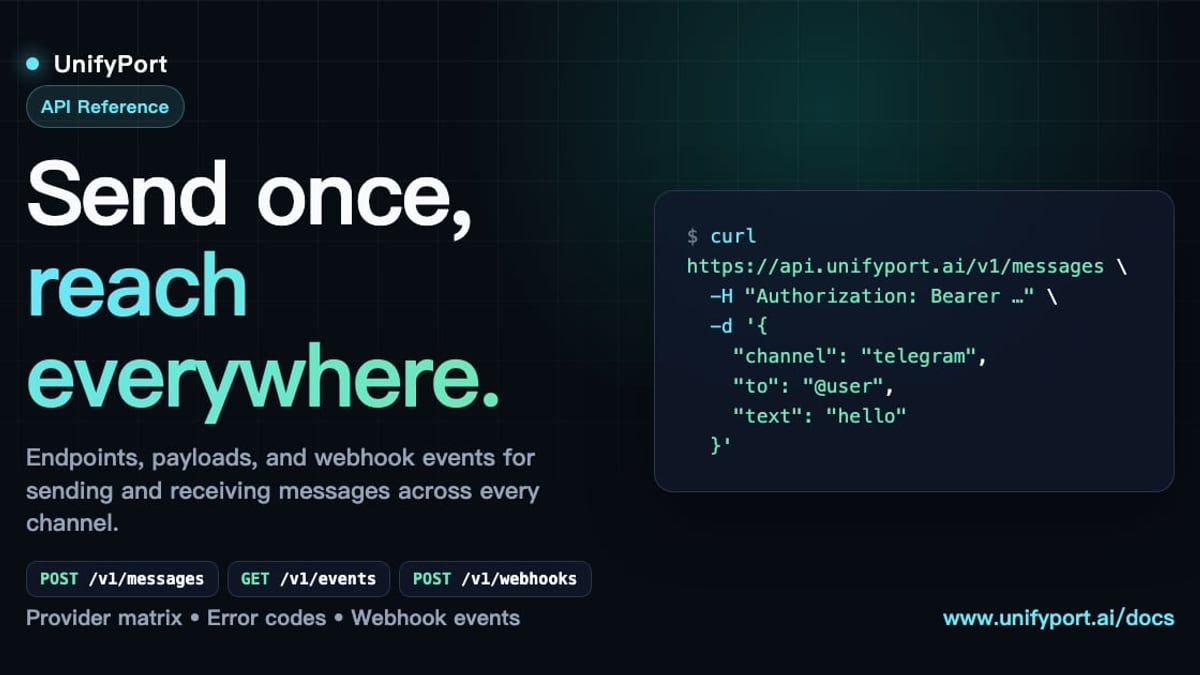
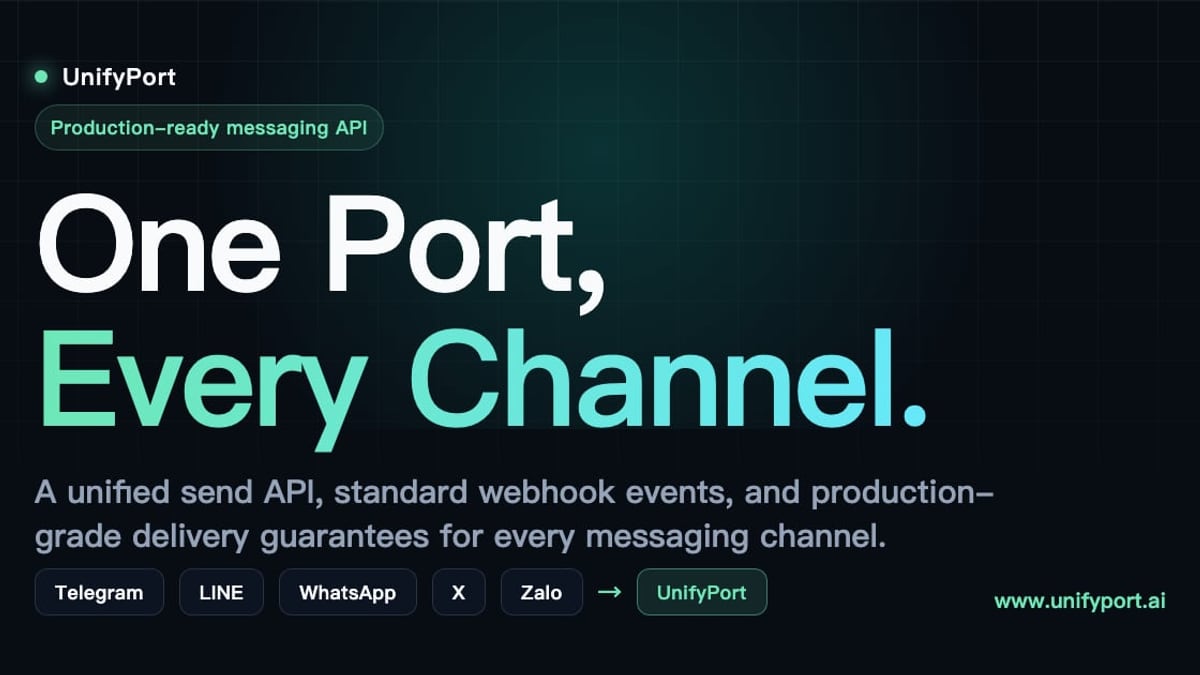
A unified messaging API platform like UnifyPort solves these problems by providing a single REST API to send and receive messages across multiple channels. Instead of integrating with each provider separately, you connect once and then access WhatsApp, Telegram, LINE, X (Twitter), Zalo, and TikTok through a normalized interface.
UnifyPort's approach is designed for developers building custom marketing automation pipelines or augmenting existing CRM and notification systems. Here’s how it applies to multi-channel automation:
- Normalized event layer: All provider webhook events are converted into a single JSON shape. Whether a user replied on Telegram or read a message on WhatsApp, your automation receives the same event structure—so a single workflow can react to any channel.
- Webhook control plane: You manage webhook subscriptions, signature verification, and retry logic centrally, without configuring separate endpoints for each channel.
- Account lifecycle management: For virtual messaging accounts, the API handles creation, authentication (QR codes, codes, or session imports), health monitoring, and teardown—with fine-grained status tracking.
- Production-grade reliability: Built-in rate limiting, retries, idempotency, and failure isolation ensure that a problem on one channel (e.g., a WhatsApp connection dropping) doesn’t kill your whole automation.
- Consistent messaging formats: Send text, images, video, audio, documents, and provider-specific features like
reply_toorparse_modethrough a unified interface. Your marketing templates can remain identical, and UnifyPort handles the translation to each provider’s format.
For teams already using platforms like HubSpot or Zoho, UnifyPort doesn’t replace the marketing automation tool—it acts as the programmable messaging layer that powers conversations on any channel, connected via API. If you’re building a custom journey orchestrator or extending an open-source CRM, integrating with UnifyPort can dramatically reduce the time and complexity needed to go multi-channel. Learn more about how UnifyPort login works for invited developers and explore the Telegram API guide or LINE services guide to understand what each channel requires before abstraction.
Choosing a Marketing Automation Platform
Marketing Automation: A Complete Guide to Strategies & Multi-Channel Integration product interface and feature overview.
Your tool choice depends on your team’s size, technical sophistication, and channel needs. Market leaders include:
- HubSpot Marketing Hub: Best for inbound marketing; extensive free CRM integration.
- Zoho Marketing Automation: Tighter coupling with Zoho CRM, e-commerce features, and lead attribution.
- Adobe Marketo Engage: Enterprise-grade, strong multi-touch attribution.
- ActiveCampaign, Mailchimp: Good for SMBs focused on email-first automation.
When evaluating, ask: Does the platform natively support the messaging channels I need? If not, can I integrate a unified API like UnifyPort to fill the gap without custom per-channel development? Also consider the specialist talent needed—HubSpot skills are widely available because of its 37% market share, while Marketo demands a steeper learning curve.
Essential Skills for Marketing Automation Success
The role of marketing automation specialist blends strategy with technical execution. According to industry analysis, key competencies include:
- Platform proficiency: Master at least one major tool (HubSpot Certification is free via HubSpot Academy).
- Workflow logic: Designing, testing, and debugging conditional sequences.
- Data analysis: Interpreting campaign, pipeline, and attribution metrics.
- Lead scoring & segmentation: Building models that align with sales outcomes.
- A/B testing: Optimizing sequences by testing one variable at a time.
- CRM integration: Understanding field mapping, sync behavior, and deduplication.
- Customer journey mapping: Translating buyer behavior into automated flows.
- Cross-team communication: Collaborating with sales, content, and design teams.
Specialists who add API integration skills and multi-channel messaging expertise set themselves apart, especially as brands seek to engage audiences on platforms like WhatsApp and Telegram at scale.
Best Practices (And Mistakes to Avoid)
Even the best tools can’t save a flawed process. Here are common pitfalls and how to avoid them:
| Mistake | Fix |
|---|---|
| “Set it and forget it” – leaving workflows to run unattended for months. | Schedule monthly audits; archive stale sequences, update outdated content. |
| Over-segmenting into tiny, unmanageable lists. | Start with 3-5 core segments; split later only when data supports it. |
| Writing essay-length emails. | Respect mobile readers: one email, one goal, one call to action. |
| Automating before defining the process. | Run the process manually first; automate only what already works. |
| Ignoring performance data. | Check open and click rates weekly. If opens drop below 15% or clicks below 2%, investigate. |
| Making it all about your company. | Flip the “I” / “we” to “you” ratio. Your messaging should focus on customer problems. |
Related reading
- Encrypted Messaging Guide: Best Apps, Protocols & Multi-Channel Setup - Learn how encrypted messaging works, compare the best secure apps like Signal & Telegram, and see how businesses integrate encrypted chats across channels.
- IMAP API Solution: Simplify Email Integration with a RESTful Interface - Discover how an IMAP API solution turns raw IMAP protocol into a modern REST API. Learn benefits, features, and how to choose the right integration for your app.
Sources and further reading
- Marketing Automation Specialist: 10 Key Skills [2026] - Master the 10 essential skills every marketing automation specialist needs in 2026. Includes salary data ($73K-$94K), certifications, and career path.
FAQ
Q: What’s the best marketing automation platform for a small business? A: It depends on your channels. If email is primary, platforms like HubSpot (starter edition) or ActiveCampaign work well. If you need multi-channel messaging to apps like WhatsApp or Telegram, look for platforms that support custom integrations or plan to use a unified API like UnifyPort alongside your automation tool.
Q: How long does it take to set up marketing automation? A: Basic email workflows can be live in days. A full multi-channel nurture program with lead scoring and CRM sync may take several weeks, depending on the complexity of your customer journey and data cleanliness.
Q: Can I use marketing automation without a CRM? A: Yes, but you’ll miss the closed-loop reporting and lead handoff that make automation truly valuable. CRM integration is recommended once you have a sales team.
Q: How does UnifyPort fit into my marketing automation stack? A: UnifyPort provides the underlying messaging infrastructure. If your automation platform lacks native support for channels like Telegram or Zalo, you can call UnifyPort’s API from within your workflows to send and receive messages, then process webhook events for triggers and analytics.
Q: Is marketing automation only for large businesses? A: No. Even solopreneurs use automation to handle follow-ups and lead nurturing. Many tools have free tiers, and a unified API can let small tech-savvy teams build custom multi-channel automations without enterprise pricing.
Conclusion
Marketing automation is no longer a luxury—it’s a competitive necessity. The combination of well-designed workflows, accurate lead scoring, deep CRM integration, and multi-channel messaging can transform a static marketing operation into a revenue engine. While platforms like HubSpot and Zoho provide comprehensive suites for managing campaigns, the rise of messaging apps like WhatsApp, Telegram, and LINE demands a more flexible integration layer. That’s where a unified messaging API like UnifyPort bridges the gap, giving developers and marketers the power to orchestrate conversations anywhere without wrestling with provider-specific complexity. At UnifyPort, we see automation as the backbone of scalable growth—whether you’re refining an email nurture or building a cross-platform messaging journey, the principles remain the same: start simple, measure relentlessly, and build on what works.