
LINE Services: A Practical Guide to Messaging, Business & APIs
Explore LINE services: from the popular messaging app and official business accounts to powerful developer APIs. Learn how to integrate LINE with multi-channel platforms.
LINE Services: A Practical Guide to Messaging, Business & APIs
LINE isn’t just a chat app—it’s a digital ecosystem that powers everyday communication, mobile payments, news, shopping, and sophisticated business interactions across Asia and beyond. The term “LINE services” covers far more than stickers and free calls. This guide unpacks the full range of LINE offerings: the consumer messaging experience, the tools brands use to reach customers, and the developer APIs that let you embed LINE into CRM systems, AI agents, and notification pipelines. We’ll also show how a unified multi-channel layer like UnifyPort removes the friction of managing LINE alongside WhatsApp, Telegram, and other platforms.
What Are LINE Services?
LINE Services: A Practical Guide to Messaging, Business & APIs product interface and feature overview.
LINE began as a messaging app born out of the aftermath of the 2011 Tōhoku earthquake, and it quickly evolved into a “super-app.” Today, LINE services fall into three broad layers:
- Consumer messaging & content: Instant messaging, voice/video calls, timeline posts, stickers, LINE Manga, LINE Music, and more.
- Business & commerce: LINE Official Accounts, LINE Ads, LINE Shopping, LINE Pay, LINE Point, and mini-apps that let companies sell, support, and engage users directly inside the app.
- Developer APIs: A rich set of REST APIs and SDKs—most notably the LINE Messaging API—that enable chatbots, automated replies, login flows, and data integration.
Understanding these layers helps developers and business owners pick the right tools for their use case, whether that’s sending a push notification, building a customer support bot, or unifying LINE messages with five other channels through one integration.
LINE Messaging: Core Features for Everyday Users
At the heart of the ecosystem lies the LINE messenger. The free app (iOS, Android, desktop) offers:
- One-on-one and group chats with practically unlimited members.
- Free VoIP audio and high-quality video calls.
- A massive sticker marketplace and animated emoji reactions.
- Timeline (a social feed), keep (private notepad), and albums.
- End-to-end encryption for messages (when using Letter Sealing).
- 2 GB+ file sharing—documents, images, videos.
- Seamless multi-device sync.
These features explain why LINE dominates markets like Japan, Taiwan, Thailand, and Indonesia, often acting as the primary digital communication tool for entire demographics. For businesses, that reach makes LINE an indispensable channel.
LINE for Business: Official Accounts, Ads & Commerce
LINE Services: A Practical Guide to Messaging, Business & APIs product interface and feature overview.
LINE isn’t just for chit-chat. Companies can create LINE Official Accounts to broadcast messages, offer coupons, run loyalty programs, and provide customer service at scale. Key business-facing services include:
- Official Accounts (Free & Verified plans): Brands get a dedicated channel to send rich messages (text, images, carousels, videos) to followers. The platform supports segmentation, auto-replies, and chatbot integration via the Messaging API.
- LINE Ads: Place targeted ads on LINE News, Timeline, or within the sticker shop, driving traffic directly to an Official Account or external landing page.
- LINE Pay & LINE Points: A mobile payment service that lets users pay in-store and online, access remittance, and earn loyalty points. For merchants, it becomes a payment and promotion channel tightly integrated into the LINE experience.
- LINE Shopping & Mini Apps: A marketplace where merchants sell directly, alongside mini-apps built with LINE Front-end Framework (LIFF) that open a full web app experience without leaving the LINE app.
One of the biggest advantages for developers is that the LINE business tools open programmatic doors. For example, an Official Account can be connected to the LINE Messaging API so that incoming customer messages are automatically routed to a helpdesk or chatbot—exactly the kind of logic that can be abstracted by a unified API layer like UnifyPort.
LINE Developer Services: APIs and Integrations
LINE provides a comprehensive developer platform at LINE Developers. The standout offering is the LINE Messaging API, which gives you full programmatic control over message sending and receiving. Core capabilities:
- Send push messages, reply to user messages, and multicast to multiple users.
- Rich message types: text, stickers, images, video, audio, location, carousels, flex messages (custom bubble layouts), and quick reply buttons.
- Webhook-based event callbacks for message events, follow/unfollow events, and postback actions.
- Integration with NLP services like Dialogflow or your own AI models.
- OAuth 2.0 for LINE Login, giving users a frictionless way to sign into your app or website with their LINE identity.
Other developer services include LINE Notify (simple notifications to groups or users), LINE Things for IoT device pairing, and LIFF for embedding web apps inside LINE. The API gateway enforces rate limits and requires proper signing, so building a robust integration typically means handling retry logic, idempotent sends, and provider-specific quirks—a non-trivial task when you’re also managing WhatsApp Cloud API, Telegram Bot API, and the rest.
How to Unify LINE with Other Messaging Channels
LINE Services: A Practical Guide to Messaging, Business & APIs product interface and feature overview.
Businesses rarely depend on a single messaging channel. A customer might start a conversation on LINE, revert to WhatsApp, and expect the same agent or bot to pick up the thread. The traditional approach involves stitching together LINE’s Messaging API alongside separate SDKs for each platform, maintaining multiple webhook endpoints, and dealing with inconsistent event formats.
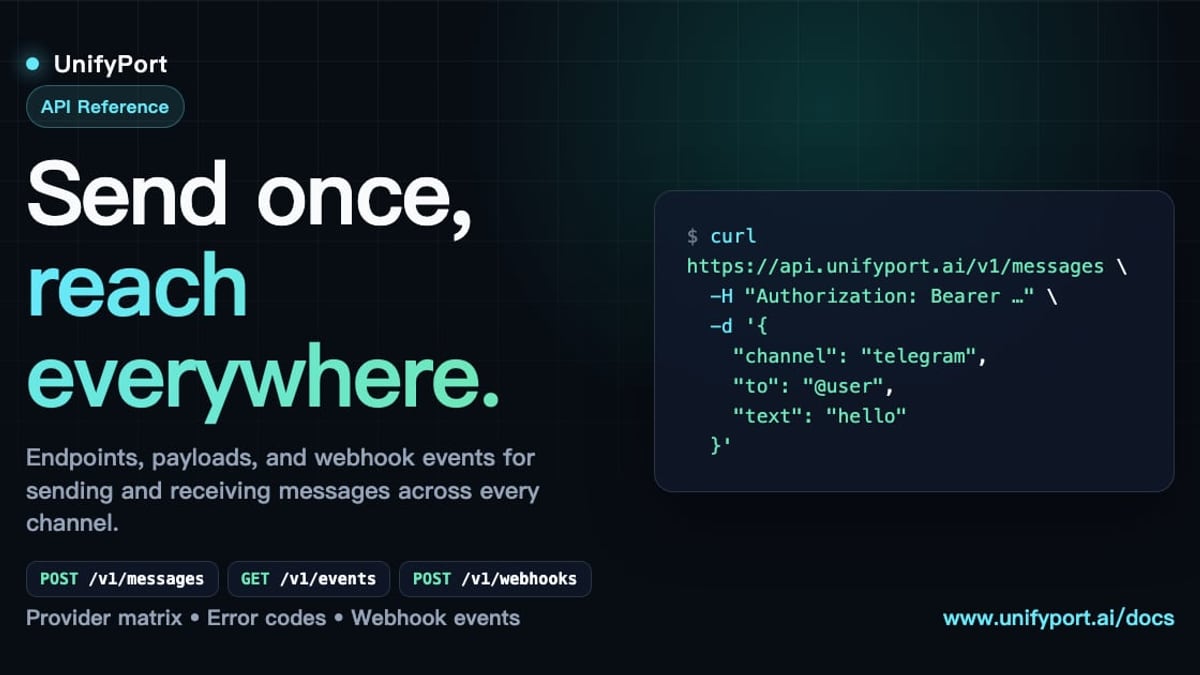
This is where a unified multi-channel API like UnifyPort changes the picture. UnifyPort exposes a single REST API and a standardized webhook event stream that normalize all provider events—including LINE’s—into one JSON shape. Instead of connecting to LINE’s API, Telegram’s Bot API, and WhatsApp’s Cloud API individually, you point your CRM, AI agent, or notification system at UnifyPort. It handles:
- LINE account lifecycle: creation, QR-code or code-based authentication, runtime health monitoring, and teardown.
- Message delivery with built-in rate limiting, retries, idempotency keys, and failure isolation so that a LINE rate limit doesn’t block your WhatsApp sends.
- Provider-specific features like LINE’s reply_token, sticker mapping, and flex message structures translated into a consistent format across channels.
- Secure API key management with HMAC-SHA256 request signatures and a webhook control plane for managing subscriptions and retries.
For a deeper look at how UnifyPort abstracts LINE and other channels, see the UnifyPort unified messaging API guide. If you’re still evaluating the broader messaging landscape, the business messaging platform comparison helps you weigh dedicated channel APIs against unified solutions.
Example: Sending a LINE Message Through a Unified Layer
// POST /v1/messages  (simplified UnifyPort request)
{
  "channel": "line",
  "to": "U1234567890...",
  "content": {
    "type": "text",
    "text": "Your order #5814 has shipped!"
  }
}
Under the hood, UnifyPort translates this into the LINE Messaging API push format, signs the request, respects rate limits, and emits a standardized message.sent event to your webhook once delivery is confirmed—regardless of whether the original message went to LINE, Telegram, or TikTok. This normalization is critical when AI agents or notification engines need a single-event schema to process inbound messages across all supported channels.
Related reading
- How to Integrate Unipile: A Step-by-Step Developer Guide - Learn how to integrate Unipile's unified API for messaging, email, and calendar. Follow this step-by-step setup guide, get credentials, send first messages, and handle webhooks.
- Telegram Features: A Complete Guide to Its Most Powerful Tools - Explore Telegram's top features, from secret chats and 2GB file sharing to bots, channels, and cloud sync. Learn why it's a favorite for personal and business messaging.
Sources and further reading
- Home - Utility Line Services - Our Services
- Line services LLC - Company Profile and News - Company profile page for Line services LLC including stock price, company news, executives, board members, and contact information
- Utility Line Services - Utility Line Services | 1,077 followers on LinkedIn. ULS provides turnkey construction services to the utility industry. We aggressively manage projects to ensure timely installation and quality services. ULS capitalizes on the extensive knowledge and experience of its employees.
Frequently Asked Questions
Is LINE just a messaging app?
No. While the messaging client is the most used service, LINE also offers digital payments (LINE Pay), news, music, video streaming, shopping, and a full developer platform. Its services are comparable to super-apps like WeChat.
Do I need a LINE Official Account to use the Messaging API?
Yes. The LINE Messaging API is available to verified LINE Official Accounts or approved developer trial accounts. You’ll need to create one through the LINE Developers console and obtain a channel access token.
Can I build a chatbot on LINE?
Absolutely. The Messaging API’s webhook delivers incoming messages to your server, where you can process them with any conversational AI engine and reply programmatically. Many businesses use external NLP services or connect LINE bots to a unified inbox through something like UnifyPort.
How does UnifyPort help with LINE integration?
UnifyPort eliminates the need to manage LINE-specific SDKs, webhook signatures, and message formats on your own. It gives you a consistent REST endpoint for sending messages across LINE, WhatsApp, Telegram, X, Zalo, TikTok, and more, while normalizing all incoming events. This is especially useful for CRMs, AI agents, and ops tools that need to touch multiple channels without building bespoke integrations for each one.
Does LINE support end-to-end encryption?
LINE offers Letter Sealing for one-on-one chats and groups with up to 50 members, which provides end-to-end encryption. However, some business messages and chatbot interactions are not encrypted end-to-end because the servers need to process the content.
Conclusion
LINE services stretch far beyond a purple chat app. From consumer messaging and mobile payments to the LINE Official Account ecosystem and a developer-friendly API suite, the platform offers nearly every touchpoint a modern business needs to engage Asian markets. The challenge isn’t lack of capability—it’s managing that capability alongside the other channels your customers use.
By treating LINE as part of a unified messaging strategy, you can avoid siloed integrations and deliver consistent experiences. Solutions like UnifyPort, available via the UnifyPort platform, provide the infrastructure to connect LINE to your existing stack with a single API, reliable delivery, and standardized events. Whether you’re building an AI assistant, a notification service, or a full omnichannel customer support tool, starting with a clear understanding of LINE’s services—and how to integrate them without locking yourself into one provider—gives you a lasting advantage.