
Unipile Review 2025: Is the Multi-Channel API Worth It?
In-depth Unipile review for developers and sales teams. We test LinkedIn, email, WhatsApp, and calendar APIs, pricing, setup, safety, and how it compares to building in-house.
Unipile Review 2025: The Developer’s Multi-Channel Messaging API
If you’re building a CRM, recruiting platform, or AI agent and need to plug into LinkedIn, Gmail, WhatsApp, and calendars through one interface, Unipile promises to be that single API. But is it the right fit for your product—or just an expensive detour for a sales team that wants pipeline, not plumbing? This review breaks down what Unipile actually does, who it serves best, and where the real work begins, so you can decide.
We’ve spent time in the API, pored over documentation, and listened to builder communities. This isn’t marketing fluff; it’s a practical look at the trade‑offs.
What Is Unipile?
Unipile Review 2025: Is the Multi-Channel API Worth It? product interface and feature overview.
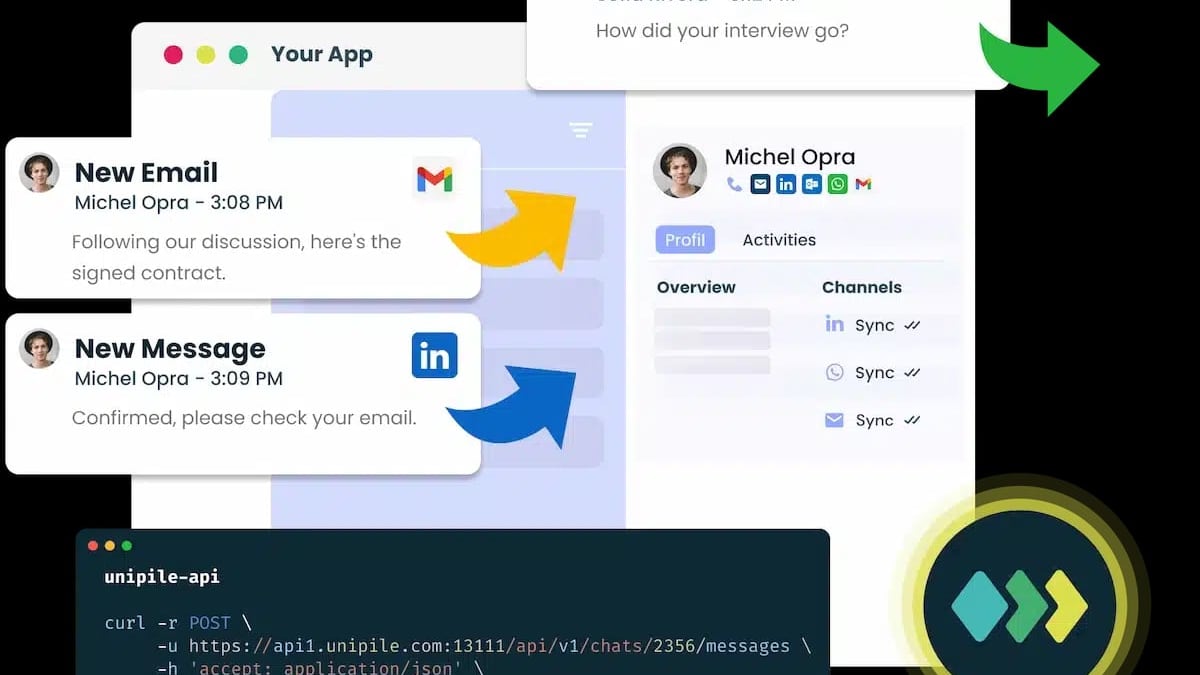
Unipile is not an outbound sales tool. It’s a developer platform that lets your software interact with a user’s personal communication accounts on their behalf. Think of it as infrastructure: a unified REST API and SDK that normalizes LinkedIn, email (Gmail, Outlook, IMAP), messaging (WhatsApp, Telegram, Instagram, Messenger), and calendars (Google, Outlook) behind a single set of endpoints.
The critical model is on‑behalf‑of. When your app sends a LinkedIn message, it comes from the user’s real profile, not a bot account. Emails originate from their actual Gmail or Outlook mailbox. This keeps conversations authentic and scoped to what the user authorized via OAuth or embedded account linking.
Unipile’s pitch is clear: stop writing and maintaining a separate integration for every communication channel. For a product team, that’s a huge time saver. But for an end user just wanting to run outreach, the API is the starting line of a software project you hadn’t planned.
Who Should Use Unipile? (And Who Shouldn’t)
Unipile Review 2025: Is the Multi-Channel API Worth It? product interface and feature overview.
The answer splits sharply depending on whether you’re building software or running a sales process.
You’re a builder if your company makes a SaaS product—a CRM, ATS, customer success platform, or AI agent—and you want to embed native messaging. Unipile gives you the rails to:
- Let reps send LinkedIn invitations and emails without leaving the CRM.
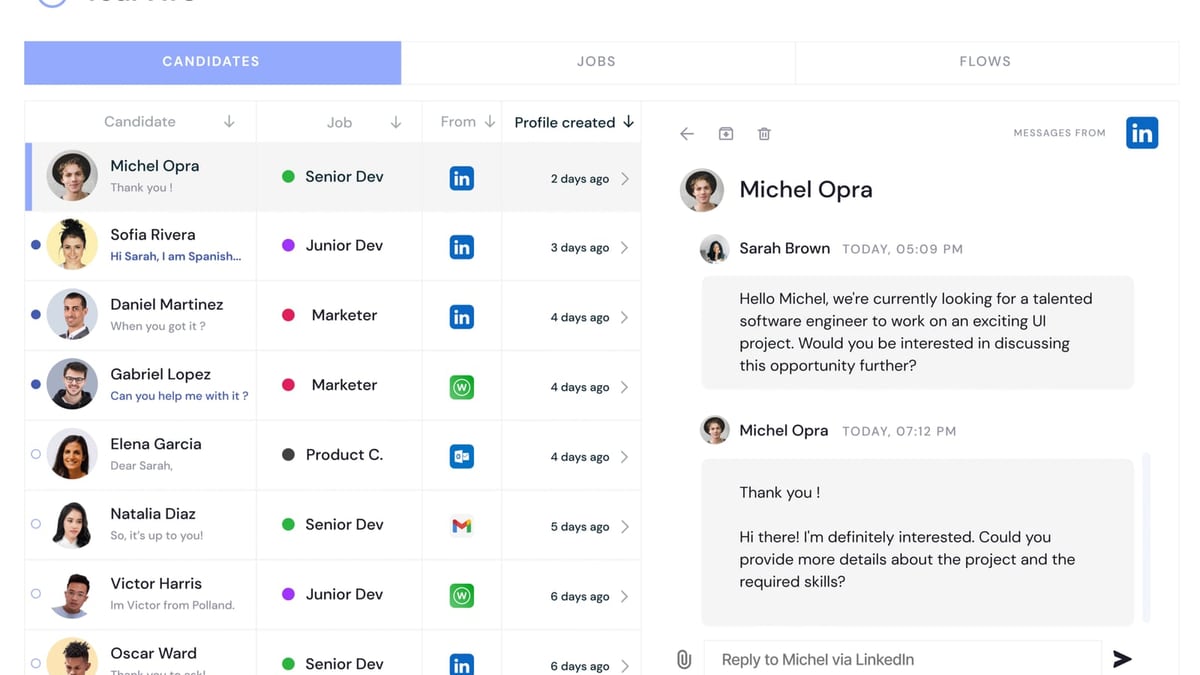
- Sync candidate conversations from LinkedIn and email into one recruiting timeline.
- Give an AI agent account‑based access to read and reply across channels via the MCP server.
These are not hypotheticals. In community tests, developers have wired Unipile into n8n workflows and AI agents in under 15 minutes, clearing hundreds of messages with automated replies (source). If you have engineering hands and a product roadmap, Unipile is genuinely good infrastructure.
You’re a seller if you need meetings this month, not a build project this quarter. Without a developer, the API leaves you holding: you still have to design account linking flows, build a sequence engine, implement safe sending limits, manage bounce handling, and create reporting dashboards. The feature list looks generous, but each bullet is a call you must orchestrate. In that scenario, an all‑in‑one outbound platform (like Salesforge) gets you live campaigns without writing code.
The honest divide: an API is a gift when you’re building. It’s a delay when you’re selling.
Key Features and What They Actually Deliver
Unipile Review 2025: Is the Multi-Channel API Worth It? product interface and feature overview.
1. LinkedIn API
This is the crown jewel. Because LinkedIn offers no official API for personal accounts, Unipile fills the gap by managing browser‑like sessions. You get profile search, invitations (with notes), InMails, message history, activity timelines, and webhooks for replies or accepted requests.
For a CRM, that’s powerful: a recruiter can pull a candidate’s full LinkedIn conversation into their ATS. But be aware—every action still requires your logic. The API returns profiles; you decide who matches your ICP, deduplicate contacts, and enforce safe sending intervals. It gives you the parts, not the sequence. The LinkedIn safety question (see FAQ) also sits squarely on your shoulders.
2. Email API
Unipile covers Gmail, Outlook, and generic IMAP mailboxes. You can send, sync replies, and build contact‑level activity timelines. Email integration is mature, with extensive docs on OAuth scopes and IMAP synchronization (source). The benefit is unified reply detection: when a prospect replies via email, you can automatically stop a LinkedIn follow‑up.
3. Messaging Channels
WhatsApp, Telegram, Instagram, and Messenger are available. For customer success platforms, this means consolidating support requests across channels into one thread. For AI agents, it’s a way to meet users where they already talk. However, throughput and rate limits differ per provider, so you’ll need to build logic that respects each one.
4. Calendar API
Create, read, or cancel events in Google and Outlook calendars. Combined with message threads, you can automatically book meetings after a LinkedIn reply and insert the event into the user’s own calendar—no double‑booking.
5. Unified Webhooks & Reply Detection
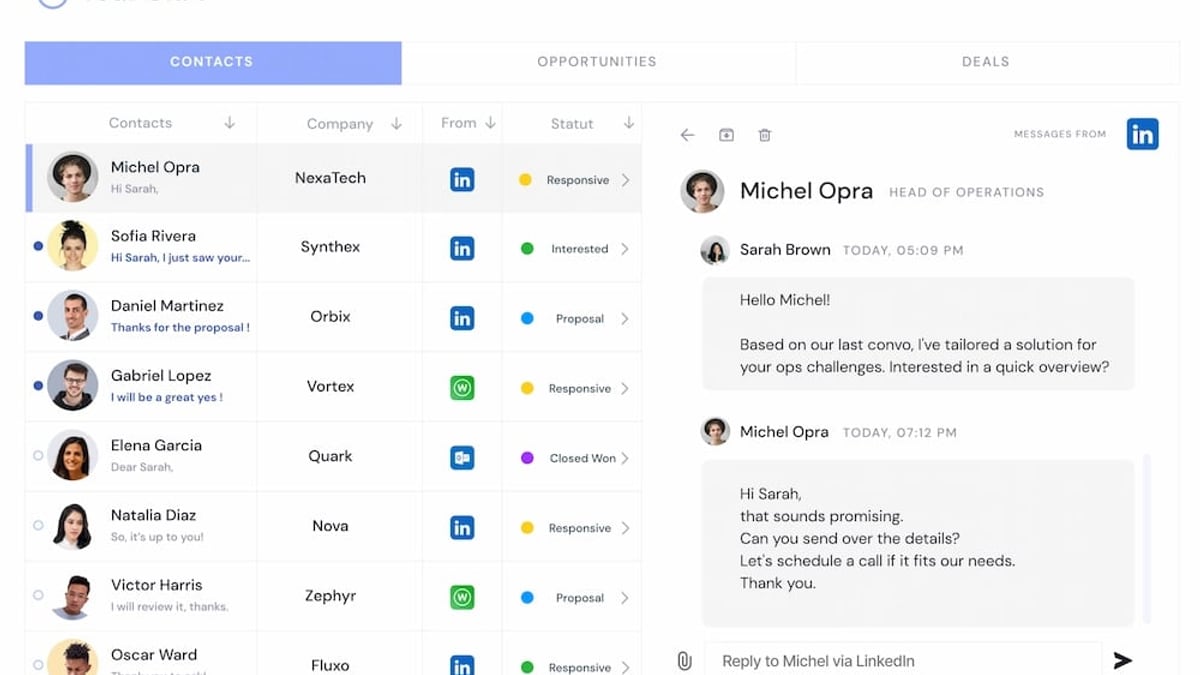
Real‑time webhooks fire on new messages, replies, and connection requests. Reply detection across channels means your app can stop sequences the moment someone responds, regardless of whether it was a WhatsApp text or an InMail. This is the glue that makes an omnichannel inbox possible.
Setup and Technical Considerations
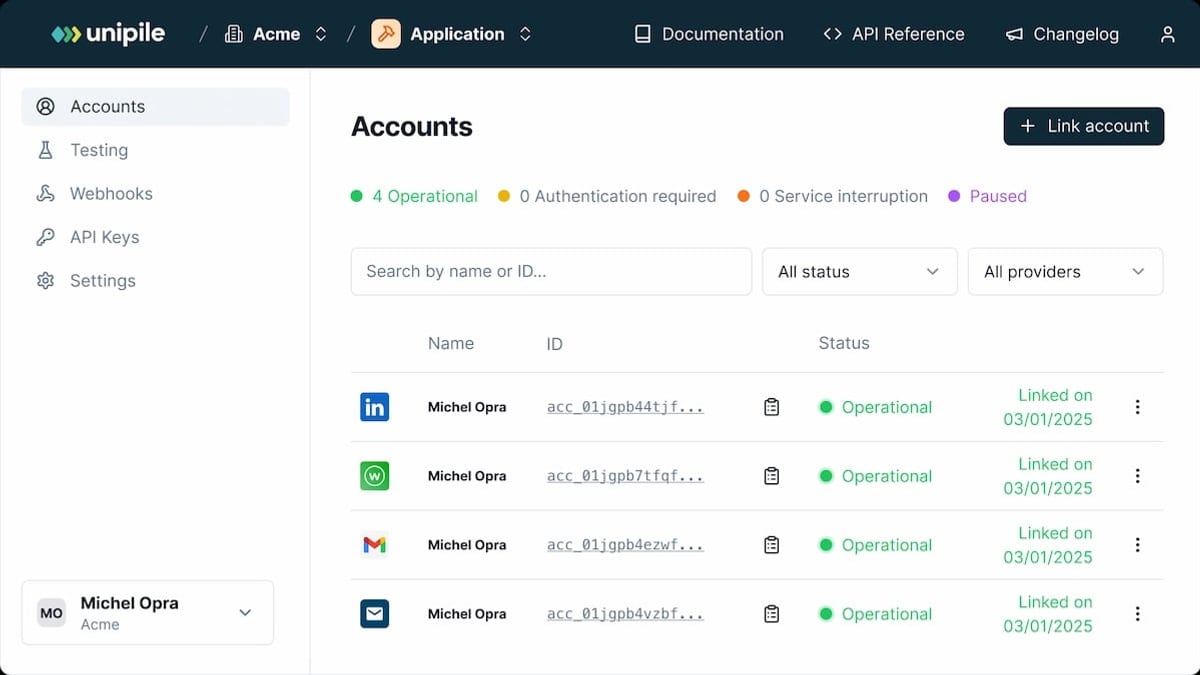
Getting started looks developer‑friendly. You register an app, obtain API keys, and then choose between a hosted authentication page (users connect LinkedIn, Gmail, etc., via a Unipile‑branded flow) or embedded linking (you control the UX). The docs provide SDKs for Node, Python, PHP, and Java, plus code samples and a live status dashboard.
But there are several operational realities:
- Account safety and quotas: Unipile sends whatever you tell it, at whatever volume. You must implement daily invite limits, connection request caps, and cooldowns. Tools like Salesforge add a protective layer; Unipile gives you freedom and expects you to manage the risk.
- LinkedIn session handling: Because Unipile relies on authenticated browser‑like sessions, changes to LinkedIn’s anti‑bot measures can temporarily break connectivity. The team generally updates fast, but your app needs to handle session expiry and re‑authentication gracefully.
- OAuth scopes for email: Gmail requires careful scope selection and sometimes third‑party verification. Unipile’s guides walk you through this, but it’s still a non‑trivial setup for IMAP providers.
Pricing Signals
Unipile does not publish a simple pricing page. Current information suggests a usage‑based model with monthly plans that scale by linked accounts and API calls. Community feedback indicates that entry‑level plans exist for testing, but production use requires a conversation with sales. This opacity is common among developer‑first platforms, but it makes budgeting harder. For up‑to‑date numbers, you’ll need to contact Unipile directly.
Strengths and Limitations
Strengths
- Single API for 7+ channels, reducing months of development.
- Native LinkedIn access through real user profiles.
- Strong developer ecosystem: SDKs, webhooks, MCP server for AI agents, and detailed documentation.
- Live status dashboard and responsive community.
- Powers genuine omnichannel inboxes inside your own product.
Limitations
- Not a turnkey outreach tool; you must build sequencing, warm‑up, and reporting.
- Account safety is entirely your responsibility—rate limits, content compliance, and session health are yours to manage.
- LinkedIn dependency creates fragility; your app inherits the risk of connection disruptions.
- Opaque pricing makes it hard to compare cost‑effectiveness without a demo.
- Mobile push notifications or real‑time sync with some messaging apps can require additional polling logic.
Unipile vs. Alternatives: Where Does It Fit?
Unipile Review 2025: Is the Multi-Channel API Worth It? product interface and feature overview.
Build in‑house: You could integrate each provider’s API yourself. That way, you avoid dependency and ongoing fees, but you’ll spend months maintaining OAuth flows, connection fixes, and channel‑specific quirks. Unipile’s value is time‑to‑market.
Unipile vs. UnifyPort: Both offer unified messaging APIs, but they differ in channel coverage, pricing models, and safety guardrails. We’ve published a detailed head‑to‑head comparison that examines reliability, developer experience, and use cases for AI agents—read the full UnifyPort vs Unipile analysis to see which fits your stack.
Unipile vs. all‑in‑one outbound platforms (e.g., Salesforge): If your primary goal is to run multi‑channel sequences directly, Salesforge handles the entire execution layer while Unipile provides the API. For teams that need to build a unique product experience, Unipile wins. For teams that just need pipeline, the bundled solution is often faster.
At UnifyPort, we’ve covered the broader landscape in our multi‑channel messaging API comparison, which pits Unipile against UnifyPort and CM.com across channels, pricing, and reliability.
Related reading
- Top 10 Cloud-Based Messaging Apps in 2026 Ranked - Discover the 10 best cloud-based messaging apps for 2026. We rank Telegram, Discord, LINE, Viber, and more based on sync, features, and security. Find your ideal messenger.
- How to Use UnifyPort with LINE for Multi-Channel Messaging - Step-by-step guide to integrating LINE messaging into your app via UnifyPort's unified API. Set up accounts, send texts, media, handle webhooks, and scale reliably.
- UnifyPort vs Unipile vs CM.com: Which Multi-Channel API Wins? - Compare UnifyPort, Unipile, and CM.com on channels, API capabilities, pricing, and reliability. Find the best multi-channel messaging API for AI agents, CRMs, and business apps.
Frequently Asked Questions
Does Unipile violate LinkedIn’s Terms of Service?
Unipile itself is a technical intermediary. The platform emphasizes that each linked account belongs to the user and actions are performed on their behalf. However, any tool that automates LinkedIn activity carries risk. LinkedIn’s User Agreement prohibits bots and certain automated scraping. Unipile’s approach—using real sessions and on‑behalf‑of sending—reduces the risk of being flagged as a fake account, but aggressive use can still trigger restrictions. The community has reported mixed experiences: some users run for months without issue, while others saw warnings when sending too fast (source). The safest path is to implement strict daily limits, respect LinkedIn’s own rate recommendations, and never sell automated actions as a growth‑hacking feature.
Is Unipile suitable for a small sales team with no developer?
Generally, no. The API is exactly that—an interface your software calls. Without a developer to build the sequencing, lead management, and safety layers, you’ll be stuck with raw endpoints. For small teams, an outbound platform that hides the complexity will deliver pipeline faster.
Can I use Unipile to build a unified inbox for my app?
Absolutely. With webhooks, real‑time sync, and reply detection, you can pull LinkedIn, email, WhatsApp, and calendar events into a single conversation view. This is one of the most compelling use cases for CRMs and helpdesk products.
How fast is the setup for a developer?
Developers familiar with REST APIs report getting a test integration running in a few hours. The quickest setup links one account through the hosted auth page and sends a test message. A production‑ready integration, with proper error handling, session management, and safety logic, usually takes several days to a couple of weeks.
Conclusion: Is Unipile Worth It?
Unipile is a strong, well‑documented API platform that lets SaaS builders add multi‑channel messaging without reinventing the wheel. If you’re developing a product that needs to communicate from users’ own accounts, the time saved by not integrating each channel individually is significant. The LinkedIn API alone justifies the cost for many recruiting or sales tools, and the emerging MCP‑server support makes it a natural fit for AI‑agent projects.
However, Unipile is not a shortcut for sales outreach. It hands you the primitives, not the finished machine. Account safety, sequencing, deliverability, and reporting remain your team’s responsibility. If that engineering burden fits your roadmap, Unipile is a valuable partner. If you need ready‑to‑send campaigns, you’re better served by a managed outbound platform.
For teams evaluating whether Unipile is the right infrastructure, we recommend diving into our UnifyPort vs Unipile comparison to see a side‑by‑side breakdown, and checking the Unipile G2 reviews for real‑world user sentiment. The decision, as always, comes down to what you’re building.