
Telegram Review 2025: Secure, Feature-Rich Messenger?
In-depth Telegram review: test its security, groups, channels, bots, and privacy. Learn ideal users, limits, and if it’s right for you.
Telegram Review 2025: Secure, Feature-Rich Messenger?
Millions of users have switched to Telegram for its speed, large file sharing, and massive group chats. But how does it stand up as a secure, everyday messenger? This evidence-based Telegram review dives into what the app actually delivers—from its privacy model and hands‑on experience to ideal use cases and where it falls short. Whether you’re weighing it against WhatsApp or exploring it for community building, you’ll get a clear, updated picture.
Key Features at a Glance

Telegram Review 2025: Secure, Feature-Rich Messenger? - supporting product research image 4.
- Cloud‑based sync – Messages, media, and files stay in sync across phone, tablet, and desktop without needing your phone online.
- Massive groups & channels – Host up to 200,000 members in a group; broadcast to unlimited subscribers via channels.
- Uncompressed file sharing – Send any file type up to 2 GB (free) or 4 GB (Premium).
- Secret Chats – Device‑specific, end‑to‑end encrypted chats with self‑destruct timers that never touch Telegram’s cloud.
- Open API & bots – Thousands of bots automate tasks like polls, payments, and moderation; developers can build on Telegram’s protocol.
- Rich editing & formatting – Markdown support, scheduled messages, message reactions, and a built‑in photo editor.
- No ads (in private chats) – The core experience remains ad‑free; channels may run sponsored messages.
Who Should Use Telegram (and Who Shouldn’t)
Telegram Review 2025: Secure, Feature-Rich Messenger? - supporting product research image 1.
Telegram isn’t one‑size‑fits‑all. Matching the app to your daily needs avoids frustration.
Best for
- Community managers & content creators – Channels with unlimited subscribers, detailed view statistics, and comment sections work like a private social network.
- Large teams & study groups – 200,000‑member groups with polls, pinned messages, and bot‑based moderation outclass most collaboration tools.
- Power users who switch devices – Cloud sync means you never lose chat history when buying a new phone or logging in from a web browser.
- Developers & bot builders – The open API and documented MTProto protocol invite automation, custom integrations, and even fully‑fledged mini apps.
Not ideal for
- Maximum privacy demand – If you need watertight end‑to‑end encryption by default on every chat, Signal remains a stronger pick.
- People who want simplicity above all – Telegram’s deep feature set can feel cluttered; WhatsApp offers a more stripped‑back experience.
- Those uncomfortable with a phone number sign‑up – Unlike Session or Threema, Telegram still requires a mobile number for registration.
Security & Privacy Reality
Many assume Telegram is completely private. The reality is more nuanced, and understanding the differences between its encryption modes is critical.
Encryption: Secret Chats vs Cloud Chats
Telegram uses two distinct encryption models, and they are not equal.
- Cloud Chats (default): Messages are encrypted in transit between your device and Telegram’s servers via the MTProto protocol, then stored encrypted on those servers. Because the server holds the encryption keys to sync your data across devices, Telegram technically has the ability to access plaintext content. This is similar to how WhatsApp stores encrypted backups on iCloud or Google Drive, but with the fundamental difference that WhatsApp itself cannot read the content of regular chats due to default E2EE. Cloud Chats are not end‑to‑end encrypted.
- Secret Chats: True end‑to‑end encryption tied to one device. Keys are generated locally and not shared with Telegram’s servers. These chats support self‑destructing messages and cannot be forwarded. Secret Chats do not sync across your other devices—if you start a Secret Chat on your phone, you can’t continue it on your desktop.
Data Collection and Government Requests
Telegram’s privacy policy states it may collect IP addresses, device details, and phone number, and can log metadata like who you message (for non‑Secret Chats) to prevent spam and abuse. While the company historically resisted government requests, its stance has shifted. After the arrest of CEO Pavel Durov, Telegram updated its terms and began sharing phone numbers and IP addresses of users who violate its rules with authorities in response to valid legal requests. For a nuanced breakdown, CyberInsider’s updated Telegram review documents exactly what data can be disclosed. If hiding your IP is important, always pair Telegram with a reputable VPN.
Bottom line: Telegram offers strong in‑transit security, but if you need robust privacy by default, enable Secret Chats for sensitive conversations and consider using it without a phone‑number‑based identity (e.g., purchase a secondary number or use a Fragment‑based anonymous number).
Hands‑On Setup and Daily Use
Getting started takes less than two minutes.
- Download the app from the official website or your app store.
- Enter your mobile number and verify the SMS code.
- Optionally enable two‑step verification for an extra password layer.
- Set a username if you want people to find you without sharing your phone number.
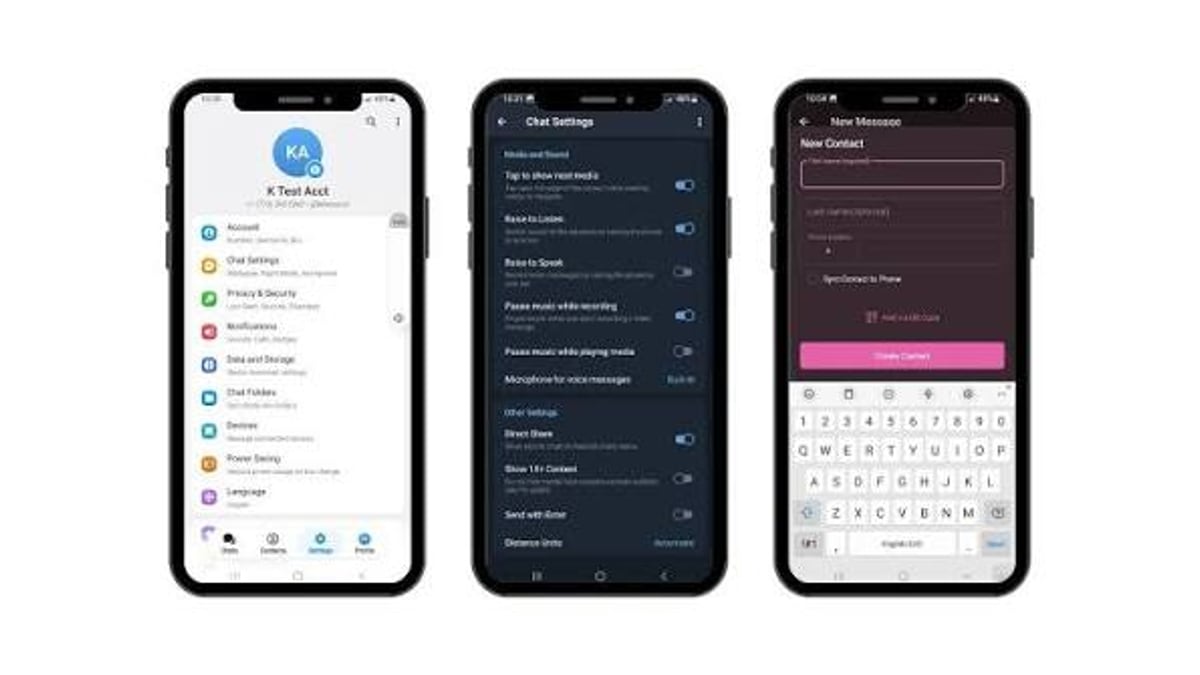
Once in, the interface feels instantly familiar: chats on the left, conversations in the center, media sharing, voice notes. The desktop and web clients mirror the mobile experience so seamlessly that switching devices never disrupts a conversation. I tested cross‑device sync on Android, Windows, and macOS; messages appeared in under a second.
One standout daily convenience is the saved messages chat, which acts as a private cloud notebook. You can forward any file, link, or note there, and it syncs everywhere. No more emailing files to yourself.
Advanced Features for Power Users
Telegram’s depth becomes apparent once you move beyond 1‑on‑1 chats.
- Channels: Broadcast text, photos, videos, and polls to an unlimited audience. Channel owners get view counts and the ability to monetize via Telegram’s ad platform.
- Groups: Support up to 200,000 members with admin tools, slow mode, and permission management. AI‑powered guardians can automatically filter spam and unwanted content.
- Bots: Inline bots (like @gif, @wiki, @sticker) work without leaving a chat. Advanced bots handle payments, create custom keyboards, and integrate with external services via webhooks.
- Video & voice calls: Encrypted point‑to‑point calls for one‑on‑one and group voice/video. Quality held up reliably even on spotty 4G in our testing.
- Instant View: Tapping a link in Telegram often opens a lightweight, cached version of the webpage instantly, skipping the heavy browser load.
For communities, Telegram now supports Topics inside groups, turning a single mega‑group into organized sub‑channels, much like a forum.
What Telegram Costs (Free, with Premium Signals)

Telegram Review 2025: Secure, Feature-Rich Messenger? - supporting product research image 2.
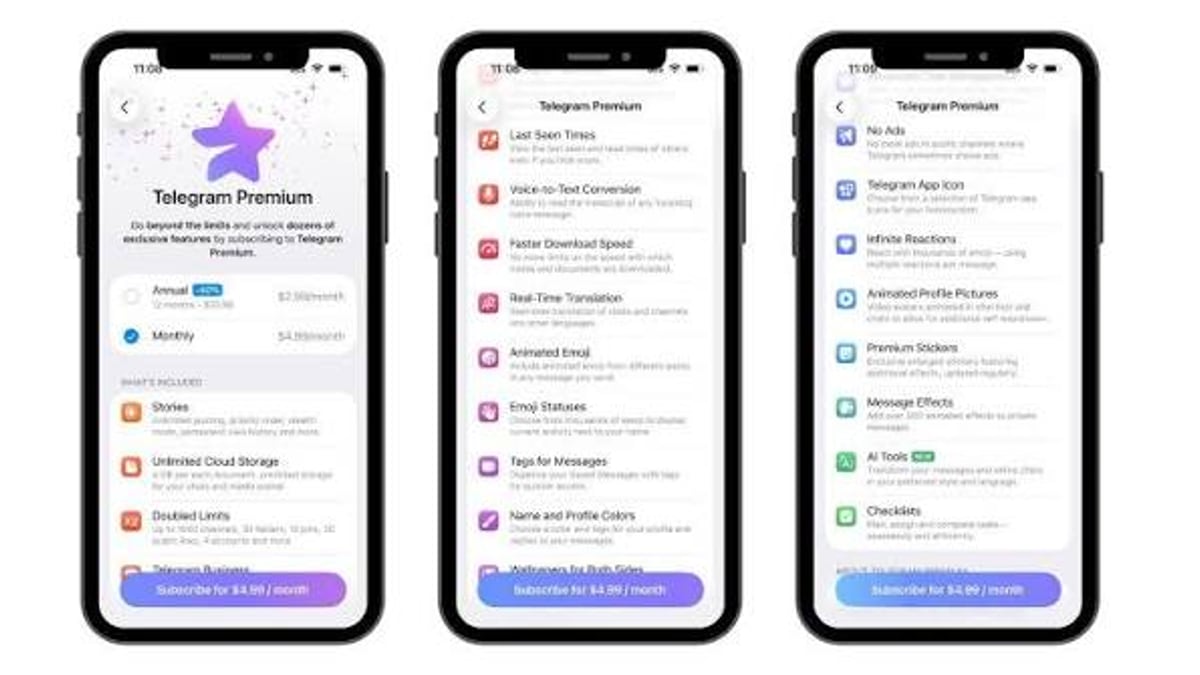
Telegram’s core app remains free and ad‑free for personal chats and groups. In mid‑2022, Telegram introduced Telegram Premium, an optional subscription that unlocks:
- 4 GB file uploads (instead of 2 GB)
- Faster downloads
- Doubled limits for channels, folders, pinned chats
- Exclusive stickers, custom emoji, and profile badges
- Ad‑free browsing in sponsored channels
Premium is priced regionally (around $4.99/month in the US) and helps fund the service without relying on selling user data. The free tier remains fully functional for most users, which signals that Telegram is committed to a sustainable freemium model rather than paywalls.
Telegram vs Competitors
Telegram Review 2025: Secure, Feature-Rich Messenger? - supporting product research image 3.
Choosing the right messenger often depends on what you value most.
| Feature | Telegram | Signal | LINE | |
|---|---|---|---|---|
| Default E2EE | Only Secret Chats | All chats | All chats | End‑to‑end encrypted (E2EE) for messages |
| Group max size | 200,000 | 1,024 | 1,000 | 500 |
| Cloud sync | Yes, all chats | Backup to cloud only | No cloud chat history | Yes, with some limitations |
| File limit | 2 GB (free) | 100 MB | 100 MB | 2 GB |
| Open API | Yes | No | No | No |
| Sticker economy | Rich, external packs | Limited | None | Massive, integrated store |
For the full landscape, see UnifyPort’ ranking of cloud‑based messaging apps, which places Telegram among the top performers for sync and developer features. If you’re also curious about how LINE compares for stickers and social feed integration, our LINE review breaks down its strengths.
Related reading
- UnifyPort vs CM.com: Multi-Channel Messaging API Comparison - Compare UnifyPort and CM.com for multi-channel messaging. See API features, channel coverage, pricing, and which platform fits developers and businesses.
- Unipile Review 2025: Is the Multi-Channel API Worth It? - In-depth Unipile review for developers and sales teams. We test LinkedIn, email, WhatsApp, and calendar APIs, pricing, setup, safety, and how it compares to building in-house.
- Top 10 Cloud-Based Messaging Apps in 2026 Ranked - Discover the 10 best cloud-based messaging apps for 2026. We rank Telegram, Discord, LINE, Viber, and more based on sync, features, and security. Find your ideal messenger.
Sources and further reading
- What is telegram basically? Do you trust it ? : r/privacy - Web resultsWhat is telegram basically? Do you trust it ? : r/privacyReddit · r/privacy60+ comments · 4 years agoReddit · r/privacy60+ comments · 4 years agoHow does it earns its revenue?68 answers · Top answer: I don’t trust or use it because of the incomplete E2EE and I absolutely don’t get under .
- Read Customer Service Reviews of telegram.org - Read Customer Service Reviews of telegram.orgTrustpilothttps://www.trustpilot.com › ... › Software CompanyTrustpilothttps://www.trustpilot.com › ... › Software CompanyLooking at 119 reviews, most reviewers were let down by their experience overall. Many people encountered numerous problematic profil
FAQ
Is Telegram really encrypted?
Yes. Cloud Chats are encrypted in transit and stored encrypted on Telegram’s servers, but the server holds the keys. Only Secret Chats provide full end‑to‑end encryption where nobody but the sender and receiver can read the messages.
Does Telegram sell my data?
Telegram does not sell your data. It is funded largely by Pavel Durov’s donations and the Premium subscription. However, it does share information with authorities in response to valid legal requests, as outlined in its privacy policy.
Can I use Telegram without a phone number?
You need a phone number to sign up. Once registered, you can hide your number and let others find you via a username. Additionally, you can purchase an anonymous number through the Fragment blockchain platform to create an account without revealing your real SIM number.
How safe are Telegram bots?
Bots are third‑party programs that can access what you send them. Only interact with verified bots from trusted sources. A bot cannot read your other chats or access your account without explicit permission.
Is Telegram banned anywhere?
Some countries, including China, Russia, and Iran, have restricted or banned Telegram at various times. A VPN is commonly used to bypass such blocks.
Conclusion
Telegram is a powerhouse cloud messenger that excels when you need speed, unlimited media sharing, and community‑scale communication. Its hybrid privacy model means you must actively choose end‑to‑end encryption via Secret Chats to secure sensitive conversations, but its open platform, massive group support, and constant updates make it a first choice for creators, developers, and large teams.
If default E2EE is non‑negotiable for every chat, Signal will fit better. If you want a polished, ad‑free ecosystem with cross‑device sync and unmatched flexibility, Telegram remains a stellar, evidence‑backed choice. For more head‑to‑head comparisons and up‑to‑date messaging rankings, explore UnifyPort’ comprehensive guides.