
What Is Linear? A Developer’s Guide to the Product Development System
Discover what Linear is, its value for software teams, and how to connect it with unified messaging APIs like UnifyPort for automated multi-channel notifications.
What Is Linear? A Developer’s Guide to the Product Development System
Linear has quickly become a talking point among software engineers, product managers, and growing teams. Some call it a breath of fresh air; others wonder if it solves a real problem. At UnifyPort, we’re always exploring tools that help developers ship faster and work more cohesively—so we took a close look at what Linear offers, where it fits, and how you can extend its value with automated, multi-channel communication.
What Is Linear?
What Is Linear? A Developer’s Guide to the Product Development System - supporting product research image 4.
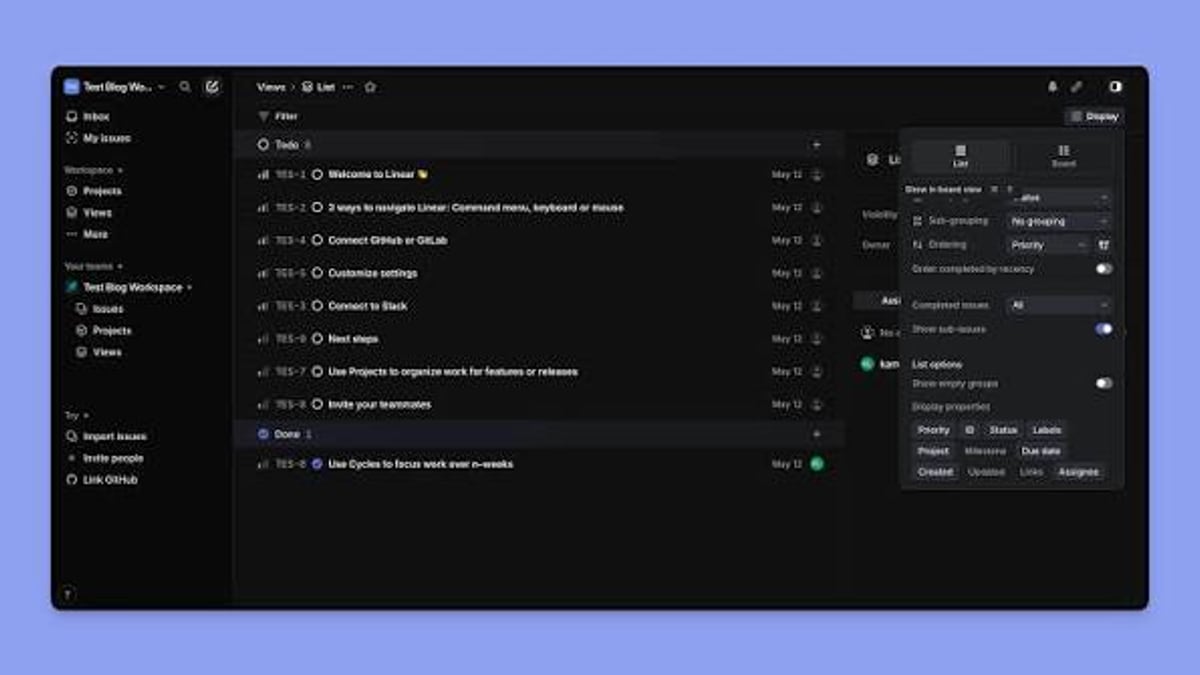
Linear is a purpose-built product development platform that combines issue tracking, project management, and lightweight planning. Unlike legacy tools that try to be everything to everyone, Linear focuses on speed, keyboard-first workflows, and an opinionated mental model that world-class product teams have refined over years. It’s used by startups and enterprises alike to plan features, squash bugs, and keep sprints moving without drowning in configuration.
At its core, Linear treats work items as interconnected issues with clear states, priorities, and cycles. A sleek desktop and web UI, powerful filters, and real-time sync across devices are table stakes. What sets it apart is the deliberate removal of clutter: no bloated custom fields, no sprawling boards you’ll never finish configuring. Everything is optimized for high-velocity product development.
Key Features That Set Linear Apart
- Agent‑ready architecture – Linear was built from the ground up for human‑agent collaboration. AI agents can draft PRDs, triage issues, push code, and update statuses directly via the API, turning the tool into a shared workspace for both people and software.
- Designed for speed – Keyboard shortcuts, instant loading, and optimistic UI updates mean you rarely wait for a transition. Search, filtering, and bulk edits happen in milliseconds, keeping you in flow.
- Opinionated but flexible – Linear encourages workflows like cycles, T-shirt sizing, and project‑based views. You can still customize but without the analysis paralysis that slows down bloated alternatives.
- Powerful integrations – Linear connects with GitHub, GitLab, Slack, Figma, and other modern dev tools. Its GraphQL API and webhooks make it easy to build custom triggers and automations.
The Value Proposition for Development Teams
When a tool matches the way a team already thinks and works, adoption soars. Linear’s value comes from reducing friction:
- Faster decision‑making – Issues are immediate, not buried in menus. Engineers can jump from a commit to the related issue in one click.
- Predictable planning – Cycles and projects surface what matters now and what’s next, making roadmap conversations concrete without heavyweight Gantt charts.
- Transparency without noise – Non‑technical stakeholders can see progress without getting lost in detail, while developers never feel they are logging into a management tool that slows them down.
Many teams moving from older platforms report a noticeable drop in meeting time and an uptick in forward momentum simply because the tool gets out of the way.
Addressing the Criticism: Why Some Developers Question Linear
A common sentiment on forums like Reddit is “I’ve built hundreds of projects and I don’t see the point.” This almost always comes from engineers who are comfortable with simple GitHub Issues or a lightweight board—or from those who haven’t worked on a large, multi‑stream product where coordination overhead is the real bottleneck.
Linear’s value grows with the complexity of the product and the size of the team. For a solo developer or a small hackathon project, a Trello board or plain Git issues might suffice. But as soon as you add multiple squads, parallel feature work, on‑call rotations, and long‑running initiatives, the lack of structure becomes a drag. Linear provides that structure without turning into a configuration nightmare.
Another valid critique is the price: at scale, Linear costs more than some enterprise‑feeling alternatives. Yet teams that choose it usually cite the time saved across an entire organization as far outweighing the subscription fee.
Extending Linear with Multi‑Channel Notifications

What Is Linear? A Developer’s Guide to the Product Development System product interface and feature overview.
Linear covers the “what needs to happen” part brilliantly, but “how will we know” on the go still relies on external notification channels. While Linear has a native mobile app and Slack integration, many teams use WhatsApp, Telegram, LINE, or other messaging platforms where key stakeholders actually hang out. Manually wiring Linear webhooks into each provider is brittle—each channel has its own SDKs, rate limits, connection logic, and failure modes.
That’s where a unified messaging API like UnifyPort enters the picture. Instead of maintaining separate integrations for every messaging app, you can send status updates, alerts, and custom messages to any supported channel through a single REST endpoint. UnifyPort normalizes provider‑specific nuances into a consistent JSON event layer and handles retries, webhook signatures, and connection health behind the scenes.
For example, you could:
- Send a critical bug report to a WhatsApp group the moment Linear creates a P0 issue.
- Notify your support team via Telegram when a cycle is closed.
- Push daily stand‑up summaries to LINE or Zalo for remote team members.
How UnifyPort Bridges Linear and Messaging
What Is Linear? A Developer’s Guide to the Product Development System product interface and feature overview.
UnifyPort abstracts away the complexity of working with WhatsApp, Telegram, LINE, X (Twitter), Zalo, and TikTok—all from one API. It provides a standard event layer, HMAC‑SHA256‑signed webhooks, and a central control plane to manage message sending, account status, and delivery guarantees.
Setting up a notification flow is straightforward:
- Create virtual messaging accounts within UnifyPort via QR, code, or session import.
- Configure a webhook that listens for Linear events (issue creation, status change, cycle completion).
- Map the event to a targeted message—text, image, or a templated summary—and use UnifyPort’s
/sendendpoint with parameters likereply_toorparse_mode. - Let UnifyPort handle rate limiting, retries, and failure isolation. You never need to touch provider APIs directly.
This gives teams a single, observable pipeline where every message is tracked and can be debugged through the UnifyPort login dashboard. You can also complement the setup with the Unipile Documentation guide for broader multi‑channel API strategies, though UnifyPort extends support for channels like LINE and TikTok that are often missing elsewhere.
Beyond Notifications: Automation and Hand‑offs
What Is Linear? A Developer’s Guide to the Product Development System product interface and feature overview.
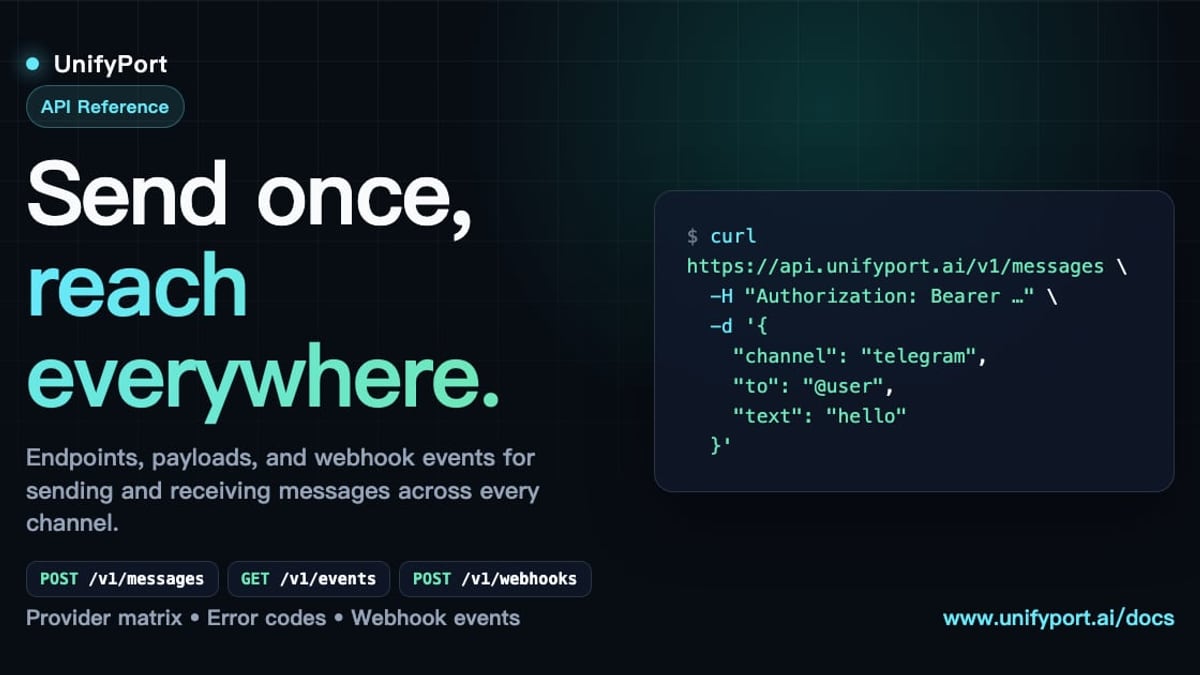
The same unified messaging layer can support richer workflows. For instance, a manager approving a design in Linear could trigger a confirmation message to a stakeholder on X (Twitter), or a bot that asks the on‑call engineer for an estimated fix time in a Telegram thread. UnifyPort’s idempotent API ensures that duplicated webhook events won’t cause duplicated notifications, making it production‑ready.
And because the platform offers graduated pricing with a free tier, you can start small—perhaps connecting just one channel—and scale as your messaging needs grow across teams.
Related reading
- Telegram API: Bot, MTProto, TDLib & Multi-Channel Integration Guide - Explore Telegram API types—Bot API, MTProto, TDLib, Gateway—and learn to integrate Telegram with multi-channel platforms like UnifyPort for unified communication.
Sources and further reading
- Linear – The system for product development - Purpose-built for planning and building products with AI agents.
- Linear (@linear) on X - The product development system for teams and agents.
FAQ
Is Linear a replacement for Jira? Yes, for many teams it is. Linear is simpler, faster, and more opinionated. It lacks Jira’s enterprise customization depth, but for software‑focused organizations that want to move quickly, it often works better.
Can Linear be used by non‑engineering teams? While it’s built for product development, design, customer success, and even marketing teams can use Linear for lightweight task tracking. The interface is clean enough that non‑technical stakeholders pick it up quickly.
How do I get multi‑channel alerts from Linear without heavy coding? Use a unified messaging API like UnifyPort. Point Linear’s outgoing webhooks to a middleware that transforms the event, then call UnifyPort’s REST API to deliver the message to WhatsApp, Telegram, LINE, and other channels. The marketing automation guide covers more advanced patterns for lead nurturing and notifications.
Why would a developer choose Linear over GitHub Issues? GitHub Issues is great for code‑adjacent tasks, but Linear provides richer views, cross‑project planning, roadmaps, and AI agent integrations that GitHub doesn’t offer natively. If your work extends beyond one repository, Linear adds necessary structure.
How does Linear handle privacy and data residency? Linear is SOC 2 compliant, offers SAML/SSO, and stores data in the United States. Enterprise plans provide additional security options. Check their latest trust page for specifics.
Conclusion
Linear stands out as a product development system that aligns with how modern software teams actually work—fast, focused, and increasingly driven by AI agents. It’s not for everyone, and its value scales with organizational complexity, but for teams that need clarity without bloat, it’s a genuine upgrade. Adding a unified messaging layer like UnifyPort on top lets you close the feedback loop instantly, keeping people informed on the channels they already use, without adding another maintenance burden. Whether you’re planning your next launch or debugging a critical outage, having a fast, reliable, multi‑channel alert system can be the difference between a smooth response and a chaos spiral.
Linear is a registered trademark of Linear Orbit, Inc. UnifyPort is not affiliated with Linear.