

Telegram Tutorial: Complete Beginner to Pro Guide & Tips
Master Telegram with our step-by-step tutorial covering installation, privacy, groups, bots, and API integration. Learn everything from basics to advanced features.
Telegram Tutorial: Complete Beginner to Pro Guide & Tips
Telegram has grown into one of the world’s most versatile messaging platforms, offering everything from simple chats to massive communities, powerful bots, and an open API. Whether you're installing it for the first time, looking to lock down your privacy, or planning to integrate Telegram into your business stack, this tutorial walks you through every step—no fluff, just clear guidance.
Getting Started with Telegram
Telegram is available on all major platforms: iOS, Android, Windows, Mac, and Linux. You can also use the web version for quick access.
1. Download and Install
- Mobile: Visit the App Store or Google Play and search for "Telegram". Download the official app by Telegram FZ-LLC.
- Desktop: Grab the native client from telegram.org for your OS. For a dedicated walkthrough on setup and hidden features, see our Telegram Desktop guide.
2. Sign Up with a Phone Number
Telegram asks for your phone number to verify your identity—just like WhatsApp or Signal. This number is never displayed publicly unless you enable a peer-to-peer visibility setting. After entering your number, you'll receive a one-time code via SMS or a Telegram call. Once verified, you're in.
3. Create a Public Username (Optional but Recommended)
To let people contact you without ever revealing your phone number, set a username. Go to Settings → Edit profile → Username. This creates a t.me/yourusername link you can share safely anywhere.
Navigating the Telegram Interface
The main screen is divided into tabs (mobile) or a unified sidebar (desktop).
- Chats: All one-on-one and group conversations.
- Calls: Voice call history.
- Contacts: People you've synced or manually added.
- Settings: Privacy, notifications, data & storage, and appearance.
Telegram syncs everything in real time across devices. Start typing on your phone and finish on your laptop—messages, media, and drafts are all stored in the cloud by default (standard cloud encryption, not end-to-end).
Your First Message: Texts, Media, and More
Send a message by tapping the pencil icon (mobile) or using the input field. Telegram supports:
- Text with Markdown-style formatting (bold, italic, strikethrough, monospace).
- Stickers, GIFs, and emoji.
- Files up to 2 GB per file—documents, ZIP archives, PDFs, and more.
- Voice and video messages that can be listened to from the chat directly.
- Photo and video editing before sending, including drawing and adding captions.
Right-click or long-press any message to edit (within 48 hours), delete for everyone, or schedule a message for later delivery.
Essential Privacy & Security Features
Telegram offers a layered security model. Understanding the distinction between cloud chats and secret chats is crucial.
Cloud Chats
- Encrypted server-client, stored on Telegram’s distributed infrastructure.
- Accessible from any device you log into.
- Not end-to-end encrypted by default; Telegram holds the keys.
Secret Chats
- End-to-end encrypted (only sender and receiver can read messages).
- Device-specific, not stored on Telegram’s cloud.
- Support self-destruct timers (from 1 second to 1 week).
- Screenshot alerts on some platforms.
Additional Privacy Controls
Head to Settings → Privacy and Security to:
- Hide your last seen & online status from specific users.
- Restrict who can see your profile picture and forwarded messages.
- Enable Two-Step Verification (password + SMS code).
- Review Active Sessions and remotely terminate any device.
Adjust these early to match your comfort level—especially if you’re using Telegram in community or customer-facing roles.
Beyond Chats: Groups, Channels, and Communities
Telegram shines when you move from DMs to large-scale communication.
Groups
- Hold up to 200,000 members.
- Fine-grained admin tools: permissions for sending media, pinning messages, adding users, etc.
- Enable a group to be public (searchable) or private (invite-only).
Channels
- One-way broadcast tool; only admins post.
- Unlimited subscribers.
- Ideal for announcements, newsletters, or content distribution.
- Each post shows view counters, and you can schedule posts.
Communities (2026 Update)
Telegram Communities let you link multiple groups and channels under one umbrella. Members can navigate between them via a single interface, and admins manage them collectively.
To create a channel or group: tap the menu icon → New Channel or New Group, then follow the setup wizard.
Working with Telegram Bots
Bots are automated accounts that can send messages, reply to commands, process payments, or even manage entire groups. They’re built using the Telegram Bot API.
Finding and Using Bots
Search by username in contacts or open t.me/botusername. Popular examples:
@gamebot– simple games.@pollbot– create instant polls.@gif– find GIFs inline.@weather– weather updates.
Bots can act as moderators, customer support agents, or notification dispatchers. For developers, creating a bot is as simple as chatting with @BotFather and obtaining an API token.
Integrating Telegram with Your Apps and Business Tools

Telegram Tutorial: Complete Beginner to Pro Guide & Tips product interface and feature overview.
Telegram’s open architecture makes it a favorite for developers who need to embed messaging into their own products. The main integration paths are:
- Bot API – HTTP-based, ideal for chat bots and alerts.
- TDLib – cross-platform library for building full-featured Telegram clients.
- MTProto API – low-level binary protocol for custom clients.
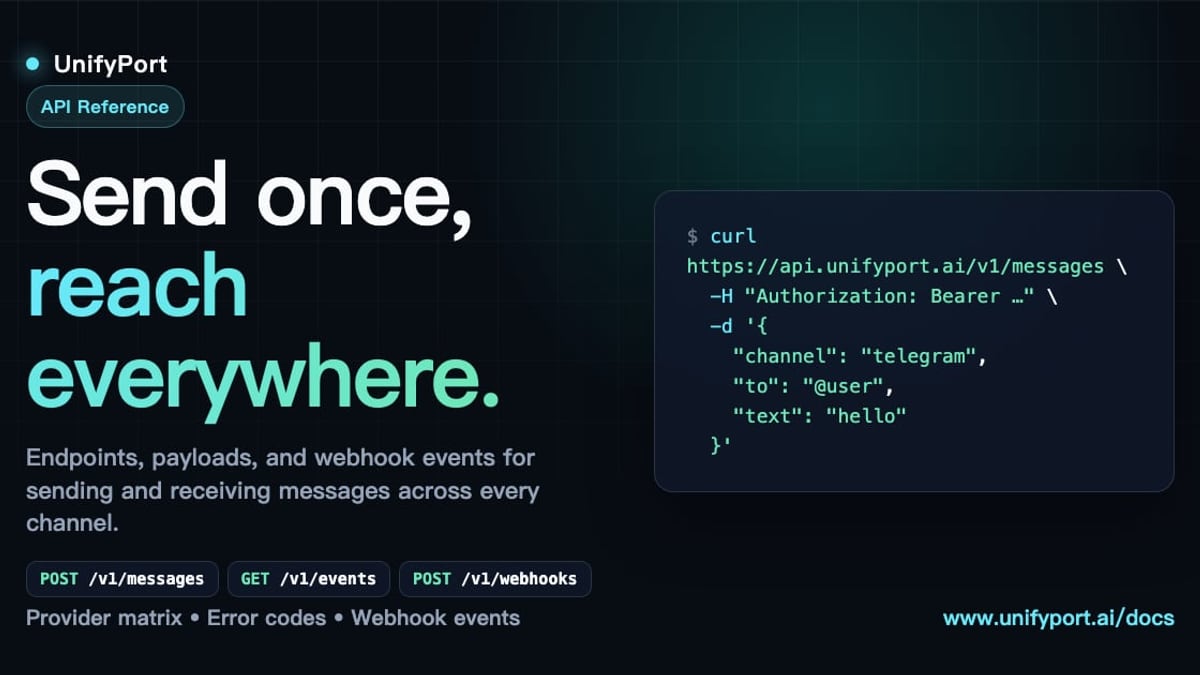
For teams that need to work with multiple messaging platforms—say, WhatsApp, LINE, Twitter, and Telegram simultaneously—handling separate SDKs and connection logic becomes painful. That’s where a unified API platform like UnifyPort comes in.
UnifyPort exposes all those channels through a single REST API and a standardized webhook event stream. This means you send a message to Telegram exactly the same way you send one to WhatsApp or LINE. It normalizes incoming events into one JSON shape, manages rate limiting, retries, and idempotency across providers, and includes a webhook control plane for signature validation and subscriptions. For AI agents, CRMs, and operations tools that need production-grade reliability without building a multi-provider integration layer from scratch, UnifyPort provides an infrastructure layer that keeps the complexity behind a clean API. Learn more in the UnifyPort API guide.
Telegram for Business: Customer Communication and Automation

Telegram Tutorial: Complete Beginner to Pro Guide & Tips product interface and feature overview.
Many businesses now use Telegram as a support channel, a broadcast line, or an automated touchpoint. Here are common patterns:
- Customer support bot: Answers FAQs, forwards complex issues to a human agent inside a group.
- Order notifications: Use the Bot API to push confirmations and shipping updates directly to customers.
- Content subscription: Channels deliver branded content, podcasts, or product updates.
When your customer base spans multiple platforms, you often end up juggling Telegram, WhatsApp, LINE, and more. Instead of building and maintaining separate integrations for each, you can use UnifyPort to normalize those conversations into one event stream and a single API. This lets your CRM or helpdesk see a consolidated view of a customer’s messaging history, no matter which platform they used to reach you.
Advanced Tips & Hidden Tricks
Once you're comfortable with the basics, these features will take your Telegram experience further:
- Chat Folders: Organize conversations under custom tabs like “Work”, “Family”, or “Bots”. Create them in Settings → Chat Folders.
- Scheduled Voice Chats: In groups and channels, schedule a live audio room for a later time.
- Multi-Account Support: Add up to three accounts on the same mobile app (tap your profile photo in Settings).
- Chat Export: Use the desktop client to export an entire chat as HTML or JSON.
- Local Storage Limits: Set a maximum cache size and auto-download rules to save space (Settings → Data and Storage).
- Custom Themes: Design your own color schemes and share them with others.
Troubleshooting Common Telegram Issues
Telegram Tutorial: Complete Beginner to Pro Guide & Tips product interface and feature overview.
I didn’t receive the verification code
- Wait a few minutes; SMS gateways can be slow.
- Tap “Call me to receive the code” when prompted.
- Check if your carrier blocks short codes.
Notifications not working
- Ensure Telegram’s notification settings are on both in-app and at the OS level.
- Disable battery optimization for Telegram on Android.
- On iOS, check Focus modes.
Account logged out or restricted
- Re-login; Telegram may disconnect if you haven’t opened the app for several months (adjustable in Settings).
- Contact
@spambotif inadvertently flagged.
Developer connection problems
When dealing with API rate limits, webhook errors, or reconnection logic in your own Telegram bots, a platform like UnifyPort can help by centralizing connection health monitoring and automatic recovery across all your messaging channels, reducing the need to build custom watchdog services.
Related reading
- What Is Linen? The Complete Guide to the Flax Fabric - Linen is a natural textile made from flax. Learn about its history, properties, types, uses, sustainability, and how it compares to cotton. Your ultimate guide to linen.
- Unipile Login: Dashboard Access, API Credentials, and Troubleshooting - Struggling with Unipile login? Learn how to access your dashboard, create an account, find DSN and API tokens, troubleshoot issues, and discover UnifyPort alternatives.
Sources and further reading
- Telegram Tutorial - Telegram related tutorial
- Can someone explain to me how the app Telegram works? - Can someone explain to me how the app Telegram works?Reddit · r/answers10+ comments · 2 years agoReddit · r/answers10+ comments · 2 years agoI was going to sign up for it, until the first thing it wanted was my phone number. I'm very wary of giving out my phone number to a random app, so I wanted ..
FAQ: Telegram Tutorial
Is Telegram really secure? Telegram uses strong encryption for cloud chats but stores keys on its servers, enabling multi-device sync. For true end-to-end encryption, you must use Secret Chats. All traffic is encrypted in transit.
Can I use Telegram without a phone number? No, a phone number is required for initial registration. However, you can hide your number and communicate solely via a username.
How is Telegram different from WhatsApp? Telegram offers larger group capacities, channels, open APIs, cloud-based syncing without phone dependency for PC, and a richer bot ecosystem. WhatsApp’s encryption is end-to-end by default for all chats; Telegram’s is optional for secret chats only.
How do I create a Telegram channel? Tap the menu icon → New Channel, enter a name and description, choose public or private, and invite subscribers via link or search.
What is a Telegram bot? A bot is an automated Telegram account that runs on the server side and interacts with users via commands. Developers build bots using the Bot API.
How can I send Telegram messages from my own app? Use the Telegram Bot API for simple notifications, or the MTProto/TDLib for a fully custom client. For multi-channel messaging across Telegram, WhatsApp, LINE, and others through a single API, consider UnifyPort.
Does Telegram have limits on file size? Free accounts can send files up to 2 GB. Premium users get 4 GB.
Conclusion: Your Telegram Journey Starts Now
Telegram’s blend of speed, flexibility, and developer openness makes it far more than a chat app. From everyday private messaging to community management and advanced business automation, the platform scales with your needs.
Whether you’re exploring messaging for personal use or building the next-generation customer experience with the help of tools like UnifyPort, this tutorial gives you the foundation to move forward. Now open the app, experiment, and enjoy the control Telegram puts in your hands.
- Get a deeper look at desktop features: Telegram Desktop Guide
- Ready to connect Telegram to your apps? UnifyPort API Documentation
- Compare Telegram with other top messaging platforms: Top 10 Messaging Apps 2026