
Multi-Channel Communication API: A Developer's Guide
Learn how multi-channel communication APIs work, what to compare, common use cases, and how a unified messaging API can simplify multi-platform delivery.
Multi-Channel Communication API: A Practical Guide for Developers
Customers no longer live in a single inbox. One person prefers WhatsApp, another only checks Telegram, and a third expects a direct message on X or LINE. For engineering teams, that reality creates a familiar problem: every new channel means another provider SDK, another authentication flow, another webhook format, and another failure mode to monitor.
A multi-channel communication API exists to solve exactly that. Instead of building and maintaining separate integrations for each platform, you connect once and send or receive messages across channels through a normalized interface. This guide explains what these APIs actually do, what separates a good one from a thin wrapper, and how to evaluate your options.
What Is a Multi-Channel Communication API?
Multi-Channel Communication API: A Developer's Guide - What Is a Multi-Channel Communication API?.
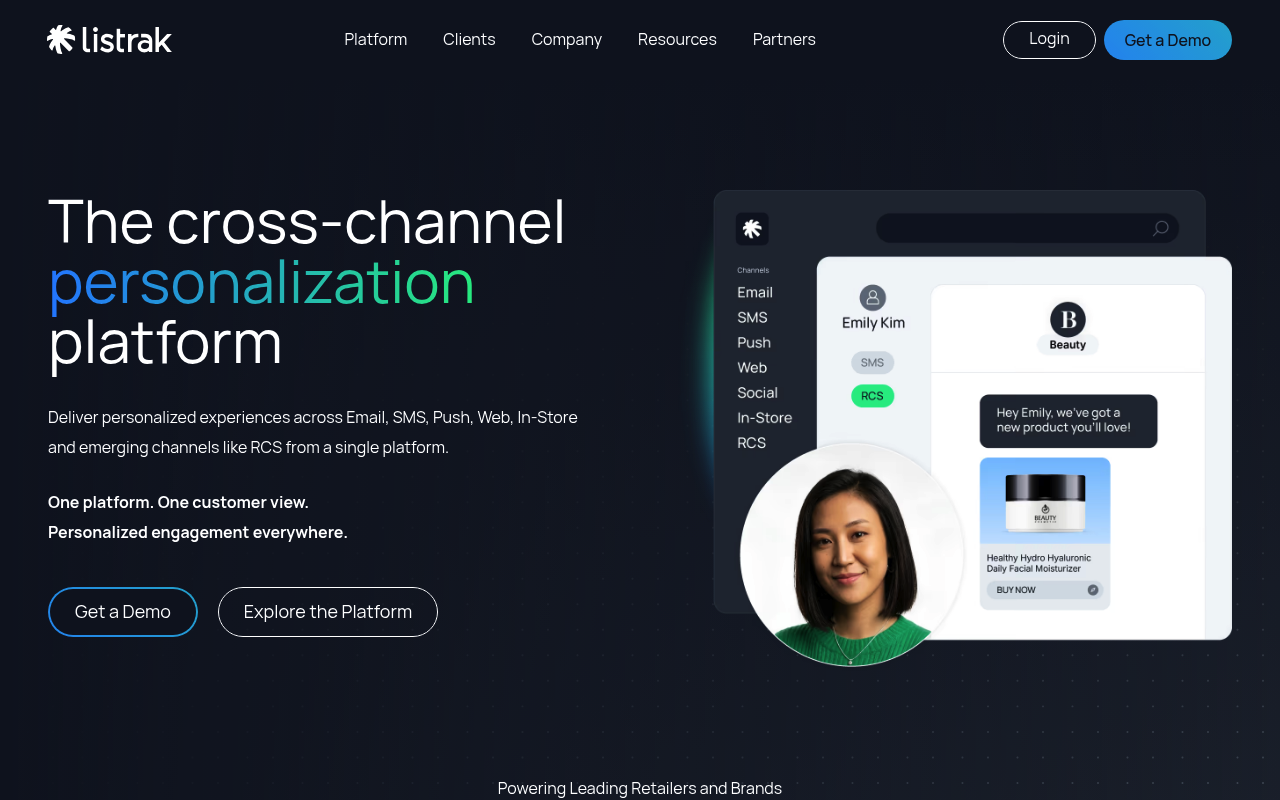
A multi-channel communication API is an application programming interface that lets software send and receive messages across multiple messaging platforms—such as WhatsApp, Telegram, SMS, email, push notifications, or social messaging channels—through a single integration point.
At its core, the API abstracts provider-specific differences. Each messaging platform has its own SDK, authentication model, payload format, rate limits, and webhook behavior. A multi-channel API normalizes those differences so your application works with one request shape and one event shape, regardless of which channel carries the message.
This is different from simply using several separate APIs side by side. With separate integrations, your codebase accumulates channel-specific logic: one function for Telegram bot updates, another for WhatsApp webhooks, another for LINE messaging events. A multi-channel API collapses that into a consistent contract.
Multichannel vs. Omnichannel: What the API Actually Provides
These two terms are often used interchangeably, but they describe different capabilities. A multichannel system supports multiple channels. An omnichannel system connects those channels so context flows between them.
Twilio's glossary puts the distinction clearly: in a multichannel contact center, an agent answering a phone call may have no visibility into the customer's earlier chat conversation. Channels are siloed even though they all exist. In an omnichannel setup, the same agent can switch from chat to voice while retaining the full conversation history.
For an API, the practical implication is straightforward. A basic multi-channel API gives you one endpoint for many channels. A stronger one also gives you a consistent event layer, shared identity, and delivery state across channels—the technical foundation for an omnichannel experience.
How a Multi-Channel Messaging API Works
Multi-Channel Communication API: A Developer's Guide - How a Multi-Channel Messaging API Works.
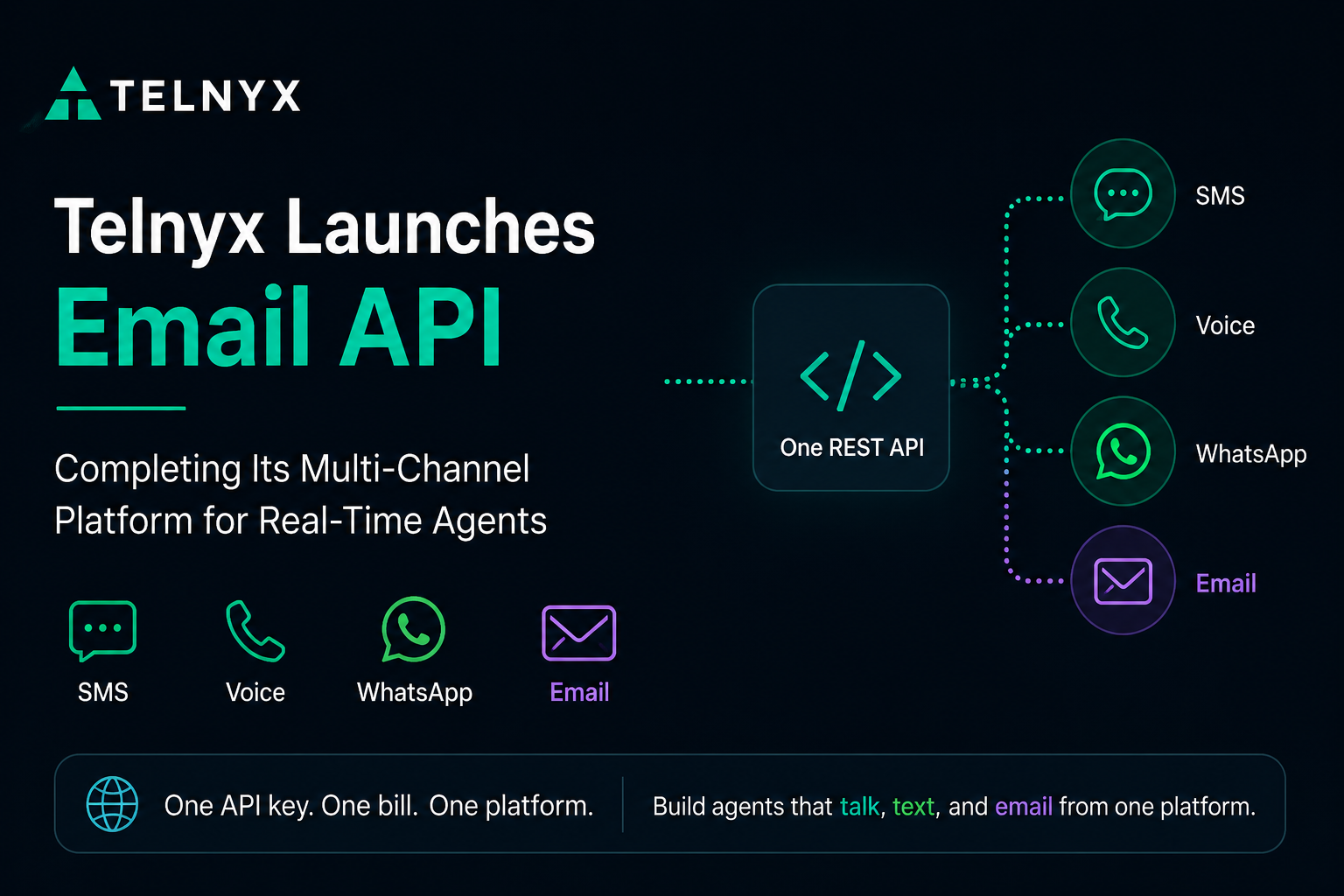
Most multi-channel communication APIs follow a similar architecture:
- One outbound endpoint. Your application sends a normalized request—recipient, channel, content, optional metadata—to a single REST endpoint.
- Channel routing. The API platform translates that request into the provider-specific format and delivers it through the appropriate channel connection.
- Normalized events. Incoming messages, delivery receipts, and failures come back to your application as standardized webhook events, regardless of the source channel.
- Delivery controls. The platform handles retries, rate limits, idempotency, and failure isolation so one channel outage does not take down your entire messaging pipeline.
A practical example helps. Suppose your application needs to notify a user about a payment. With separate integrations, you might write a Telegram sender, a WhatsApp sender, and a LINE sender, each with its own error handling. With a unified API, you make one call:
{
  "channel": "whatsapp",
  "recipient": "+15551234567",
  "content": {
    "type": "text",
    "body": "Your payment of $49.00 was successful."
  }
}
The platform handles the rest: provider authentication, message formatting, delivery confirmation, and webhook callbacks back to your system.
What to Look for in a Multi-Channel API
Multi-Channel Communication API: A Developer's Guide - What to Look for in a Multi-Channel API.
Not all multi-channel APIs are created equal. Some are thin abstractions over a few providers; others are production-grade messaging infrastructure. When evaluating options, focus on the features that determine long-term reliability and developer experience.
Normalized Event Layer
The biggest hidden cost of multi-channel messaging is event handling. Every provider sends webhooks in a different shape. WhatsApp webhooks look nothing like Telegram updates, which look nothing like LINE events. A strong API converts all of those into one consistent JSON schema, so your event consumer only needs to understand one format.
Webhook Control Plane
Production messaging requires more than receiving events. You need to manage webhook signatures, subscribe to specific event types, and retry failed deliveries. Look for an API that exposes these controls programmatically rather than requiring manual configuration in a provider dashboard.
Rate Limiting and Retries
Messaging providers enforce strict rate limits, and exceeding them can lead to temporary bans. A good multi-channel API includes built-in rate limiting that queues or throttles requests before they hit provider limits. Retries with idempotency ensure that a network failure does not produce duplicate messages.
Failure Isolation
If one channel goes down, the rest of your messaging should continue. Failure isolation means a Telegram outage does not block WhatsApp delivery. This is a critical distinction between a unified API and a fragile monolithic sender.
Security
Look for API key authentication and HMAC-SHA256 webhook signatures as a baseline. These ensure that only your application can send messages and that incoming events genuinely originate from the messaging platform.
Multi-Channel API Use Cases

Multi-Channel Communication API: A Developer's Guide - Multi-Channel API Use Cases.
Multi-channel communication APIs serve a wide range of applications. The most common scenarios include:
- AI agents and chatbots. An AI assistant that needs to respond on Telegram, WhatsApp, and X can use one API for all inbound and outbound messages, keeping the agent logic channel-agnostic.
- CRM and customer support. Support teams can reach customers on their preferred channel without switching between five different provider dashboards.
- Notification systems. Transactional alerts, order updates, and security notifications can be delivered across channels with consistent formatting and delivery tracking.
- Operations and monitoring tools. DevOps platforms can send alerts to Telegram, Slack-like channels, or messaging apps through a single integration.
- Marketplace and multi-tenant platforms. SaaS products serving multiple brands can isolate each tenant's channel accounts while sharing one messaging infrastructure.
Build vs. Buy: When a Unified API Makes Sense
The decision to adopt a multi-channel communication API usually comes down to a simple calculation. Building one channel integration is manageable. Building five—and maintaining them as providers change their APIs—is a different project entirely.
Consider building in-house when:
- You only need one or two channels.
- Your message volume is low and predictable.
- You have dedicated engineering capacity for ongoing provider maintenance.
Consider a unified messaging API when:
- You need three or more channels.
- Your application must handle high message volume with reliable delivery.
- You want to add new channels without rewriting application code.
- Your team cannot afford to track provider API changes across multiple platforms.
A platform like UnifyPort is designed for the latter scenario. It provides a single REST API and standardized webhook events across Telegram, WhatsApp, LINE, X (Twitter), Zalo, and TikTok. Instead of integrating with each provider's SDK, developers work with one normalized interface. The platform includes a standard event layer that converts all provider messages into a consistent JSON shape, plus a webhook control plane for managing signatures, subscriptions, and retries. Built-in rate limiting, retries with idempotency, and failure isolation handle the delivery concerns that typically consume engineering time.
For teams evaluating the broader category, our guide to CPaaS and communications APIs explains how unified messaging platforms fit into the wider communications stack.
Multi-Channel API Comparison: Key Criteria
When comparing providers, use a consistent evaluation framework. The table below summarizes the dimensions that matter most for production use.
| Criteria | What to Ask |
|---|---|
| Channel coverage | Which messaging platforms are supported? Can you add new ones without code changes? |
| Event normalization | Do all inbound events arrive in one consistent schema? |
| Delivery reliability | Are retries, idempotency, and rate limiting built in? |
| Failure isolation | Does one channel outage affect other channels? |
| Security | Are API keys and HMAC signatures supported? |
| SDK availability | Are official SDKs available for your backend language? |
| Pricing model | Is pricing per message, per account, or per active channel? |
| Operational controls | Can you manage webhooks, subscriptions, and retries programmatically? |
Pricing deserves special attention. Some platforms charge per message, which can become expensive at high volume. Others charge per active messaging account or channel connection. UnifyPort, for example, uses a graduated monthly tier per paid messaging account, with free accounts included—a model that suits teams running multiple channel connections at predictable cost. You can review the details in the UnifyPort pricing guide.
Common Implementation Pitfalls
Even with a solid API, teams make predictable mistakes. The most frequent ones include:
- Ignoring webhook signature verification. Without HMAC validation, your endpoint can be spoofed. Always verify signatures before processing events.
- Treating delivery as synchronous. Messaging is asynchronous by nature. Design your application around webhook confirmations rather than assuming an HTTP 200 means the message reached the user.
- Not planning for provider downtime. Channels go down. Your retry and failure isolation strategy should be part of the initial design, not an afterthought.
- Hardcoding channel logic in business code. The whole point of a unified API is channel-agnostic application logic. Keep provider-specific concerns inside the messaging layer.
- Underestimating rate limits. Provider limits vary by channel, account age, and message type. A platform with built-in throttling saves you from learning these limits the hard way.
Related reading
- How CM.com Works: Platform, Products & Architecture - Understand how CM.com works: the platform architecture, key products, AI layer, and how messaging, payments, and customer data connect in one system.
- Telegram & Gazette: Worcester News, Obituaries & How to Access It - A practical guide to the Worcester Telegram & Gazette: local news coverage, obituaries, subscriptions, digital access, and how readers and businesses stay connected.
Sources and further reading
- 10 Best Multi-Channel Messaging APIs for Developers (2026) - Compare the best multi-channel messaging APIs for developers in 2026. Evaluate SuprSend, Twilio, OneSignal, Courier, MessageBird, and Plivo for workflows, smart routing, batching, in-app inbox, user preferences, observability, multi-tenancy, and compliance.
- OTT Omni-Channel Business Messaging From One API - Send messages to your customers on their preferred communication platform with Business Messaging API.
Frequently Asked Questions
What is the difference between a multi-channel API and an omnichannel API?
A multi-channel API lets you send and receive messages across multiple channels through one interface. An omnichannel API adds context continuity—the ability to track a customer's interactions across channels as one conversation. In practice, a well-designed multi-channel API with a normalized event layer provides the technical foundation for omnichannel experiences.
Which channels should a multi-channel communication API support?
The right channels depend on your audience. For consumer messaging in many markets, WhatsApp, Telegram, and LINE are essential. For social engagement, X (Twitter) and TikTok matter. For transactional reliability, SMS and email remain important. Choose a platform that covers your current channels and can add new ones without application changes.
How much does a multi-channel messaging API cost?
Pricing models vary widely. Some providers charge per message with volume discounts. Others charge per active channel connection or messaging account. Some offer free tiers for development. Evaluate total cost at your expected volume across all channels, not just the headline per-message rate.
Can I use a multi-channel API for inbound messages?
Yes. A complete multi-channel API handles both outbound delivery and inbound message ingestion. Inbound messages should arrive as standardized webhook events so your application can process Telegram messages, WhatsApp messages, and LINE messages with the same code path.
Do I still need provider-specific SDKs if I use a unified API?
No. That is the primary benefit. The unified API abstracts provider SDKs and differences behind one REST interface. You only need provider SDKs if you need capabilities that the unified API does not expose.
Is a multi-channel API suitable for AI agents?
Yes. AI agents frequently need to communicate across multiple messaging platforms. A unified API lets the agent's core logic remain channel-agnostic, with all inbound messages normalized into one event shape and all outbound messages sent through one endpoint.
Conclusion
A multi-channel communication API is not just a convenience—it is an architectural decision. It determines how much of your engineering time goes into messaging infrastructure versus product features, how reliably your messages reach users, and how easily you can adopt new channels as customer preferences shift.
The strongest options share a common pattern: one REST API for outbound delivery, one normalized event schema for inbound messages, and built-in controls for retries, rate limits, webhooks, and failure isolation. Whether you choose a broad CPaaS platform or a focused unified messaging API like UnifyPort, the goal is the same: let your application speak to every channel without learning every channel's dialect.
For a deeper look at how unified messaging fits into customer engagement strategy, see our guide to customer engagement platforms.