
What Is a Mobile App? The Complete Guide to Types & Benefits
Learn what a mobile app is, its types (native, web, hybrid), benefits, and how modern apps integrate messaging APIs like UnifyPort for multi-channel engagement.
What Is a Mobile App? The Complete Guide to Types & Benefits
When you tap an icon on your phone to order coffee, track a package, or chat with a friend, you’re using a mobile app. In its simplest form, a mobile app (or mobile application) is a software program designed to run on a small, wireless computing device like a smartphone, tablet, or smartwatch – as opposed to desktop computers or laptops. Wikipedia defines it clearly: “a computer program or software application designed to run on a mobile device.”
Today’s mobile apps are far more than just productivity tools. They power everything from banking and healthcare to instant messaging across the globe. This guide walks you through what a mobile app really is, the main types available, how they work, and why businesses are increasingly looking for ways to connect their apps with modern messaging APIs.
A Brief History of Mobile Apps
What Is a Mobile App? The Complete Guide to Types & Benefits product interface and feature overview.
Mobile applications aren’t as new as you might think. The Psion Organiser, launched in 1984, is widely considered the world’s first pocket computer with built-in apps like a calculator and clock. The 1990s saw IBM’s “Simon” personal communicator – able to send faxes, emails, and house an address book – while Palm Pilots and BlackBerry devices brought apps into the mainstream business world.
Everything changed in 2007 with the iPhone, followed by the App Store in 2008. Within 72 hours, over 10 million apps were downloaded. Google Play launched months later, and the app economy never looked back. Now, millions of apps are available across app stores, with global revenues reaching tens of billions of dollars annually.
Caption: From the Psion Organiser to today’s smartphones, mobile apps have become indispensable.
Types of Mobile Apps
What Is a Mobile App? The Complete Guide to Types & Benefits product interface and feature overview.
Mobile apps are generally classified into three broad categories. Understanding the differences helps you choose the right approach for your project.
Native Apps
Native apps are built specifically for one mobile operating system – typically iOS (using Swift or Objective‑C) or Android (using Kotlin or Java). Because they’re optimized for the platform, they can fully leverage device hardware like the camera, GPS, and offline storage. Performance is fast and the user interface feels completely natural.
Benefits:
- Superior performance and responsiveness
- Deep access to device features
- Highly polished, platform‑specific user experience
Drawbacks:
- Separate codebases for each platform, raising development time and cost
- Must be downloaded from an app store (a potential adoption barrier)
Web Apps (Progressive Web Apps – PWAs)
Web apps, especially Progressive Web Apps (PWAs), run inside a mobile browser and are built with standard web technologies: HTML, CSS, and JavaScript. They are not installed through an app store; users simply visit a URL. Modern PWAs can work offline, send push notifications, and access some device hardware.
Benefits:
- One codebase works on any device with a modern browser
- No app store approval or download required
- Easier and faster to update
Drawbacks:
- Performance may not match native apps, especially for graphics‑heavy tasks
- Access to device features is improving but still less comprehensive than native
Hybrid Apps
Hybrid apps blend web and native approaches. A web app (HTML, CSS, JavaScript) is wrapped inside a native container, using frameworks like React Native, Flutter, or Apache Cordova. The result is distributed through app stores but much of the code is shared across platforms.
Benefits:
- Single codebase for multiple platforms, reducing development costs
- Faster to build than two native apps
- Can access many device features through plugins
Drawbacks:
- Performance can lag behind fully native apps
- Achieving a perfectly consistent look‑and‑feel across platforms is often challenging
- Debugging complexities arise from the mix of web and native code
Quick Comparison
| Feature | Native App | Web App (PWA) | Hybrid App |
|---|---|---|---|
| Installation | Via app store | No install needed | Via app store |
| Codebase | One per platform | Single web codebase | Shared (mostly) |
| Performance | Fastest | Good, browser‑limited | Moderate |
| Device Feature Access | Deep | Limited (improving) | Good via plugins |
| Offline Support | Excellent | Yes (with service workers) | Yes (depends on implementation) |
| Update Process | App store review | Instant on server | App store review |
How Does a Mobile App Work?
When you launch a mobile app, it communicates with the device’s operating system and underlying hardware through a series of runtime components. TechTarget explains that the app uses system services to access the camera, GPS, storage, and internet connection. The app often connects to remote servers via APIs to fetch data, synchronize content, or send user actions.
In a typical architecture, the frontend (the interface on the phone) sends requests to a backend server that processes them and returns data. This is where modern messaging capabilities enter the picture: mobile apps can integrate with third‑party services to send and receive messages across channels, creating interactive experiences.
Benefits of Mobile Apps for Businesses and Users
Both consumers and organizations rely on mobile apps for very practical reasons:
- Convenience: Access services anytime, right from your pocket.
- Personalization: Apps can tailor content based on user preferences and behavior.
- Offline access: Many core features work without an internet connection.
- Push notifications: Instant alerts drive engagement and re‑engagement.
- Brand loyalty: A well‑designed app can become the primary channel for interacting with a business.
For businesses, mobile apps also open the door to direct communication through multi‑channel messaging – whether for customer support, transactional updates, or automated marketing workflows.
Modern Mobile Apps and Unified Messaging Integration

What Is a Mobile App? The Complete Guide to Types & Benefits product interface and feature overview.
Today’s mobile apps don’t live in isolation. Many need to reach users on the messaging platforms they already use, such as WhatsApp, Telegram, LINE, or even TikTok messages. Building a separate integration for each channel is time‑consuming and error‑prone.
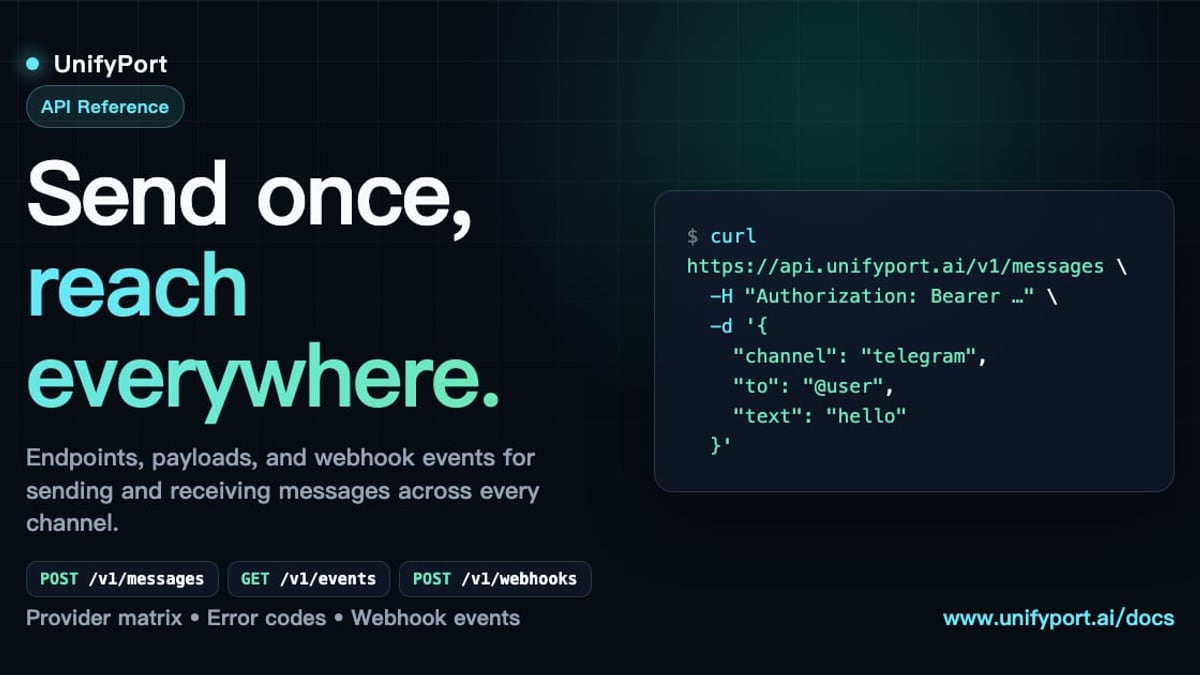
A unified messaging API like UnifyPort solves this by providing a single REST API and standardized webhook event stream across all major messaging platforms. Instead of wrestling with provider‑specific SDKs and connection managers, developers send a message once and it’s delivered to the right channel. UnifyPort handles the heavy lifting: rate limiting, automatic retries, idempotency, and channel‑specific formatting like reply‑to and parse mode.
For a mobile app development team, this means:
- One integration for WhatsApp, Telegram, LINE, X (Twitter), Zalo, and TikTok
- Normalized event payloads so all platforms look the same to your backend
- Production‑grade delivery guarantees with built‑in failure isolation
- Secure API key management with HMAC‑SHA256 signatures
When your mobile app needs to send a booking confirmation via WhatsApp and a follow‑up on Telegram, UnifyPort manages the routing, authentication, and even the lifecycle of virtual messaging accounts. This kind of infrastructure is especially valuable in marketing automation setups where lead nurture campaigns flow across multiple channels – see our Marketing Automation Guide for more on that strategy.
To dive deeper into the world of multi‑channel APIs, including how UnifyPort compares to other solutions, check out our Unipile Documentation guide, which covers setup, endpoints, and real‑world use cases. And if you’re interested in building Telegram messaging directly into your app, the Telegram API Guide explains all the integration options.
Mobile App Development Considerations
If you’re thinking about building a mobile app, keep these factors in mind:
- Target audience: Know whether your users are on iOS, Android, or both.
- Performance needs: Graphics‑intensive games demand native; a content‑focused service may work well as a PWA.
- Budget and timeline: Hybrid apps can cut costs, but may require more testing.
- Backend integration: Plan early for how your app will talk to servers, databases, and third‑party APIs like messaging platforms.
- App store guidelines: Each platform has strict rules that affect functionality and approval.
Distribution and App Stores
Once built, apps are typically distributed through official app stores:
- Apple App Store (iOS)
- Google Play Store (Android)
- Additional stores like Samsung Galaxy Store, Amazon Appstore, or enterprise‑specific marketplaces
The approval process can be rigorous, and store fees (often a 15–30% commission on sales) must be factored into your business model.
Related reading
- CM.com Stichting: A Complete Guide to CM.com's Foundation - Discover CM.com Stichting, the foundation arm of CM.com. Learn about its mission, typical focus areas, and how multi-channel messaging technology supports social impact.
- What Is Linear? A Developer’s Guide to the Product Development System - Discover what Linear is, its value for software teams, and how to connect it with unified messaging APIs like UnifyPort for automated multi-channel notifications.
Sources and further reading
- Understanding mobile applications: A comprehensive guide - Explore the essentials of mobile apps, from history to current trends.
FAQ: Common Questions About Mobile Apps
What exactly is a mobile app?
A mobile app is a software application designed to run on a mobile device such as a smartphone or tablet, offering a dedicated set of features that are installed directly on the device or run through a browser.
What’s the difference between a native app and a web app?
A native app is built for a specific platform (iOS or Android) using platform‑specific languages and is installed via an app store. A web app runs in a mobile browser and is built with web technologies; it does not require installation but may have limited access to device hardware.
Are hybrid apps a good choice?
Hybrid apps can be an excellent compromise: they share one codebase across platforms and can access many device features, though performance and platform‑perfect UI may suffer slightly compared to fully native development.
How do messaging APIs improve mobile apps?
Messaging APIs let your app send and receive messages on popular platforms like WhatsApp or Telegram without building separate integrations. This is especially useful for customer support, marketing notifications, and automated alerts.
Do I always need a mobile app for my business?
Not necessarily. If your service works well as a responsive website or PWA and doesn’t require deep device features, a web app may be sufficient. However, a mobile app can offer better engagement and offline capabilities if your audience demands it.
What is a Progressive Web App (PWA)?
A PWA is a web application that uses modern browser features to deliver an app‑like experience. It can be installed on the home screen, work offline, and send push notifications, all without going through an app store.
Conclusion
Mobile apps have come a long way from simple calculators to multi‑functional platforms that connect businesses to users in real time. Whether you choose native, web, or hybrid ultimately depends on your performance requirements, budget, and target audience. What’s most important is that your app architecture can keep pace with the messaging channels users prefer. By embracing a unified messaging layer like UnifyPort, you can future‑proof your mobile app and deliver a consistent, engaging communication experience across every platform that matters.